
3D Lab Sonata Player V5 Review
Understated in appearance yet remarkably sophisticated, the 3D Lab Sonata Player V5 streaming player conceals a wealth of comprehensive features and delivers satisfying sonic performance, presenting an excellent option for today’s popular streaming music landscape.
What advantages does the Sonata Player V5 offer? Beyond being a streaming player, it also functions as a streaming transport. Furthermore, equipped with advanced digital volume control, it can directly connect to power amplifiers for versatile functionality.
Spanning multiple platforms, it caters to the vast majority of user needs, supports mainstream streaming services, and even rips CDs—offering flexible usage in every way imaginable.
For digital audio processing, the Sonata Player V5 utilizes a custom-programmed FPGA as its core processor. This design incorporates specialized jitter reduction, setting it apart from typical computer-based sources and resulting in demonstrably superior sound quality.
JMR Partnership
Before delving into the Sonata Player V5, let’s briefly introduce 3D Lab.
3D Lab is a French brand, with the company officially named SIEA – 3D Lab. Founded in 1995 by Charles-Henry Delaleu, its factory is situated in the southeastern French town of Mouans Sartoux, less than ten kilometers from Cannes.
Charles-Henry’s background was initially in audio retail before establishing the 3D Lab brand. He began manufacturing and selling DVD players. During the DVD era’s peak, 3D Lab DVD players were bestsellers in France.
Moreover, since its inception, 3D Lab has maintained a close partnership with the French speaker manufacturer JMR, consistently appearing together at audio shows across Europe. This enduring collaboration suggests a shared vision of sound and sonic character.

Currently, 3D Lab’s product line primarily consists of powered components, including digital streaming transports, digital streaming players, DACs, power amplifiers, and external power supplies. A consistent design element across their range is the uniform chassis size—all models feature a half-width chassis of 21.5 cm, half the size of standard components, perfectly embodying the “Nano” designation in their model names.
In their model nomenclature, 3D Lab refers to streaming transports as Nano Network Transports and streaming players as Nano Network Players. These are further categorized into three tiers, from entry-level to high-end: Sonata V5, Platinum V5, and Signature V5, with V5 indicating the latest, fifth generation.
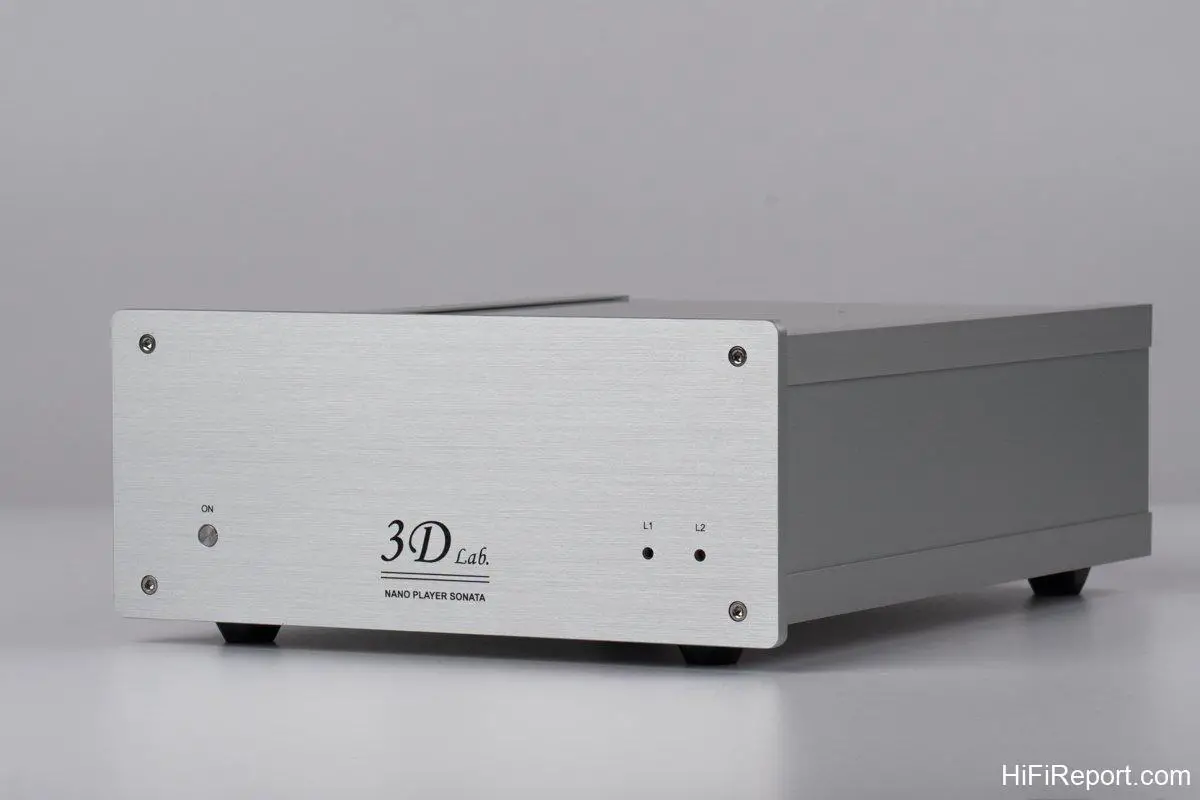
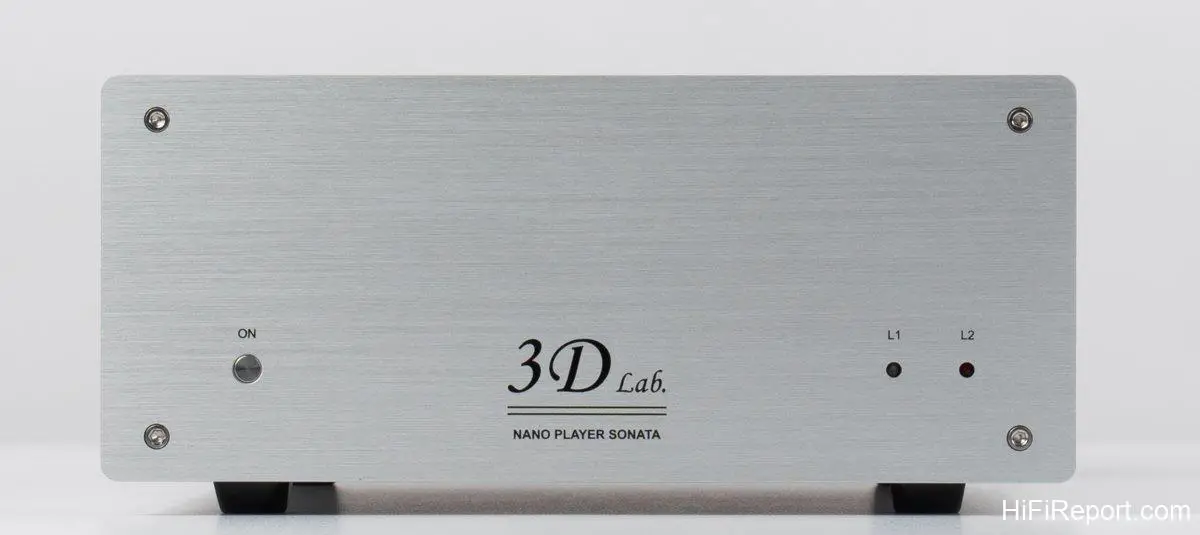
The subject of this review is the Nano Network Player Sonata V5, identifying it as 3D Lab’s entry-level streaming player.
For ease of reading, the following text will refer to it simply as the Sonata Player.
Digital Architecture
Although the Sonata Player is 3D Lab’s entry-level streaming player, it shares the same core architecture as their higher-end models. The differences lie primarily in chassis rigidity, power supply quality, clock precision, and DAC grade.
So, what constitutes the Sonata Player’s core architecture? It can be described in two main aspects: the FPGA-based digital processor and the unique LEEDH Processing algorithm for digital volume control.
Let’s first examine the FPGA.

Internally, the Sonata Player’s playback function is managed by two key components: a Raspberry Pi computer and an FPGA processor.
The Raspberry Pi is responsible for network packet data reception and transmission, as well as the execution and management of all applications. Essentially, it handles the underlying streaming control. The digital signal output from the Raspberry Pi is then fed into the FPGA for digital processing, conversion, and playback. Here, the digital signal is refined and resynchronized.
In this architecture, the FPGA acts as the master, while the Raspberry Pi computer is the slave—a reversal of the typical arrangement in most streaming players. According to 3D Lab, this unique architecture significantly reduces the Sonata Player’s jitter to a picosecond level, achieving an exceptionally low 36 picoseconds, indicating remarkable precision.
Advanced Digital Volume Control
Next, let’s consider LEEDH Processing digital volume control.
Compared to traditional digital volume controls, LEEDH Processing offers the advantage of being lossless and non-altering to the signal.
Adjusting volume in the digital domain (volume attenuation) typically involves re-encoding the original audio signal. This process uses increased bit depth to accommodate the new signal before it’s passed to the DAC for digital-to-analog conversion.
Finer volume adjustments require greater bit depth increases. During conversion, this can exceed the DAC’s limitations, necessitating signal truncation, which results in loss of detail and dynamics, and even distortion.
LEEDH Processing differs significantly. It employs a unique algorithm for computation that precisely alters signal amplitude without increasing the encoded bit depth by more than 8 bits. This ensures no loss after DAC conversion and preserves the waveform, marking it as a groundbreaking design.
Another advantage of LEEDH Processing is its nature as an algorithm rather than hardware. This allows for easy implementation across various processors, such as DSPs, FPGAs, ASICs (Application-Specific Integrated Circuits), and more, offering greater versatility.
When operating the Sonata Player through Roon, Roon can directly control the Sonata Player’s LEEDH Processing digital volume control.
Simply set the Volume Control to “Device Volume” in Roon’s output device settings page.
The FPGA within the Sonata Player is equipped with LEEDH Processing digital volume control. Whether using analog or digital outputs, it can precisely adjust the volume while preserving full detail.
Volume adjustment is highly convenient, operated not by a physical remote, but through your preferred streaming control app, including Roon Remote or other third-party UPnP/DLNA apps. The volume controls in these apps directly command the Sonata Player’s FPGA, which in turn instructs LEEDH Processing to operate, achieving precise and lossless volume control.
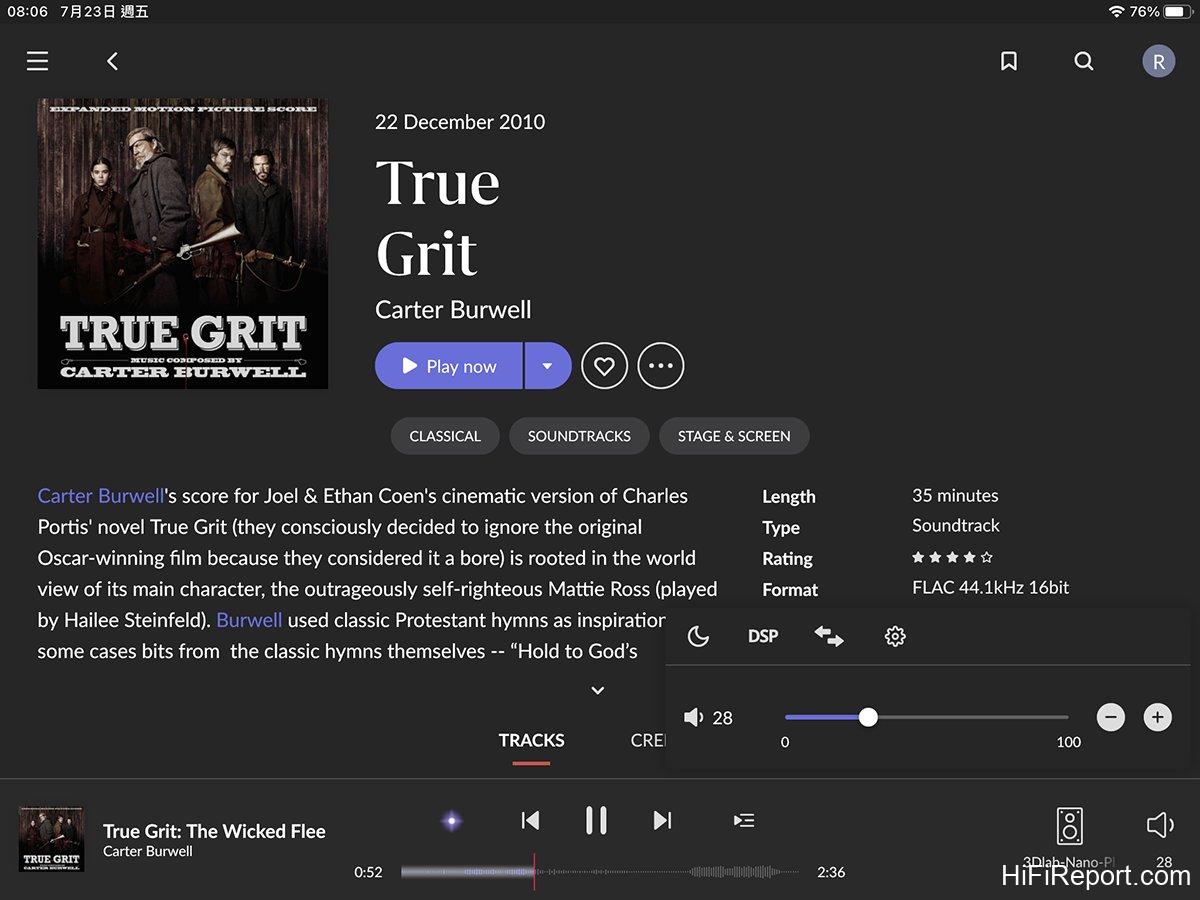
Once configured, you can remotely adjust the Sonata Player’s volume using Roon.
In this scenario, Roon directly commands the Sonata Player’s FPGA, which then directs LEEDH Processing to adjust the digital volume, resulting in precise and lossless output.
However, LEEDH Processing is not exclusive to 3D Lab; it’s a technology developed by the French company Acoustical Beauty.
Gilles Millot, the head of Acoustical Beauty, is a visionary. He previously designed LEEDH brand loudspeakers, which featured unique ABD drivers that eliminated traditional surrounds and spiders. Instead, they used magnetic suspension and air pressure to maintain stable voice coil displacement, driving air and avoiding distortion caused by surrounds and spiders.
Our editor, Da Tiankai, previously reviewed LEEDH speakers, giving them high praise. I also personally heard them at an audio show and was impressed by their naturalness and musicality. Now, Gilles Millot has developed LEEDH Processing as a digital “toolkit,” set to benefit even more players in the future.
Currently, besides 3D Lab players, other brands are also adopting LEEDH Processing, including Metronome, Soulution, Lumin, Vermeer Audio, and more. It’s expected that LEEDH Processing will become increasingly prevalent in audio equipment.
[
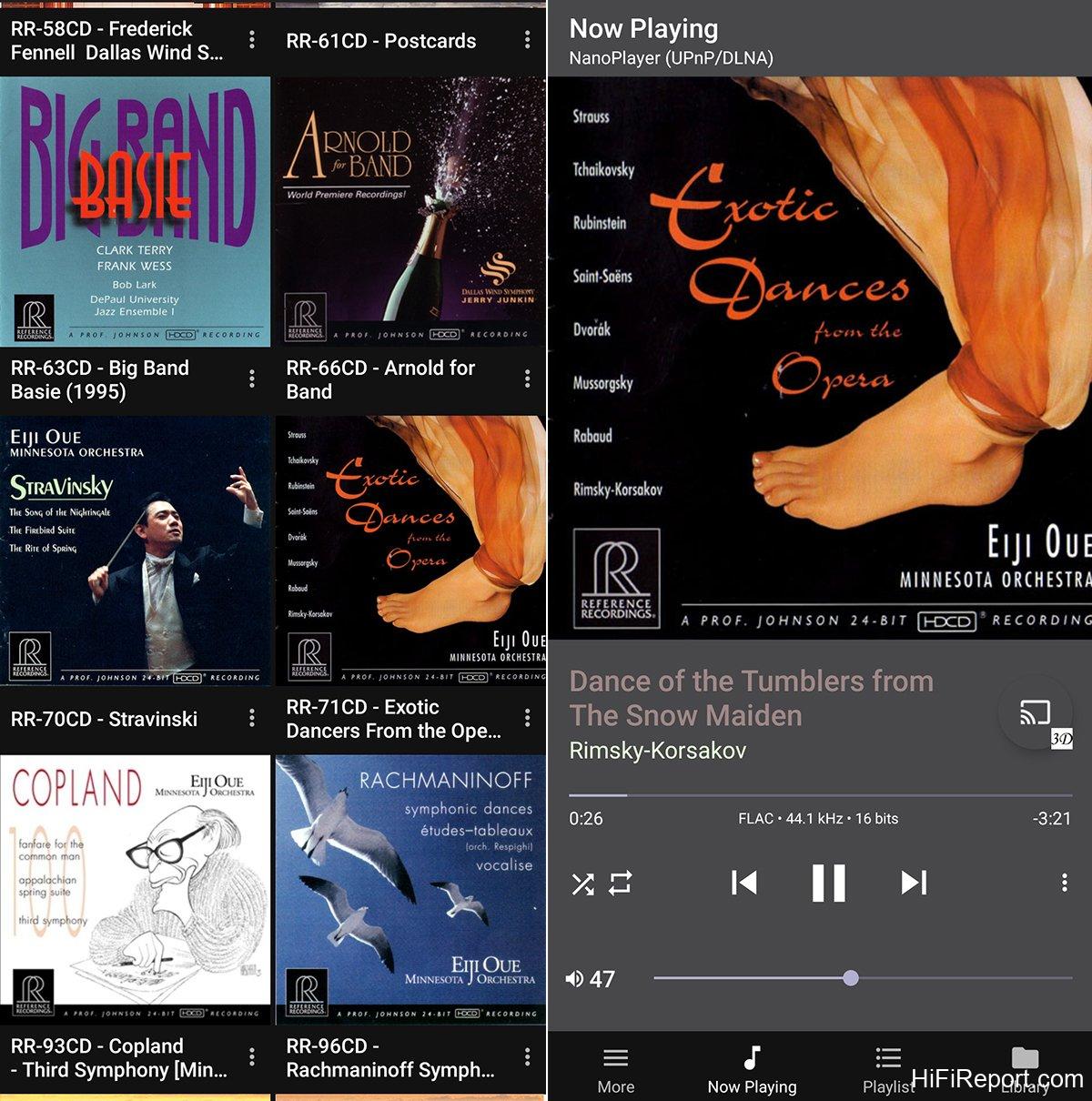
Figure Left: Sonata Player also supports UPnP/DLNA playback. My preferred UPnP remote app is BubbleUPnP. This is a screenshot of its interface. “Local” refers to the remote device, my smartphone. “Cloud” is for cloud streaming services, showing support for Tidal and Qobuz.
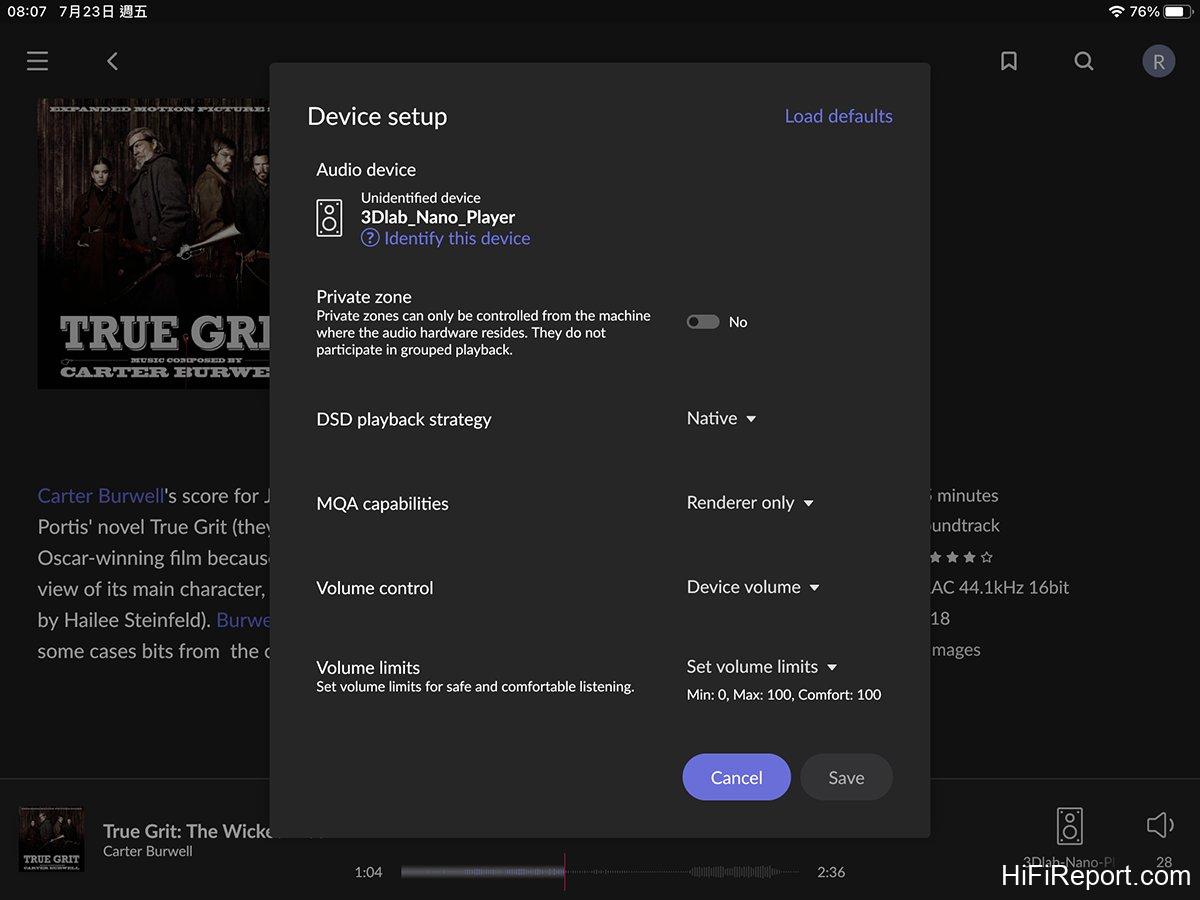

Figure Right: BubbleUPnP can also remotely play music files from servers within the network. The screen displays several music libraries, including the Sonata Player itself, which also functions as a server.]
[
Figure Left: Entering a music library allows browsing of music files within.

Figure Right: When controlling Sonata Player playback via UPnP/DLNA, volume can also be remotely adjusted. Sliding the volume bar at the bottom of the screen adjusts the volume.]
Similarly, BubbleUPnP “commands” the Sonata Player’s LEEDH Processing to adjust the volume in the digital domain, ensuring lossless audio quality.
Versatile Functionality
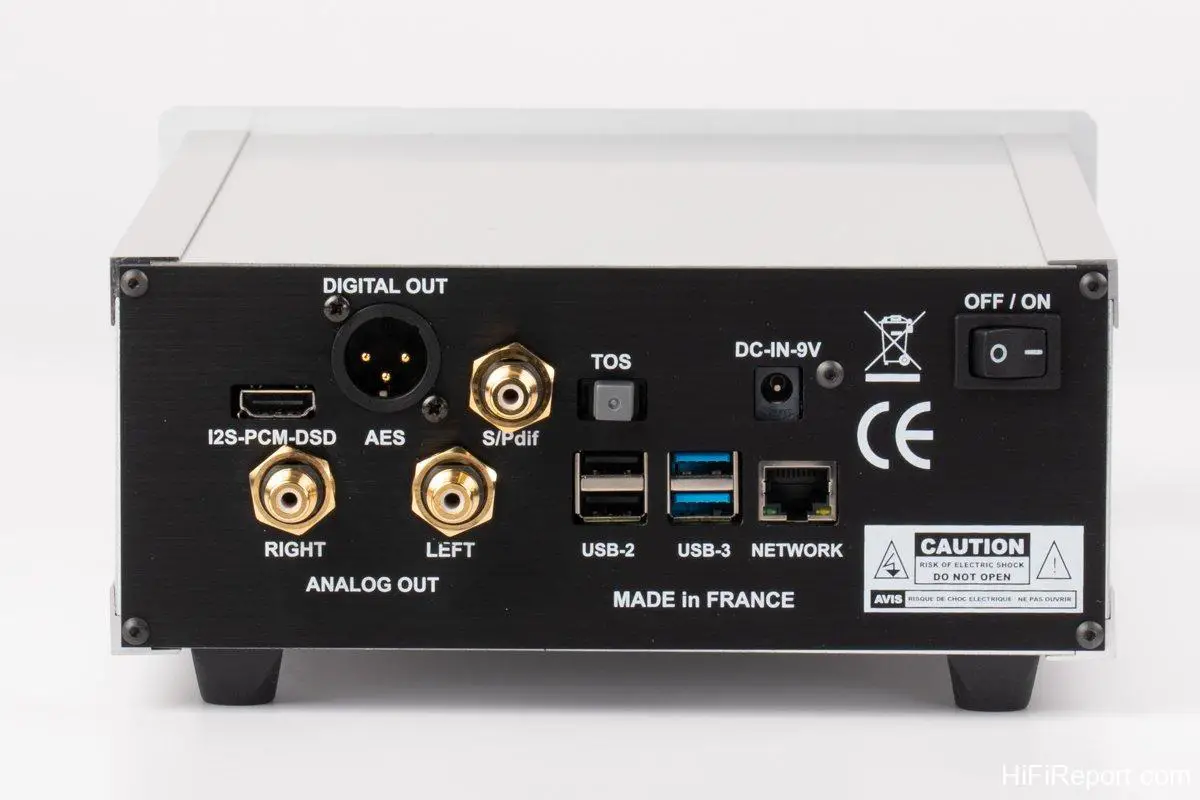
The Sonata Player supports a wide range of audio formats, with playback capabilities reaching up to 32 bit / 768 kHz PCM and DSD256 (Native), showcasing impressive specifications.
It also features a comprehensive array of digital output interfaces, including AES/EBU, S/PDIF RCA, optical, USB Audio, and I2S (HDMI), accommodating connections to various DACs.
Bluetooth reception is also integrated, enabling direct playback from smartphones or tablets.
While the Sonata Player lacks built-in Wi-Fi, it is equipped with two USB 3.0 and two USB 2.0 ports on the rear panel. Simply inserting a commercially available USB Wi-Fi adapter grants it Wi-Fi connectivity.
Furthermore, external USB hard drives can be connected to the Sonata Player’s rear panel. It will read the music files stored within, transforming into a DLNA Server. Remarkably, by connecting a USB optical disc drive, it can even rip CDs – quite powerful indeed! Another advantage of the Sonata Player is its extensive support for streaming protocols and features.
It supports UPnP/DLNA, OpenHome, Roon Ready, AirPlay, and more, allowing you to freely choose your preferred app or platform without compromise.
It also supports several mainstream streaming music services such as Qobuz, Tidal, Spotify, and others.

Additionally, if you use audiophile-grade playback software like HQPlayer, Audirvana, or JRiver, you can stream directly through the Sonata Player. This is not only convenient but also fully leverages the high-quality audio performance of these playback software options.
[
This is the Sonata Player’s settings page, showing its extensive support for various platforms, including UPnP/DLNA, OpenHome, Roon, AirPlay, Qobuz, Tidal, Spotify, and even HQPlayer, CD playback, CD ripping, etc.]
Ying Shi Studio Custom Roon Core
The Sonata Player is committed to maximizing product support and sound quality, allowing consumers to use it in their most familiar ways, ultimately achieving the best listening experience.
Regarding user interfaces, Roon stands out as the most discussed, highly-rated, and feature-rich control software currently available. However, to run Roon smoothly, a capable Roon Core is essential.
There are several common Roon Core solutions, including PCs, Macs, NAS devices, Intel NUCs, Roon Nucleus, or audiophile music servers offered by audio manufacturers. Some of these options are inexpensive, even free (using an existing PC), but their sound quality may be less than ideal.
Achieving good sound often comes at a significant cost, making the choice a challenging one.
Here, I’d like to introduce a Roon Core solution: the custom Intel NUC Roon Core from “Ying Shi Studio.” It offers performance and sound quality comparable to the Nucleus but at a more approachable price.
This is based on the commercially available Intel NUC barebones mini-computer. Even the Core i3 version offers good performance in a palm-sized footprint, using a fan for cooling within its chassis.
Installing Roon’s ROCK (Roon Optimized Core Kit) operating system transforms it into a compact and powerful Roon Core, albeit with fan noise and vibration.
“Ying Shi Studio” is a digital design studio, originally an Intel reseller that sold Intel NUC mini-computer barebones.
As many know, the Nucleus internally uses Intel NUC hardware, running ROCK, Roon’s operating system suite specifically written for Intel NUCs, housed in a beautifully designed cast aluminum chassis that also serves for heat dissipation—this is Roon’s officially recommended optimal Roon Core solution.
Roon also suggests that consumers can purchase an Intel NUC themselves, download and install ROCK, and thus have a capable Roon Core.
So, what does Ying Shi Studio do? They remove the original fan-cooled chassis from the Intel NUC and install it in a fanless chassis from Akasa, a professional chassis manufacturer. This results in the high-performance, silent Roon Core that is paired with the Sonata Player in this review.
[
This is the Ying Shi Studio custom Intel NUC Roon Core. By removing the original fan-cooled chassis and installing a fanless Akasa chassis, it rivals Roon’s Nucleus.]
LEEDH Processing Performance
This custom Intel NUC Roon Core from Ying Shi Studio, by replacing the original fan-cooled chassis with a fanless Akasa chassis, is fully capable of competing with Roon’s Nucleus.
Crucially, Ying Shi Studio’s enhancements go beyond mere assembly.
Firstly, while the Nucleus currently uses 7th or 8th generation Intel NUCs, Ying Shi Studio utilizes 10th generation NUCs, offering newer hardware and inherently stronger performance.
Secondly, Ying Shi Studio equips their NUCs with carefully selected DRAM and M.2 SSD components, chosen after extensive comparisons for their superior sonic performance.
Furthermore, BIOS settings are critical to the sound quality of computer-based sources. Ying Shi Studio leverages their expertise to optimize BIOS parameters for their NUCs, further enhancing sound quality.

Additionally, Ying Shi Studio preloads ROCK onto a USB drive. Installation is straightforward, simply following their provided instructions upon the first boot.
Most importantly, while disassembling the original chassis and fan of a purchased Intel NUC would void the Intel warranty, Ying Shi Studio’s modified NUCs come with a two-year warranty, offering greater security than DIY solutions.
Currently, Ying Shi’s custom NUCs are available in both i3 and i7 versions, with 8GB and 16GB of memory, respectively, and include an M.2 SSD system drive, but do not include storage hard drives. Priced at NTD 28,000 and NTD 48,000 (approximately USD $875 and USD $1500 respectively), they are significantly more affordable. To purchase a Ying Shi custom NUC, contact Ying Shi Studio directly, not Baiming.
Baiming provided the Ying Shi custom NUC along with the Sonata Player to enthusiastically share a convenient Roon Core solution that balances performance and sound quality, while also ensuring an optimal user experience for the Sonata Player.
Soundstage Performance
The listening evaluation was conducted in the HiFiReport listening room, using a Linear Acoustic LAV-60 II integrated amplifier and Divini KIT-M bookshelf speakers.
This combination was chosen for two reasons. Firstly, the Sonata Player is 3D Lab’s entry-level source and a competitive product aimed at a broad market. Pairing it with similarly priced equipment better demonstrates its inherent value.
Secondly, while the LAV-60 II is an integrated amplifier, it includes an RCA input that can bypass the preamp stage, allowing it to function solely as a power amplifier. This setup was used to assess the effectiveness of the Sonata Player’s LEEDH Processing digital volume control.

Initially, I experimented with the LEEDH Processing digital volume control.
I connected the Sonata Player directly to the LAV-60 II’s power amplifier section and played various musical genres at comfortable listening levels. In this configuration, the Sonata Player’s output volume was set between approximately 35 and 45 (out of a total range of 0 to 100).
Listening to quieter musical passages at this moderate volume, I found the overall sound to maintain good tonal balance. Bass frequencies were full-bodied, with clear definition and layering. The overall frequency range had a satisfying thickness, avoiding any sense of thinness, fragility, or weakness. Crucially, even at low volumes, there was excellent dynamic range and contrast, with ample detail and impact, lending vitality to the music.
What happened when I engaged the LAV-60 II’s preamp stage? I set the Sonata Player’s volume to 100 and used the LAV-60 II to control the volume, again adjusting to a comfortable listening level. In this configuration, the sound became richer and weightier, with a denser tone and enhanced dynamic intensity.
However, in comparison, I preferred the sound when directly connecting to the LAV-60 II’s power amp stage. It sounded lighter, more nuanced, tonally more transparent and brighter, with richer contrast in quiet passages, and overall, a more vibrant sonic experience.
Is direct power amp connection always superior? I believe it depends on the overall system configuration and requires experimentation; there’s no universally “better” approach.
LEEDH Processing is indeed impressive, offering a volume control method that doesn’t compromise sound quality. It provides an additional option and a different approach, allowing users to freely explore and find their ideal sound.

Therefore, for the remainder of the listening evaluation, I continued using LEEDH Processing for volume control, with the Sonata Player directly connected to the LAV-60 II power amplifier.
Sonic Excellence
Beyond its digital volume control, another aspect of the Sonata Player that deeply impressed me is its outstanding “picture-like” quality.
What does this mean? It refers to its exceptionally good soundstage performance.
The soundstage produced by the Sonata Player is not only expansive but also possesses excellent coherence. It effortlessly presents a clear soundstage image with distinct thematic focus. The main elements or lead instruments in the recording are never obscured, the hierarchical relationships are clear, and the sonic layers and instrument separation are superb.
Compared to other products in its class, which often exhibit a constricted soundstage, congested presentation, and lack of sonic layering and separation, the Sonata Player excels in this regard, which is quite remarkable.
I believe this is attributable to its superior digital technology, which precisely conveys the original digital signal.
Fundamentally, the Sonata Player embodies most of the characteristics of an excellent digital source, including good instrument separation and layering, precise soundstage positioning and imaging, a palpable sense of atmosphere and soundstage dimensionality, appropriate reverberation and decay, rich timbres, excellent tonal balance, and natural high and low frequency extension. Every sound is meticulously rendered with abundant detail, making listening a truly enjoyable experience.
Tonally, the Sonata Player leans towards a neutral foundation with a hint of sweetness, clean yet substantial, with a touch of liquidity, making it sound comfortable and pleasing to the ear.
Overall, the Sonata Player’s character is gentle and smooth. It’s recommended to pair it with speakers that are more direct, lively, dynamically contrasting, or even assertive in character, such as the Divini KIT-M, which proved to be a very good match.
Furthermore, the Sonata Player is an excellent entry-level choice for smaller systems. In smaller spaces, listened to at close range, it can easily deliver an intimate, comfortable, yet lively listening experience.
Specifications
* Type: Streaming Player
* Analog Output: RCA
* Digital Outputs: I2S (HDMI), USB Audio, AES/EBU, S/PDIF RCA, Optical
* Inputs: RJ45, USB Type-A
* Maximum Supported Sampling Rates: PCM 32 bit / 768 kHz, DSD 4X (Native)
* Supported Features: UPnP/DLNA, OpenHome, Roon Ready, AirPlay, Qobuz, Tidal, Spotify, HQPlayer, Audirvana, JRiver, CD Ripping
* Power Input: DC 9V
* Dimensions: 95 × 215 × 300 mm