
Aurender N30 Music Server and Streamer Review
Streaming playback has undoubtedly been the hottest topic in the audio industry in recent years. Brands of all sizes, both established and new, have rushed to release streaming products. Cable manufacturers are now producing network cables, and even some emerging brands have started their journey in audio with streaming devices. It feels like you’re falling behind if you’re not involved in something related to streaming these days. However, you might notice that the number of companies making dedicated music servers is relatively small, especially those producing high-end servers. Why is this? Because it requires not only high technical expertise and significant capital investment, but also hardware and software talent with backgrounds in IT and networking, which are not traditionally strengths of classic audio brands.
When discussing high-end music servers, Aurender is a name that cannot be ignored. Since its inception in 2009 under its predecessor company Widealab, Aurender has focused on music servers as its core product. Maintaining this unwavering focus has allowed them to become a clear leader in the market.
Let’s delve into the newly released near-flagship model, the N30, to understand what sets Aurender apart.
Separating Control and Audio Output Circuits
Aurender’s product line is broadly categorized into the flagship W series, the mid-range N series, and the entry-level A series. The higher the series, the more focused the functionality. The W and N series are purely server and streaming transports, requiring an external DAC for audio output. The A series, on the other hand, aims for broader functionality, incorporating DACs, CD ripping capabilities, and even headphone outputs to cater to the diverse needs of younger consumers.
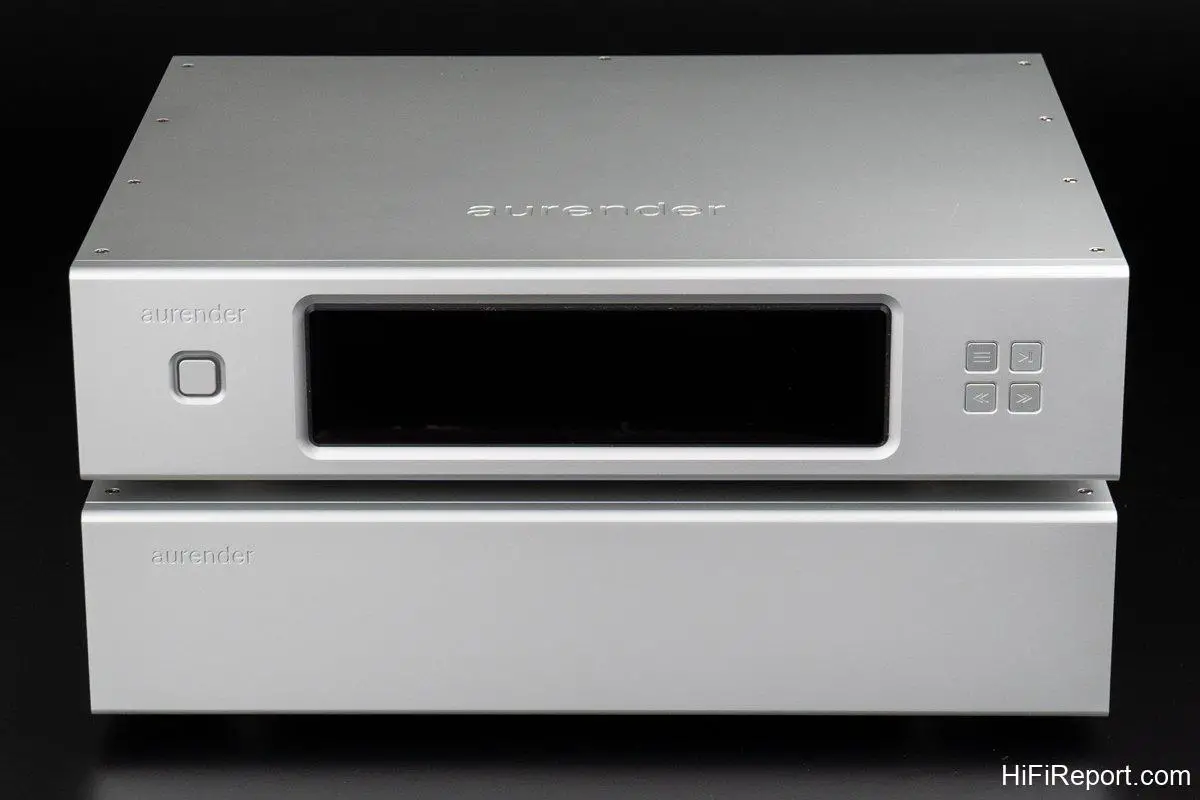
The N30 is clearly a streaming transport with music server capabilities. However, its most significant and distinguishing feature is that it’s Aurender’s first ever two-chassis design.
A two-chassis design isn’t groundbreaking, you might think – it’s just a separate power supply, right? Yes, the N30 does have a separate power supply, but it goes much further. It isolates the CPU, network, storage, server, and power supply components into the main chassis with the display, while completely separating the digital audio output circuitry into a second chassis devoid of any lights or buttons. This meticulous design shields the sensitive audio circuits from electrical interference generated by the control circuits.
The two chassis are connected by two dedicated cables: one for power and one for data. The connectors are different to prevent accidental misconnections.
Essentially, you can think of the N30’s control chassis as a high-end audiophile-grade music server, and the audio chassis as an external, equally high-quality digital audio interface. For placement, the control chassis can be placed directly on top of the audio chassis, or they can be placed on separate shelves of your audio rack. Together, the two chassis weigh a substantial 27 kg (approximately 60 lbs), so be careful when moving them to avoid strain.
Aurender has always placed immense importance on power supply design. For instance, their flagship W20SE utilizes a unique battery power supply combined with a linear power supply.
While the N30 doesn’t use battery power, it still employs fully linear power supplies throughout. The control chassis houses three completely shielded toroidal transformers, each dedicated to powering different sections. The audio chassis also includes additional filtering circuitry for further power refinement.
Furthermore, the N30 features a UPS (Uninterruptible Power Supply) system based on supercapacitors. This ensures a safe shutdown in the event of a sudden power outage, safeguarding your data.
Minimizing HDD Interference
Thanks to advancements in high-capacity hard drives, the N30’s control chassis houses a single 3.5-inch HDD, providing a massive 12 TB of storage capacity without wasting precious chassis space.
In addition to the 12 TB HDD, the N30 also incorporates a 480 GB SSD for the system and caching.
This is a signature Aurender design element. The N30 first reads the music files from the HDD into the SSD cache before playback. What are the benefits? Once cached, unless a new track is selected, the HDD remains inactive, thus reducing vibrations and electrical noise caused by disk rotation.
Data stored in the cache remains there until overwritten by new data. If you play the same song again, the N30 will play directly from the cache without spinning up the HDD. This means frequently listened-to tracks will likely be cached, significantly reducing potential interference.
Moreover, when streaming from Tidal or Qobuz, the incoming data is also cached before playback, enhancing playback stability and overall listening quality.
Going even further, the N30’s HDD is housed within a dedicated, sealed aluminum enclosure inside the chassis, with vibration damping measures underneath. This further isolates the hard drive from vibration and EMI, preventing interference with surrounding circuits.
The front panel of the N30 control chassis features an 8.8-inch IPS display with a 1920 × 480 resolution. It shows album art, track information, artist names, playback time, and more. The display’s clarity and detail are among the best I’ve seen.
On the rear panel, besides the power and data output connectors, there is an RJ45 network port with dual isolation to block noise from the router.
Two USB 3.0 ports are also provided for connecting USB drives. These can be used to directly play music from USB drives, import music files, or back up data from the N30.
The N30 can also play music from other NAS devices or be accessed by other streaming players, offering versatile functionality.
Striving for Pristine Power
Now let’s examine the N30’s audio chassis.
The audio chassis is solely dedicated to outputting digital signals to a DAC. It offers a comprehensive range of digital output interfaces including USB, AES/EBU, optical, coaxial, and BNC. The USB output supports PCM up to 32 bit / 384 kHz and DSD512 (Native).
For interfaces other than USB that may have limited DSD support, the N30 provides a DSD-to-PCM conversion feature. It can convert DSD formats up to DSD512 (including DSD512) to 88.2 or 176.4 kHz PCM for output. This eliminates concerns about DACs lacking DSD support when using non-USB connections.
The rear panel also includes a BNC clock input for accepting external 10 MHz or 12.8 MHz clock generators. Once connected, the N30 automatically detects the external clock and activates the external clock function. The SPDIF output signal will then be synchronized to the external clock.

Internally, the audio chassis employs a high-precision OCXO clock. This oven-controlled crystal oscillator maintains exceptional frequency accuracy through temperature control. Paired with an FPGA-based all-digital Phase-Locked Loop system, it minimizes jitter to extremely low levels.
Even though the audio chassis only handles digital signal output, it still incorporates meticulous filtering and voltage regulation to ensure the audio circuits receive the cleanest possible power.
The power from the control chassis is first filtered by four choke coil filters before voltage regulation. The regulation circuitry itself consists of four sets, each with two large filter capacitors, neatly arranged in a dedicated area near the front panel. For a digital output circuit, this is an impressive power supply implementation.
Furthermore, the data signal from the control chassis enters the audio chassis from the right side of the rear panel and also passes through a filter to remove noise before reaching the audio circuits. No detail is overlooked.
The sensitive digital audio circuits are physically isolated from other sections by thick aluminum partitions, achieving near-perfect isolation.
Everything discussed so far pertains to the N30’s hardware. The fundamental design philosophy is to isolate or mitigate any factors that might degrade sound quality, such as server-related pollution, hard drive interference, power supply noise, and network noise. The goal is to ensure the audio circuits output the purest possible signal.
Having covered the hardware, let’s now discuss the user experience. I believe this aspect is equally important as the hardware design, and it’s crucial for a high-end music server to truly win over users.
Convenient Folder Browsing Shortcuts
The N30 unit I received for review was brand new and without any pre-loaded music. While streaming via Tidal or playing from a USB drive connected to the rear panel was possible, the manufacturer recommends storing music on the internal HDD for the highest listening quality. Therefore, my first task after setting up the N30 was to import music.

There are two ways to import music to the N30. One is to connect to the N30 via a network from another computer and transfer music files. The second is to connect a USB drive containing music to the N30 and use Aurender’s proprietary Aurender Conductor app to manage the file transfer.
While the first method involves using a computer, I found it more convenient and intuitive. It also allows you to easily transfer files to “designated” folders, which makes browsing albums by folder much faster and simpler later on.
What are these “designated” folders? Within the N30’s HDD, there is a “Music1” folder, and music must be stored within this folder to be recognized by the N30.
Inside “Music1”, several pre-set folders exist, such as Classical, Etc, Jazz, Pop, etc. These are the “designated” folders I mentioned. They appear as buttons directly in the second row from the top of the Aurender Conductor app screen. When you press one of these buttons, the music within that folder is listed in the browsing window below. This means if you prefer browsing or selecting music by folder, this is the fastest shortcut.

Moreover, you can add, delete, or rename these folders yourself, and there’s no limit to the number of folders. After making changes, the buttons in the second row of the app screen will update accordingly, although only the first 10 folders can be displayed as buttons.
So, how do you access music in folders beyond the first 10? The last button in the second row is “Misc.” Pressing it will list all music from folders outside the top 10 in the browsing window below. Isn’t that incredibly convenient? This feature alone makes me applaud Aurender wholeheartedly. I believe this is a truly user-centric and convenient feature that I haven’t seen in other UPnP apps.
Previously, when browsing folders using other apps, I had to navigate layer by layer, and then back out layer by layer, which was time-consuming. But the N30 allows me to access my desired category with a single tap, which is much more convenient.
Roon also has similar functionality, but it requires creating individual paths for each folder, and it’s not easy to change them once set up.

Aurender, on the other hand, allows you to add, delete, and rename folders at any time, enabling users to easily categorize their music libraries without spending a lot of time and effort, and then quickly find what they want to listen to.
Categorizing your own music library makes it easier to find the music you want to hear. Unless you are willing to painstakingly edit file metadata and maintain it consistently, I still believe folder categorization is the simplest and most practical method. In short, I think Aurender’s system is more suitable for most audiophiles.
Admirable Control App
Beyond the folder shortcut buttons, the Aurender Conductor app has many other advantages.
Its interface employs a common two-column layout: a playlist on the left and an album browsing window on the right. The width of both columns can be adjusted by dragging. For example, if you want to see the full track titles or album names in the playlist, you can widen the playlist column to display complete track information. Conversely, if you want to see more album art at once, you can widen the browsing window.

Furthermore, the Aurender Conductor app integrates all function buttons into a single screen, making it intuitive and eliminating the need to search through menus. For example, Tidal and Qobuz buttons are located in the header of the browsing window, accessible with a single tap.
The four buttons in the top right corner of the screen, labeled “30,” “DSD,” “16/24,” and a star icon, each have specific functions. Pressing “30” lists tracks that have been added to the playlist within the last 30 days. Frequently listened-to music will be found here. You can also customize the timeframe to 1 day, 3 days, 7 days, 15 days, 30 days, or 45 days.
Pressing “DSD” filters the browsing window to display all DSD format music. You can further refine the list to show specific DSD formats.
“16/24” lists all 16-bit or 24-bit PCM files, and you can specify the desired sample rate.

The exceptional responsiveness of the Aurender Conductor app is another significant advantage. Whether you’re selecting music categories or folders, adding tracks to the playlist, scrolling through album art in the browsing window, or adjusting column widths, the screen updates instantly and smoothly, providing a very pleasant user experience.
Additionally, the N30 features fade-in and fade-out functions. When you press play, the sound gradually increases in volume, and when you stop playback, it gradually fades out.
This feature is not just a gimmick; it serves a practical purpose. Due to differences between brands, the N30 may not be perfectly compatible with all DACs. Some DACs might produce a popping or clicking sound when playback starts or when changing formats. To mitigate this, the N30 includes fade-in and fade-out, which can also be disabled if desired.
Astonishing Levels of Detail
Having discussed the unique design and features of the N30, let’s move on to the user experience and sound performance.

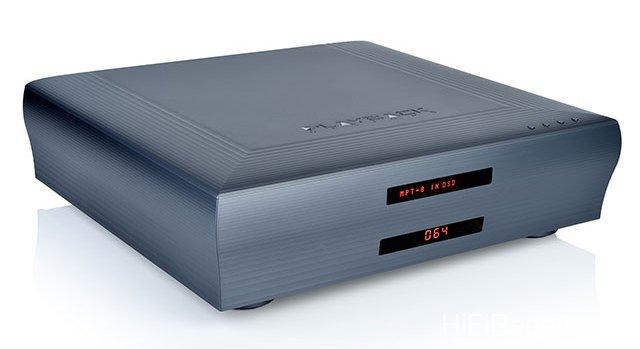
The listening tests were conducted in the HiFiReport listening room, using a Playback Design MPD-8 DAC, EC 4.8 preamplifier, and NuForce R18 power amplifier. The speakers were Wilson Audio Alexia 2s.
The N30 was connected to an Ansuz D-TC Supreme switch via a SOtM dCBL-CAT7 network cable, and the N30 and MPD-8 were connected with a SOtM dCBL-UF USB cable.
[Image of Playback Design MPD-8 DAC (Image courtesy of HiFiReport Audio)]
As it was a brand-new unit, I planned to run-in the N30 for a few days before critical listening. However, even casual listening to good equipment can reveal its merits. The N30 is certainly in that class. From the initial moments, I clearly sensed its characteristics: exceptionally pure texture, extremely clean sonic background, remarkably smooth transitions, and overall stable sound. The level of detail was astonishing. In short, it delivered a high-end, sophisticated sound.

I found that the N30’s caching design is not just for show.
When I played a track that had never been played before, it took several seconds for the music to start. This is because the N30 needs to spin up the dormant HDD, read the data, transfer it to the SSD cache, and then play it. This process takes some time.
However, when playing a track that had been played recently, the music started instantly because the file was already in the cache. Even after leaving the N30 idle overnight, the next day at the office, picking up my iPad and playing a track I had listened to the previous day, the music started immediately upon pressing play. This demonstrates that the N30 is always in a standby state, responding instantly and providing the best listening experience at any time.
Refined Texture and Class of High-End Equipment
Streaming transports themselves are sonically neutral. The tonal character I heard was primarily from the MPD-8 DAC, but the exceptionally clean sonic background undoubtedly came from the N30.
Playing Brendel’s performance of Beethoven’s Piano Concerto No. 1, with Rattle conducting the Vienna Philharmonic, the opening of the first movement, with the strings playing “Dang~ Dang Dang Dang~,” the delicate sound was remarkably clear and vibrant, with a gentle yet springy quality. The texture was exceptionally clean and transparent.
Continuing with the string-led introduction, I particularly noticed that the dynamic swells, from soft to loud and vice versa, had more layers and nuances than I had previously experienced. The contours were clearer, and the contrast was more pronounced.
When the piano entered, the sound was ethereal and soaring, with a brilliant sheen. The key strikes were crisp yet possessed a grounded weight, fully showcasing the refined texture and class inherent in high-end equipment. It was captivating from the first listen.
Exceptional resolution and rich detail are also strengths of the N30.
Take violinist Gidon Kremer’s “Hommage a Piazzolla” album as an example. The first track, “Milonga en Re,” is a slow, quiet piece with long melodic lines, featuring piano accompaniment for Gidon Kremer. Through the N30, even the most subtle and delicate sounds were exceptionally clear. I could hear that each sustained note was not a simple, uniform sound, but rather contained variations in dynamics, vibrato, and tonal thickness. At times, it was dry and textured, while at others, it was smooth and flowing. Sometimes tense, sometimes relaxed. The musical expression was incredibly rich and opened my eyes.
Precision as a Virtue
The N30 not only possesses exceptional resolution but also delivers sound with remarkable precision. For instance, in Pink Floyd’s iconic “Dark Side of the Moon” album, the low-frequency throbbing heartbeat sound in the first track, “Speak to Me,” was easily discernible in its contour and localization through the N30. It was precisely presented in the rear center of the soundstage, initially small in size, but gradually expanding as the volume increased. Simultaneously, the downward extension of the low frequencies revealed clear layers, further enhancing the song’s atmosphere.
As the track transitioned seamlessly into the second track, “Breathe (In the Air),” the music unfolded and expanded in scale. When the vocals joined, the musical picture reached its maximum scale. The atmosphere built from the heartbeat in the first track culminated in a climax. The sound was full and rich, with a considerable sense of scale, yet the layering and localization of each section remained clear and distinct, without any muddiness. The separation was excellent.
The N30 precisely rendered the differences in soundstage scale, making the listening experience more engaging.
Speaking of the N30’s precise soundstage and accurate imaging, the soundtrack for the movie “” (The Great Buddha+) provides a good example. In the 6th track, “” (Following the Chairman to Wander), there’s a jazz drum solo of about 30 seconds. The drummer only plays various sizes of tom-toms, floor toms, and kick drum. Through the N30, I could clearly hear the position and size of each drum. Some were high, some were low, some were forward, some were back, each distinct and defined. Had I not heard it through the N30, I wouldn’t have known this recording was so captivating.
Just Buy It
My first experience with Aurender was truly excellent. The N30, both as a music server and a streaming transport, deserves to be ranked among the top echelon of audio equipment. Its dual capability further proves that Aurender is not just an ordinary company.
I believe the greatest value of the N30 lies not only in its astonishing ability to unearth details and its exceptional performance, but also in its user-friendly and convenient interface, and its unwavering reliability. Essentially, it’s a super source component that, once purchased, will eliminate any desire for alternatives.
If you have the means, just buy it.
Specifications
* Type: Music Server and Streamer
* Supported Formats: DSD, WAV, FLAC, AIFF, ALAC, M4A, APE
* SPDIF Digital Outputs: Coaxial, BNC (75Ω), TOS-LINK, AES/EBU
* DSD Output on SPDIF: Up to DSD512 to 88.2 / 176.4 kHz
* USB Output: PCM up to 32 bit / 384 kHz, DSD up to DSD256 (DoP), Native DSD512
* External Clock Input: 10MHz / 12.8 MHz (75Ω)
* CPU: Intel N4200 Quad Core CPU
* System + Cache SSD: 480 GB
* Memory: 8 GB
* Music Storage: 12TB 3.5 inch HDD
* USB Input: 2 × USB 3.0
* Network Port: 1 Gbps × 1
* MQA Core Decoding: Optional
* Dimensions: 430 × 96 × 353 mm (2 chassis)
* Weight: 27.2 kg (total)