
JLab JBuds Air Pro True Wireless Earbuds Review
People shopping for true wireless earbuds in the mid-range tend to fixate on active noise cancellation as the make-or-break feature. The JLab JBuds Air Pro skips ANC entirely and instead bets on Bluetooth Multipoint, 36 hours of total playtime, and a practical set of everyday controls. It targets the person who splits time between a laptop and a phone all day, wants to forget about the charging case until it is truly empty, and would rather flip on a transparency mode for the sidewalk than stand behind a wall of filtered silence. JLab, a Japanese-owned audio brand headquartered in Carlsbad, California, and founded in 2005, has built its reputation on value-oriented wireless earbuds. The JBuds Air Pro sits squarely in that lane: a straightforward, feature-dense pair aimed at practical daily use rather than audiophile refinement.
Build Quality and Design
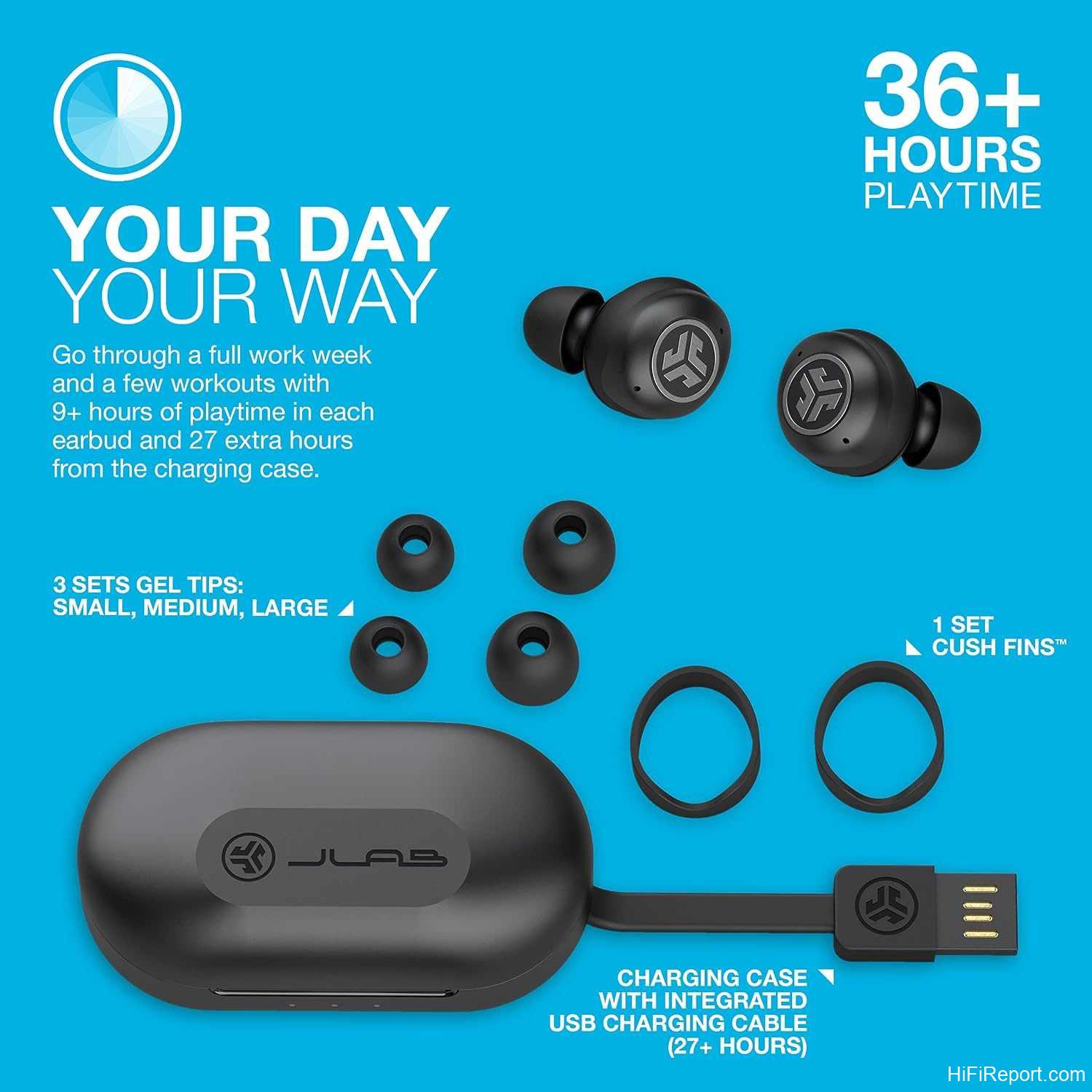
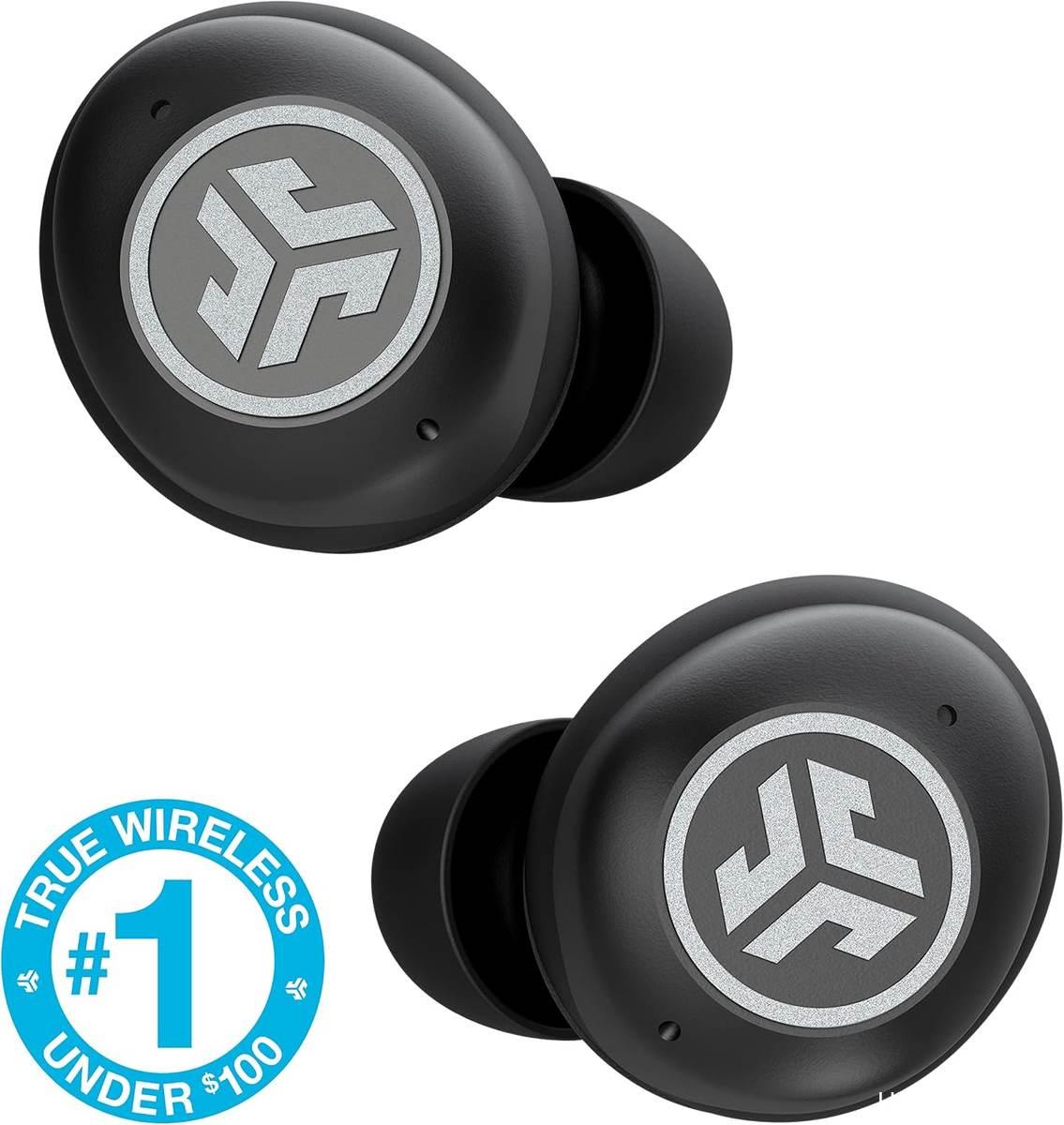
The JBuds Air Pro ships in a single colorway, black, and the buds are small and compact with a smooth plastic shell. Each earbud carries touch-sensitive sensors on the outer face for playback, calls, and the Be Aware Audio toggle. JLab includes multiple sizes of silicone ear tips in the box, a detail most owners flag as the single most important fit variable. The charging case is where the hardware decisions get specific: rather than a USB-C port, it ships with a short built-in male USB-A cable. One owner compared the connector to a slightly wider version of the cable that ships with an iPhone, meaning you need a standard USB wall charger or an adapter to top the case up. The case does not support wireless charging, a gap several reviewers noted.
Beyond the tips and the cable, the build is straightforward. The case is a hinged unit with a light indicator, and the buds themselves carry no visible branding on the outer shell. The IP55 rating protects against dust ingress and low-pressure water jets from any direction, which covers gym sweat and a drizzly commute but does not mean you should submerge the pair. JLab backs the set with a 2-year warranty, and the customer service team, per multiple long-term reviews, processes replacement requests without excessive back-and-forth.

Fit and Everyday Comfort
The multiple ear tip sizes included in the box matter more here than on most mid-range sets. One long-term owner described switching from the smaller tips to the larger ones and noticing both improved volume and a more secure hold in the ear. Another reviewer who runs for over an hour at a stretch reported the buds stayed put the entire time without needing to nudge them mid-run, a detail that stood out against other pairs that kept working loose. The buds are light enough that one user wears them for 3 to 6 hour work shifts and reports no discomfort or pressure points.
Fit is ear-specific, and the reviews make that clear. One owner keeps pushing the buds in repeatedly because they do not seal as well as he would like, while another with smaller ears found the included tips fit without issue. The wear-detect sensors add a layer of convenience: pull either bud out and the audio pauses. One reviewer noted the auto-pause sometimes triggers when you nudge a bud to re-seat it, a minor annoyance that takes a beat to get past. For most wearers, the combination of lightweight construction and multiple tip options keeps the pair comfortable across a full workday.

Sound Quality
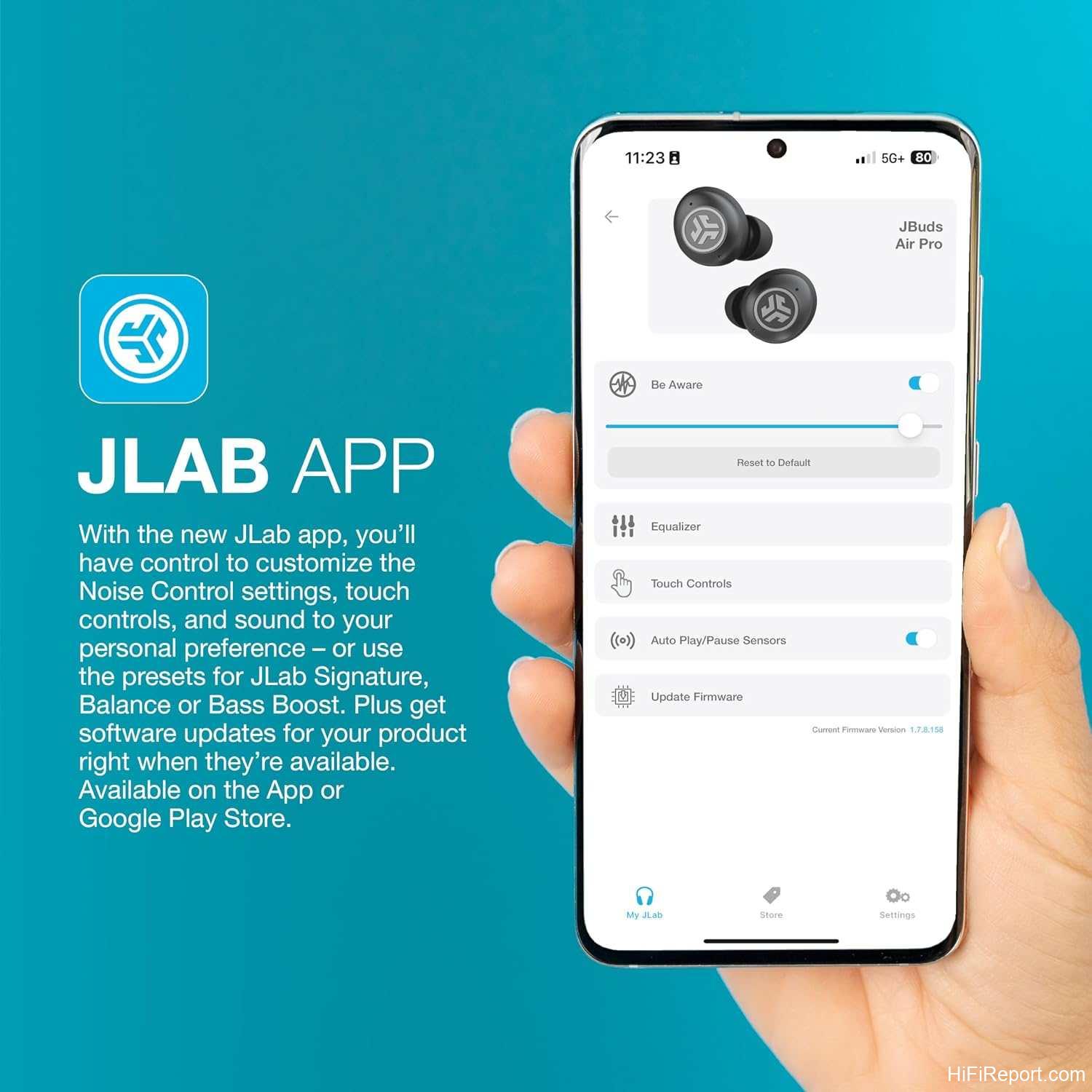
The JLab JBuds Air Pro delivers a clean, punchy sound for a non-ANC true wireless set, and the most consistent owner praise centers on a mids range that holds up for calls, podcasts, and everyday music. The EQ3 system gives you three presets: JLab Signature, Balanced, and Bass Boost, switchable through the JLab companion app. One reviewer noted the buds automatically shift what he called cinema mode to voice mode when a video call starts on a phone or PC, which removes a manual step other sets require.
This text was published on hifireport.com. Unauthorized reuse is not permitted.
Bass
Bass response in the default JLab Signature preset lands in the neutral-to-moderate range. Several owners described the low end as present without being boomy, and the Bass Boost preset adds headroom for listeners who want more weight. The passive seal from a proper tip fit does a lot of the work here: one reviewer specifically connected the larger silicone tip to both better volume and tighter bass. Without ANC creating a pressure differential, low-frequency response depends on how well the tip seals, so getting the right size matters more on this set than on a noise-canceling pair.
Mids and Treble
The midrange gets the most consistent praise across reviews. One owner who transcribes audio for a living calls the mids clear and easy to track for extended speech sessions, and another described the overall sound as strong for a set in this tier. Treble extension is adequate for pop, rock, and electronic music but will not satisfy a listener who lives in the detail of a jazz recording or a mastering suite. The Be Aware transparency mode, activated by a triple tap, amplifies ambient sound through the mics so you can hear traffic or a coworker without pulling a bud out, and it does not dramatically distort the frequency balance while active.
Soundstage and Imaging
For a true wireless set without ANC, the soundstage sits squarely in the “on you” category. One owner who pairs the buds with a phone, a PC, and a Steam Deck noted that switching between the three sources is smooth and the imaging stays stable regardless of which device is feeding the signal. The lack of a wide, hall-like soundstage is a trade-off of the physical size and the passive isolation approach, and no review suggested the JBuds Air Pro competes with open-back over-ears on spatial detail.
Noise Cancelling
The JLab JBuds Air Pro does not include active noise cancellation, and that is the defining spec gap against its ANC-equipped siblings in JLab’s lineup. What it does offer is passive isolation: the silicone ear tips create a physical seal that blocks a good chunk of ambient drone, and one owner noted the sound seals in well without leaking to the person next to you on a train. The Be Aware Audio mode, triggered by a triple tap on either bud, opens the mics to let outside sound through, which several reviewers described as the feature they actually use more than ANC would be, since it keeps them aware of crosswalks and conversations without removing an earbud.
For a commuter in a quiet car or someone working in a moderately loud office, the passive seal handles the job. For someone on a subway platform or in a construction zone, the absence of active cancellation will be noticeable, and that is the segment JLab covers with its ANC-equipped models such as the Epic Sport ANC 3. The transparency mode is a practical addition but functions as a pass-through, not a replacement for active noise reduction.
Endurance and Charging
The JLab JBuds Air Pro delivers 9 hours of playback from a single charge on the earbuds, and the charging case extends total playtime to 36 hours before you need an outlet. That window covers a full workweek of commutes and short calls, and one owner who wears the buds for 3 to 6 hours per shift reported charging the case roughly once a week. The case itself provides at least three full recharges of the buds, per one long-term reviewer who uses the pair for transcription and daily calls.
This text was published on hifireport.com. Unauthorized reuse is not permitted.
The charging method is a short, built-in male USB-A cable protruding from the case. There is no USB-C port and no wireless charging pad compatibility. One owner who missed wireless charging from a previous pair called this the one practical downside. Durability of the charging circuit is the recurring complaint: two separate reviewers reported the case stopped charging one or both buds after a few months of normal use, and a third described the buds going dead after being left in a freezing car overnight. JLab’s 2-year warranty covers these failures, and the service process, per multiple accounts, is straightforward once you contact the support team.

App and Connectivity
The JBuds Air Pro pairs over Bluetooth and supports Multipoint, keeping two devices connected simultaneously. The default use case JLab describes is a laptop and a phone, but one owner runs the buds across a phone, a PC, and a Steam Deck, and the set hands off automatically: pressing play on the phone pauses the PC feed without any manual switching. Dual Connect lets you use a single bud solo, and no pairing reset is needed to drop into that mode. Touch controls on each bud handle playback, calls, and the Be Aware toggle. The JLab app handles EQ preset selection, firmware updates, and control customization. No proprietary codec is advertised in the available sources; the connectivity stack is standard Bluetooth with SBC and AAC.
Customer Feedback Highlights
The praise themes cluster around three areas. Fit and comfort lead: owners with varied ear sizes found a tip size that locked the buds in for runs, shifts, and long listening sessions, and the lightweight build means the pair fades into the background. Multipoint and auto-pause earn the next tier of mentions, with several reviewers calling out the automatic handoff between two or three devices and the surprise of audio pausing when a bud is lifted from the ear. Customer service rounds out the positive notes, with multiple accounts of JLab responding quickly to warranty requests and issuing replacements without the long back-and-forth some competitors are known for.

The complaint themes concentrate in durability. At least three reviewers reported a bud or the case going dead after a few months to a year of use: one bud stopped functioning with no warning, a case lost the ability to charge after three months, and a pair that sat in a freezing car for a night rarely powered on again. A smaller group noted the touch controls take a moment to learn, with one owner admitting to falling back on phone controls instead of muscle-memory taps. One reviewer also flagged that the case plastic and build quality dipped slightly from the previous JBuds Air model, though the change was minor. The aggregate rating of 4.1 out of 5 across 941 reviews suggests most owners are satisfied, with durability and the lack of ANC as the main friction points.
Pros and Cons
Pros
- 36 total hours of playtime covers a full workweek of commutes and calls
- Bluetooth Multipoint keeps two devices live with automatic handoff
- Three EQ presets in the JLab app let you tune the sound without buying a new pair
- IP55 rating handles sweat and rain without extra protection
- Built-in USB charging cable means no extra cord to lose
Cons
- No active noise cancellation; relies on passive seal for isolation
- No wireless charging on the case
- Touch controls take a learning curve for some users
- Charging circuit durability: multiple reports of case or bud failure within a year
- No USB-C port on the case; the built-in cable is male USB-A
The Verdict
The JLab JBuds Air Pro is the pick for the person who wants a set that simply connects, plays, and lasts all week without thinking. If your day involves hopping between a laptop and a phone, or you run a commute where you need to hear traffic through Be Aware Audio, the multipoint and transparency features do real work. The 36-hour total battery window means the case goes to the drawer between charges, and the three EQ presets keep the sound adjustable without a second pair. Look elsewhere if you need active noise cancellation for a loud commute or a jet, if you want wireless charging, or if you are coming from an ANC flagship and expect that level of low-frequency containment. The JBuds Air Pro is a practical, long-battery multipoint set, and that is the job it handles well.
Spec Sheet
- Form factor: True wireless earbuds
- Bluetooth: Multipoint, 2 simultaneous devices
- Battery (earbuds): 9 hours
- Battery (total with case): 36 hours
- Charging: Built-in male USB-A cable on case
- Ingress protection: IP55
- Sound profiles: 3 (JLab Signature, Balanced, Bass Boost) via JLab app
- Transparency mode: Be Aware Audio
- Controls: Touch sensors on each bud
- Warranty: 2 years
- Color: Black
Questions Buyers Ask
Do the JBuds Air Pro connect to more than two devices at the same time?
The spec lists Bluetooth Multipoint for 2 simultaneous devices, which covers the laptop-plus-phone use case most people run. One owner reported getting a phone, a PC, and a Steam Deck all connected, and the handoff worked, but that is beyond the stated two-device limit. Treat the third connection as a bonus that may or may not hold depending on firmware and device.
Will these stay in my ears during a run or workout?
The IP55 rating covers sweat and dust, and the box includes multiple ear tip sizes to find a secure seal. One long-term owner who runs for over an hour reported the buds stayed put without adjustment. Fit is ear-specific, so if you are between sizes, the larger tip tends to lock better. The wear-detect sensor pauses audio if a bud shifts and pops out mid-run.
What happens if a bud or the case stops charging after a few months?
JLab backs the pair with a 2-year warranty. Multiple reviewers reported the case losing the ability to charge after three to six months, and the resolution was to contact JLab support through the Amazon message system or the company website. In at least two accounts, a replacement was issued within a couple of hours of the support interaction, at no cost to the buyer.
Can I use just one bud at a time without re-pairing?
Yes. The Dual Connect feature lets you pop one bud into your ear and use it solo while the other stays in the case. No pairing reset or app step is required; the bud simply enters single-ear mode when it is the only one out of the case. This is handy for one-ear phone calls or monitoring a single channel.
- 9 Hours Per Earbud Plus The Charging Case Delivers 36 Total Hours — Enough For A Full Workweek Of Commutes And Calls Before You Need To Find An Outlet.
- Built-In EQ3 Lets You Switch Between 3 Custom Sound Signatures — JLab Signature, Balanced, And Bass Boost — So Your Music Sounds The Way You Actually Want It To.
- IP55-Rated Against Sweat And Dust, These Earbuds Hold Up Through Gym Sessions And Rainy Commutes. Wear Detect Sensors Auto-Pause When Removed, So You Never Miss A Moment.