
Lenovo 110 Analog In-Ear Headphones Review
You do not need a Bluetooth stack, a charging case, or a companion app to get clear audio on a video call or a quick music break. A 3.5mm jack, a pair of earbuds, and a phone or laptop with a headphone port cover the job. The Lenovo 110 Analog In-Ear Headphones target exactly that scenario: a wired, no-frills earbud for people who want plug-in audio without setup. Lenovo markets the pair as “enterprise-grade,” a term that lands here because the product is positioned as a dependable workplace accessory rather than a lifestyle audio gadget. At 4.3 out of 5 stars across 773 ratings on Amazon, the 110 has earned a solid reputation among buyers who need a straightforward wired option for calls, meetings, and casual listening.
The headphones use a 9mm driver, an in-line microphone, and a multi-button control module on the cable. Three sizes of ear tips plus wing tips ship in the box, and the whole package is light enough to pocket or toss into a bag between uses. There is no battery to charge, no firmware to update, and no app to install. You plug the 3.5mm connector into a laptop, phone, or desktop, and the audio path is complete. For buyers whose daily routine involves desk-bound work with occasional calls, the Lenovo 110 fills that gap with minimal fuss.
Design, Materials and Feel
The Lenovo 110 ships in grey, a neutral tone that keeps the earbuds from drawing attention in a meeting room. The housing is small and lightweight, and the ear tips come in three sizes, each paired with a wing tip that adds a secondary grip point in the concha. The in-line microphone sits on the left cable, and a multi-function control module handles play, pause, and call actions. The 3.5mm plug is standard, so the connector fits any device with a headphone jack without an adapter.
Build quality leans toward functional rather than premium. The plastic housing is smooth and unadorned, and the cable is a thin, unbraided strand that keeps the overall weight low. One long-term owner noted the wire was fragile enough to snap when rolled over the wheels of an office chair, a reminder that the cable is a consumer-grade component rather than a reinforced one. The three ear-tip sizes and included wings give buyers enough fit options to dial in comfort without purchasing extras.

The “enterprise-grade” label in Lenovo’s product copy reflects the intended use case: a reliable, replaceable earbud for corporate or home-office environments where the 3.5mm jack is still the default audio output. The design does not attempt to compete with the industrial-styled, over-ear headsets that dominate the business-audio category. Instead, the 110 keeps the profile small and the controls simple enough that a new hire can use the pair on day one without a manual.
First published at hifireport.com. Copying or republishing this content is prohibited.
Wearing Comfort
Fit is the most consistent praise in the review base. Multiple owners describe the earbuds as comfortable for extended wear, and the inclusion of three ear-tip sizes plus wing tips helps users match the seal to their ear canal. One long-time user said the design “fits in your ear very comfortably,” while another simply noted the pair was “easy to wear.” The wing tips add a mechanical lock that resists the gentle tugs and shifts of a chair, desk, or commute, which matters when the earbuds stay in for a full workday.
Weight is not stated as a numeric specification in the product listing, but the lightweight construction is a recurring theme in both the marketing copy and owner feedback. The small driver housing and thin cable mean the earbuds do not press down on the ear or catch on collars the way bulkier over-ear models can. For long sessions, comfort comes from the ear-tip fit more than from the shell weight; a properly seated tip distributes pressure around the canal rather than at a single point.

One owner who experienced a less-than-ideal fit described the sound as acceptable for voice but below expectations for music, and attributed part of the gap to the earbuds not fully sealing against outside noise. That points to a common reality with any in-ear design: comfort and isolation trade off with ear geometry. The three sizes and wing tips mitigate the problem for most users, but a buyer with an unusually shaped ear canal may need to experiment to find the seal that works.
Audio Performance
The Lenovo 110 delivers a punchy, midrange-forward sound profile from its 9mm driver, and the 9mm driver size is the only acoustic specification Lenovo lists for the product. The “punchy” descriptor in the product copy suggests a tuning that favors energetic, forward sound over a flat or reference-leaning curve. In practice, that translates to music that sounds lively at moderate volume and voices that sit close and clear in calls.
Midrange
Voice clarity is where the 110 shows its strength. One owner called the voice and music reproduction “very clear,” and another described the overall sound as “great” without specifying a genre. The in-line microphone and 9mm driver work together to keep spoken content intelligible, which is the primary use case Lenovo targets. A reviewer who tested the earbuds for both music and phone use found the voice channel acceptable but noted that music quality did not reach the level of dedicated audio gear. The midrange emphasis suits conference calls, podcasts, and streamed audio where clarity matters more than tonal richness.

Bass
The product description calls the driver “punchy,” and one reviewer echoed that impression, describing the earbuds as “loud” and noting they work well for the money. Another owner said the sound was so good that they ordered two more pairs within 30 minutes of receiving the first set. The bass response is present but not the headline feature; the 9mm driver size points to a compact transducer that produces enough low-end energy for casual listening without the extension of a larger unit. Reviewers did not single out the bass as a weakness, but no one described it as deep or sub-bass capable either.
Volume consistency is the one audio complaint that surfaces more than any other. A German reviewer gave the product one star, explaining that the volume fluctuated, getting quieter and louder during use on a particular setup, though the issue did not appear on a tablet. A different owner rated the pair three stars and called the audio level “very low.” These two reports sit against the “loud” and “so good” impressions of other reviewers, which suggests volume behavior can vary with the source device or the fit of the ear tips. A loose seal will bleed bass and reduce overall level, so the three included tip sizes matter for consistent output.
Noise Cancelling
The Lenovo 110 provides passive isolation only; there is no active noise cancellation in the product. The in-ear design with three tip sizes and wing grips creates a physical seal in the ear canal that blocks ambient sound, which is the same mechanism every wired or wireless in-ear bud uses. No microphone array, no ANC chip, and no power draw for noise processing are part of the specification.

The practical effect is straightforward. In a quiet office or a calm home, the passive seal handles most background hum without active cancellation. One reviewer from Turkey noted that in a non-noisy environment, the lack of noise cancellation is not a limitation; the earbuds meet the needs of someone who works in a relatively quiet space. A different owner said the earbuds do not fully block outside noise, which is accurate: passive isolation attenuates some external sound but cannot match the depth of an ANC system in a loud open-plan office or on a commuter train. For buyers in consistently noisy environments, a dedicated ANC headset would close that gap.
The in-line microphone plays a supporting role here. It picks up the wearer’s voice for calls, and its position near the mouth helps in moderate-noise settings by keeping the voice signal ahead of ambient sound. The “studio-quality” descriptor in the product copy refers to the microphone’s pickup characteristics, not to any noise-cancelling function on the earbuds themselves.
Battery and Charging
The Lenovo 110 is a fully wired, analog product with no battery and no charging requirement. The 3.5mm plug carries audio and microphone signal through the same cable, so the earbuds draw power from the connected device. There is no charging case, no USB-C port, no firmware update, and no standby drain to manage. The product is ready to use the moment the connector is seated in a headphone jack.
First published at hifireport.com. Copying or republishing this content is prohibited.
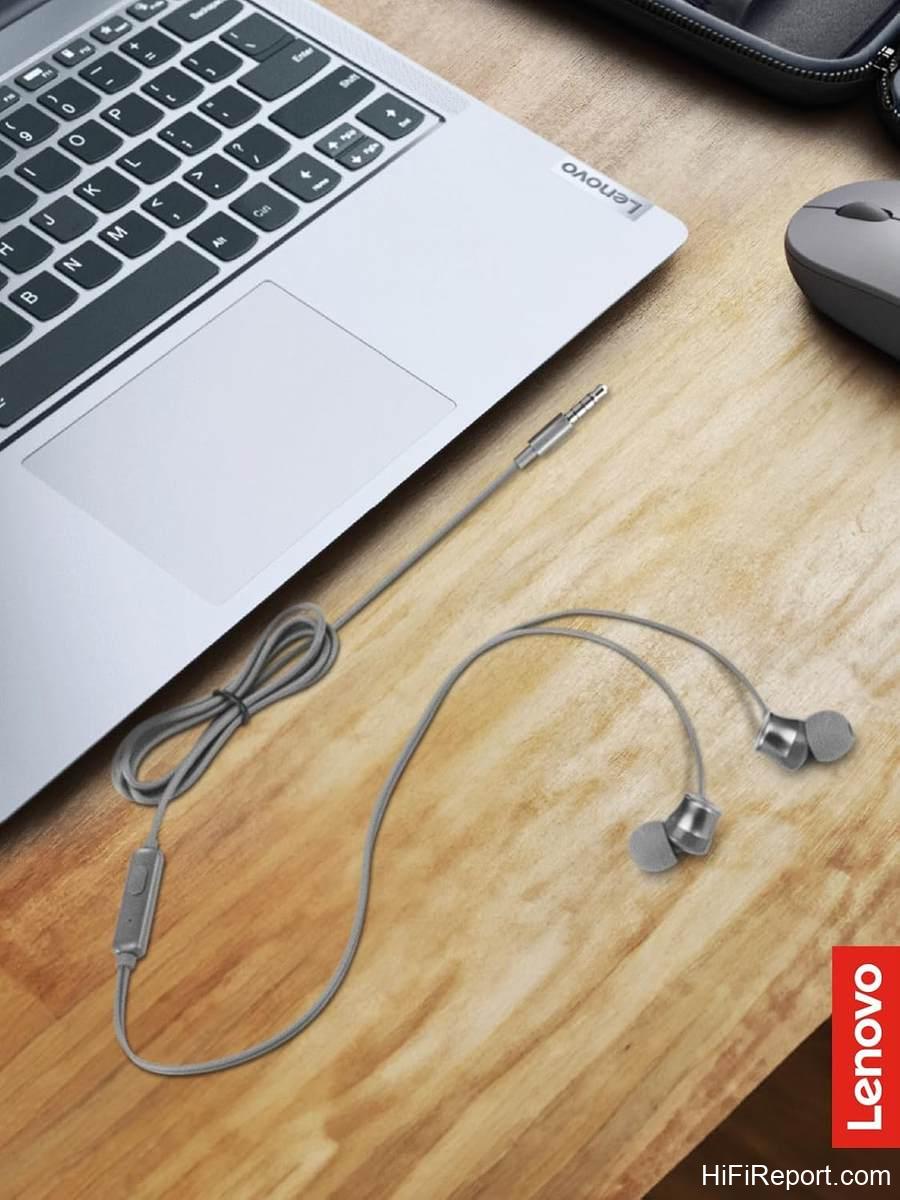
The trade-off for that simplicity is a tether. The cable length and the 3.5mm connector limit how far the user can move from the source device, and the pair does not pair wirelessly with a phone for a walk or a commute. For desk-bound work, classroom use, or any scenario where a device with a 3.5mm port sits within arm’s reach, the wired design is an advantage: no pairing steps, no battery anxiety, no case to charge overnight.
Microphone and Calls
The Lenovo 110’s in-line microphone delivers clear voice pickup for everyday calls, and the “studio-quality” descriptor in the product listing refers to the microphone’s ability to capture the wearer’s voice with minimal background coloration. The mic sits on the left cable, positioned close to the mouth, which helps in moderate-noise settings. One owner described the voice quality as “very clear,” and another found the voice channel “ok” for phone use even while noting that music reproduction was a step below.
The multi-function play/pause button on the in-line module handles call answering and hanging up, so the wearer can manage a call without reaching for the phone. The separate microphone, as opposed to a shared earpiece-mic design, gives the voice channel a dedicated pickup path, which Lenovo highlights as a reason the product suits productivity work. For buyers whose primary use is video conferencing or phone calls on a laptop, the mic performance meets the task without standing out as a differentiator.

App and Connectivity
The Lenovo 110 uses a standard 3.5mm analog connector with no codecs, no Bluetooth protocol, and no companion app. Plug the connector into any device with a headphone jack, and the audio path is live. No drivers, no firmware, no pairing sequence. The three-way control module on the cable handles play, pause, and call functions directly through the analog signal, which means the controls work identically on a Windows laptop, a phone, or a desktop PC without a settings page.
Universal connectivity is the headline here. The 3.5mm form factor predates USB-C and Lightning audio, so the earbuds work with any device that still carries the round jack. For users whose phone or laptop has dropped the 3.5mm port in favor of USB-C, a simple audio dongle bridges the gap, but the earbuds themselves require no software integration. There is no multipoint connection, no EQ curve to adjust in an app, and no firmware version to check.
Customer Feedback Highlights
Comfort and simplicity dominate the positive feedback. Owners repeatedly describe the earbuds as easy to wear and comfortable for long sessions, with the three tip sizes and wing grips making the fit forgiving across different ear shapes. The “just plug it in” nature of the 3.5mm connection earns consistent praise from buyers who want audio without a pairing ritual. Several reviewers noted the volume level as satisfyingly loud for the price, and the overall sound was called “great” and “so good” by multiple owners. The value proposition is the most cited reason for a five-star rating: a reliable, no-fuss wired earbud that handles calls and casual music without demanding a premium setup.

The Lenovo-brand association plays a role in the purchase decision. Two reviewers explicitly bought the earbuds because they already use a Lenovo laptop, treating the 110 as a matching accessory. One owner called the design “old style” but confirmed it works well, which is a fair summary of the product’s no-frills positioning. The simplicity is the selling point for this audience.
On the complaint side, volume consistency is the sharpest issue. One reviewer reported the audio level drifting between louder and quieter during use on a particular setup, a problem that did not appear on a tablet. Another owner called the overall volume “very low,” which sits in tension with the “loud” reports from other reviewers. The likely explanation is fit-related: a poor seal from the wrong tip size reduces level and shifts the tonal balance. Music quality draws the most critical note; one reviewer found the sound acceptable for voice but underwhelming for music, and another said the earbuds do not fully block outside noise, which limits the listening experience in a busy room. Wire durability is a smaller concern, with one owner reporting the cable snapped after contact with chair wheels.
What We Like / What We Don’t
What We Like
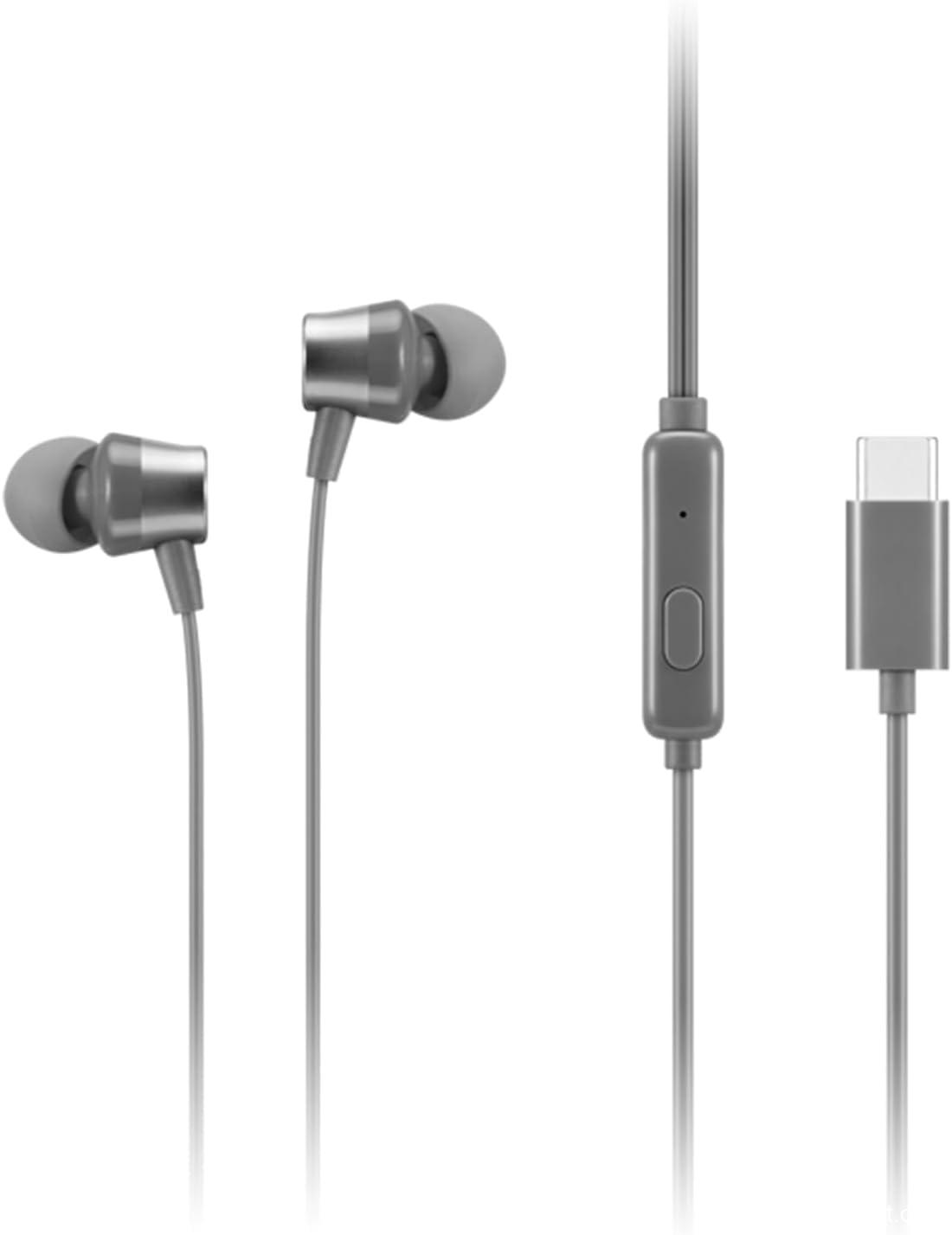
- Three ear-tip sizes plus wing tips give a wide fit range out of the box
- 3.5mm plug-and-play connectivity with no drivers, app, or pairing step
- Clear voice reproduction well suited for calls and conferences
- Lightweight, portable design that pockets easily between sessions
- Loud output at moderate volume levels for casual listening
What We Don’t
- Volume can fluctuate on some source devices, per owner reports
- Music reproduction lags behind dedicated audio earbuds; tuning is voice-forward
- No active noise cancellation; passive seal only
- Cable is a thin, unbraided strand prone to wear
- 3.5mm-only connectivity requires a dongle on USB-C-only phones
Bottom Line
The Lenovo 110 is a straightforward wired earbud for people whose audio needs are a work call, a podcast break, or background music while at a desk. The 9mm driver, in-line microphone, and three-tip-size fit system cover the basics well, and the 3.5mm connection means the earbuds work with any laptop, phone, or desktop that still has the port. The 4.3-star rating across 773 reviews reflects a product that does what it promises without pretense: clear voice, acceptable music, comfortable wear, and zero setup.
The buyer to weigh before committing is the one who expects ANC-level isolation in a noisy office, who needs a wireless pair for a commute, or who wants a tonally rich, bass-extended music experience. Those use cases point to a different category. Best for desk-bound professionals, students, and anyone who wants a dependable wired earbud that plugs in and works; look elsewhere if you need active noise cancellation, wireless freedom, or a music-first tuning.
Key Specs
- Driver: 9mm
- Connectivity: 3.5mm analog
- Microphone: In-line, separate
- Controls: Play/pause button on in-line module
- Ear tips: 3 sizes included, with wings
- Color: Grey
- Type: Wired in-ear headphones
- Rating: 4.3 out of 5 (773 ratings)
Questions Buyers Ask
Will the Lenovo 110 work with my Lenovo laptop?
Yes. The 3.5mm analog connector plugs into any standard headphone jack, and no drivers or software are required. Multiple owners who buy a Lenovo PC report the earbuds work out of the box with no additional setup.
Are the earbuds good for music, or just calls?
The 9mm driver produces clear, midrange-forward sound that handles voice content well. Music playback is acceptable for casual listening, but several owners note the tuning favors clarity over richness, so a dedicated music earbud will outperform the 110 for detailed listening.
Do I need a separate adapter for a phone without a 3.5mm port?
The earbuds require a 3.5mm jack. If your phone or laptop has dropped the port for USB-C, a USB-C to 3.5mm audio adapter bridges the connection. The earbuds themselves do not include an adapter in the box.
How comfortable are the earbuds for long sessions?
The three tip sizes and wing grips spread pressure around the ear canal, and multiple owners describe the fit as comfortable for all-day wear. The lightweight housing and thin cable keep the earbuds from pressing down or catching on clothing during extended use.

- Enterprise-grade in-ear headphones are designed for productivity on the go
- 3.5 mm plug-and-play for universal connectivity
- Separate in-line microphone provides better voice pickup