
Mission LX Connect Wireless System Review
Imagine this everyday home scenario: children come home from school, wanting to listen to music. They grab their phones, connect to the Mission LX Connect, and enjoy Taylor Swift’s new album while waiting for dinner. During dinner, Dad takes over, connecting and softly playing Mozart’s “Serenade” to accompany the meal with pleasant notes. After dinner, it’s Mom’s relaxation time, turning on Netflix or Disney+ to binge-watch dramas, with the LX Connect’s audio far surpassing the TV’s built-in speakers. Later in the evening, the kids want to game, plugging headphones into the LX Connect HUB’s headphone amplifier, ensuring they don’t disturb anyone while enjoying immersive game audio.
Wouldn’t you agree that the LX Connect is a music and entertainment hub for the whole family?
Mission’s First Digital Wireless Active Speakers
The LX Connect represents a brand new direction for British brand Mission, marking their debut into the realm of digital wireless active speaker systems. This complete system comprises a pair of LX Connect speakers and the LX Connect HUB. With just these two components, you have a simple yet highly effective audio system.
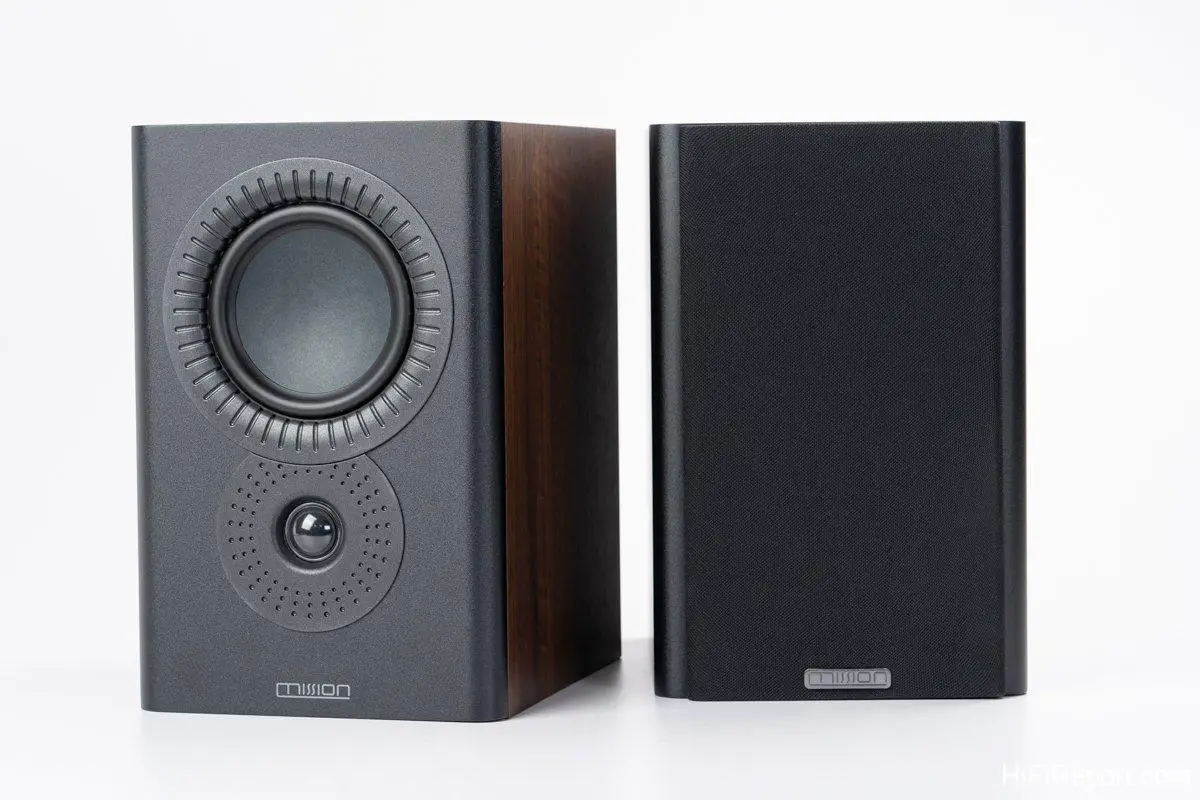
Available in black, white, and walnut finishes, the bookshelf speakers are space-saving and stylishly complement any home décor. The dedicated LX Connect HUB is equipped with a comprehensive array of input and output options, functioning as a DAC and a headphone amplifier. This LX Connect system may appear simple, but its functionality is remarkably comprehensive.
[Image from Mission Official Website]
Digital wireless active speakers are not entirely new. They emerged roughly a decade ago, but early iterations were hampered by technological limitations. Bluetooth connectivity was unstable, and wireless speaker transmission protocols were prone to interference. While initially novel, the technology was not mature enough. However, with continuous advancements in Bluetooth standards and the upgrade of speaker wireless transmission to 5.8 GHz, these issues have been largely resolved. Consequently, now is an excellent time to embrace digital wireless active speakers, as the technology is considerably mature and reliable.
Mission’s entry into this category with the LX Connect may be relatively late, but it comes with the advantage of hindsight. They have directly adopted 5.8 GHz wireless transmission for maximum stability, and the system comprehensively supports both PCM and DSD digital decoding formats, up to 384 kHz PCM and DSD 256 (11.2 MHz). These are virtually top-tier specifications, ensuring the system remains relevant for years to come.
HDMI-ARC Challenges Soundbars
Furthermore, the inclusion of an HDMI-ARC port elevates the LX Connect beyond just music listening, positioning it as a potential soundbar replacement. The ARC (Audio Return Channel) enabled HDMI port facilitates audio and video synchronization, eliminating sound delay issues. However, this functionality requires a TV with HDMI-ARC capabilities for bidirectional communication. The addition of HDMI is another example of Mission leveraging a late-mover advantage. Historically, few digital wireless active speakers featured HDMI ports, thus lacking the dual benefit of “audio and video integration.”
The LX Connect active speakers are based on Mission’s popular LX-2 MKII bookshelf model. They feature a 25mm silk dome tweeter and a 130mm composite fiber diaphragm mid-bass driver. The cabinet integrates a 60-watt amplification module (100 watts peak) and utilizes DSP for crossover. The maximum sound pressure level (SPL) reaches an impressive 99 dB.
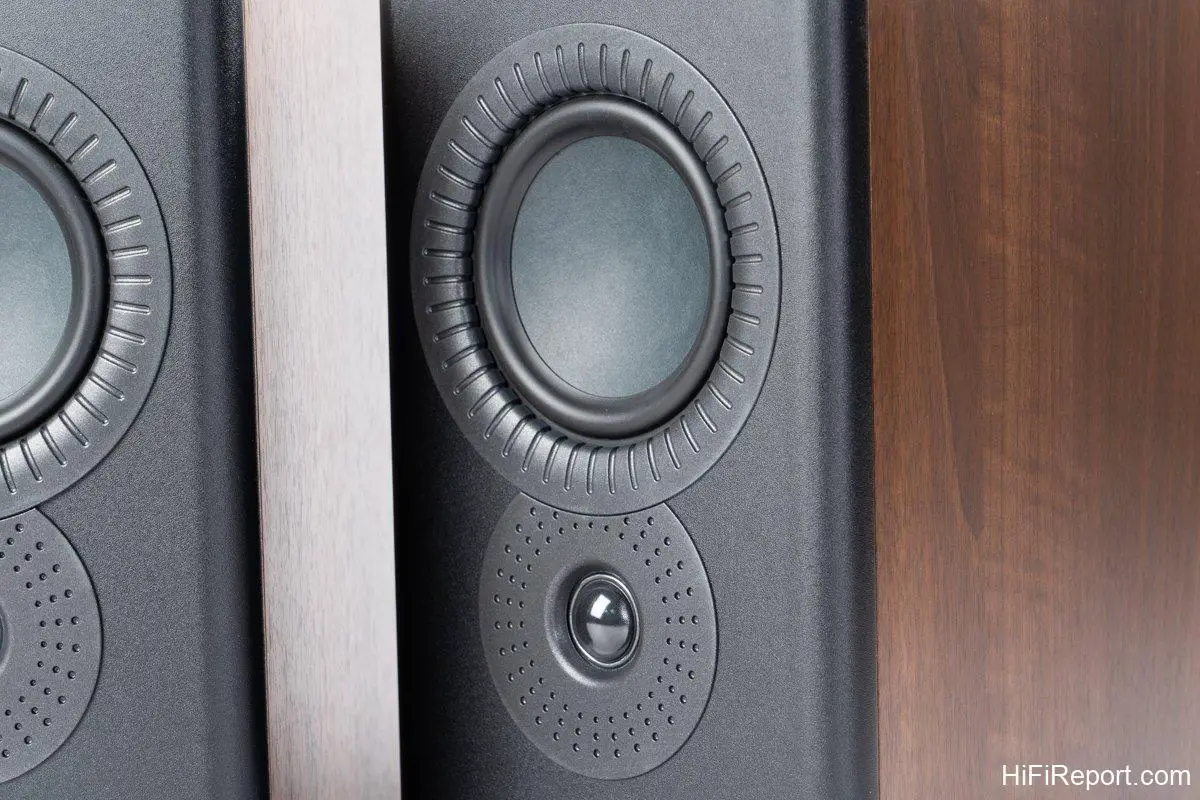
A notable specification of the LX Connect is its transmission range. It boasts a 20-meter line-of-sight transmission distance, meaning the LX Connect speakers and HUB don’t need to be in close proximity. Even with considerable separation, wireless transmission remains effective, offering greater placement flexibility.
The speaker design retains Mission’s signature inverted driver configuration, with the mid-bass driver positioned above the tweeter. This innovative design, conceived by chief acoustic engineer Peter Comeau in 1999, has become one of Mission’s most recognizable visual hallmarks.
All-in-One LX Connect HUB
[Image from Mission Official Website]
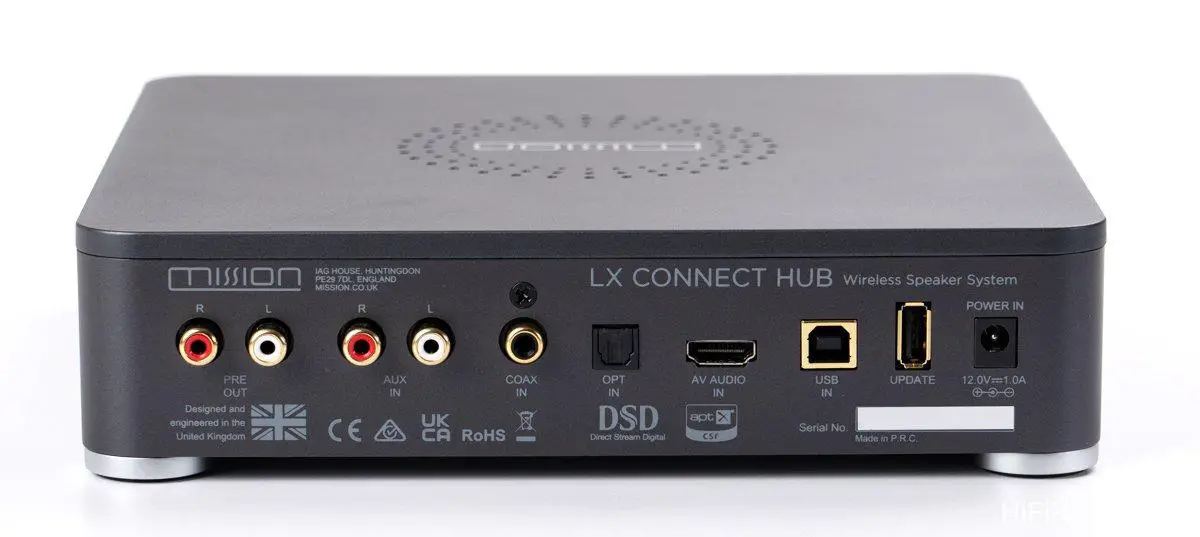
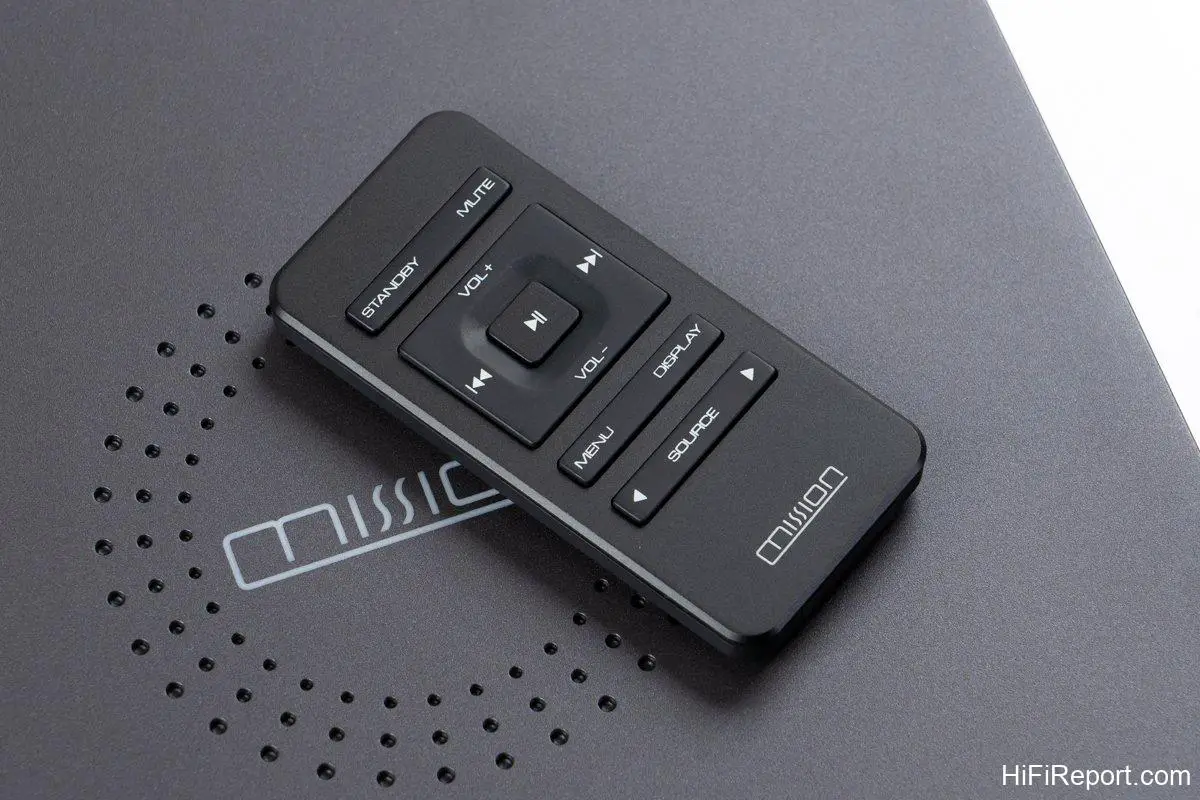
The accompanying LX Connect HUB can be considered the system’s nerve center, a three-in-one unit encompassing a dedicated DAC, 5.8 GHz wireless transmission, and an independent headphone amplifier circuit.
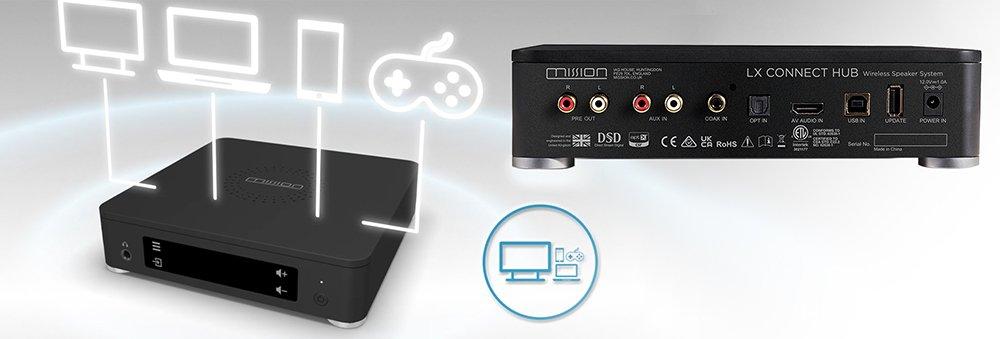
For the DAC chip, Mission has chosen the ESS Sabre 9018K2M. Employing such a high-end DAC chip in a product at this price point demonstrates Mission’s commitment to quality. This DAC is from the same family as the Merging NADAC used by HiFiReport itself, a unit costing over ten times more than the LX Connect. Clearly, Mission aims to establish the LX Connect as an exceptional value proposition.
Simple and Advanced Settings
Setting up the LX Connect is remarkably intuitive. You can easily switch between listening modes using the ‘Mode’ setting, with pre-programmed ‘Music’ and ‘Movie’ modes. Simple enough, right? Select ‘Music’ for music listening and ‘Movie’ for watching films – straightforward and user-friendly, meeting the needs of most users with minimal fuss.
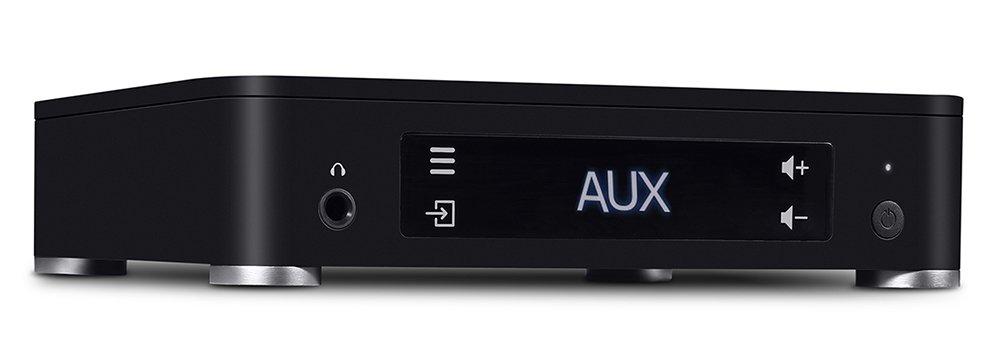
But what if you crave more advanced customization? The LX Connect HUB’s front panel touch-sensitive menu button provides access to advanced settings.
If you intend to use the LX Connect HUB as a standalone DAC, outputting a pre-amplified signal to other active speakers, the DAC offers three digital filter modes: fast roll-off, slow roll-off, and minimum phase. Technically, fast roll-off is the cleanest, but subjectively, slow roll-off and minimum phase tend to sound smoother. Choose according to your sonic preferences.
The LX Connect HUB also includes DSD BW and OPT DPLL BW settings related to decoding bandwidth. For these, the standard ‘Normal’ setting is generally recommended. Adjustments are typically only necessary if you encounter jitter issues with your digital source input.
[Image from Mission Official Website]
The ‘Balance’ option allows you to adjust the volume balance between the left and right channels. Unless there’s a significant volume discrepancy between your channels, adjustment is usually unnecessary. Note that the ‘Balance Sync’ button on the speaker’s rear panel must be activated for the LX Connect HUB to control the left and right channel balance.
The final advanced option is ‘Pre Delay,’ which allows you to set a signal delay for the pre-amp output: 0ms, 20ms, 40ms, 60ms, 80ms, and 100ms.
When using the LX Connect HUB as a pre-amp output to connect to an active subwoofer, the manufacturer recommends setting a 20ms delay for optimal signal synchronization. The multiple delay settings provide added flexibility in subwoofer integration.
Default Volume Setting
Other settings options, such as panel brightness, default input channel, auto standby, wireless connection, default volume, factory reset, update, and firmware, are largely self-explanatory. However, the default volume setting warrants specific mention.
The LX Connect HUB’s maximum volume is 50, with a default setting of 25. When connecting via Bluetooth from a phone or computer, even at maximum device volume, the default level of 25 provides a comfortable listening volume. However, if you desire a more powerful output, you’ll need to use the remote or volume control on the HUB to increase the volume beyond the default 25. Don’t mistakenly assume the LX Connect can’t play louder if it doesn’t seem loud enough when your phone is already at maximum volume. This is simply because the default volume is set at 25, not full power.
Initial Pairing Setup
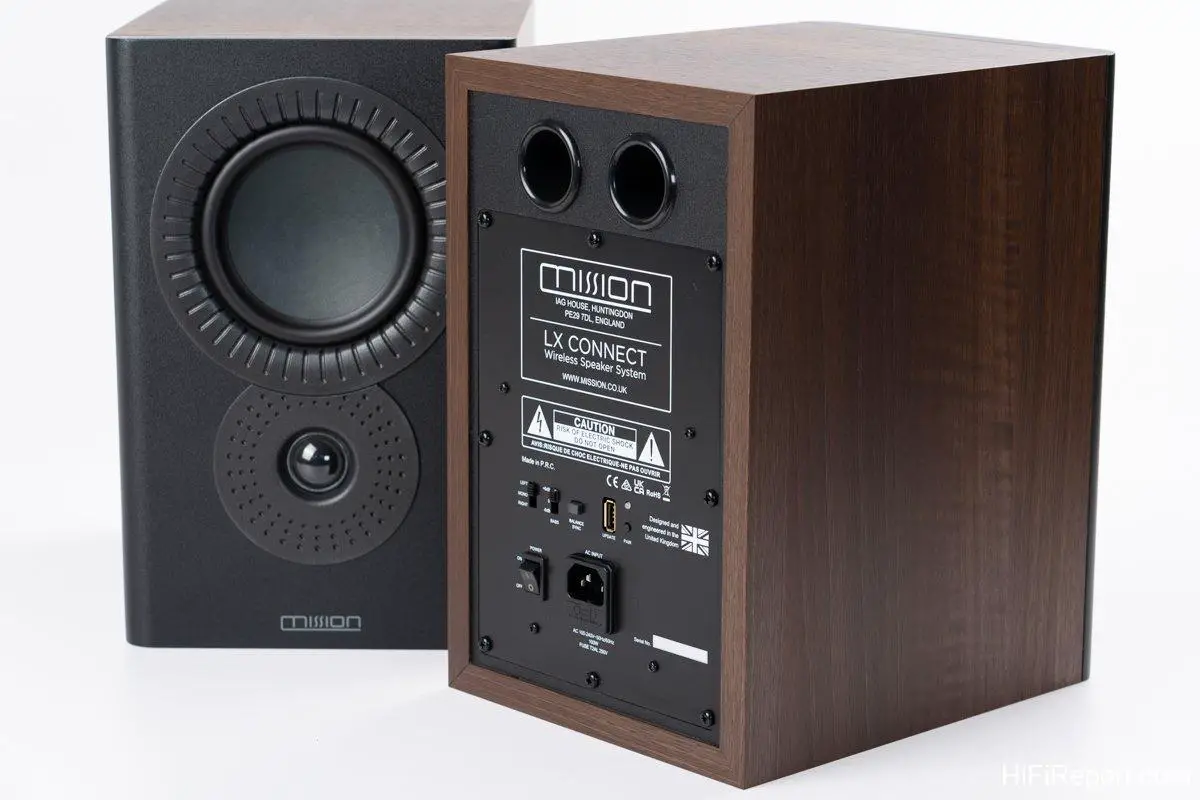
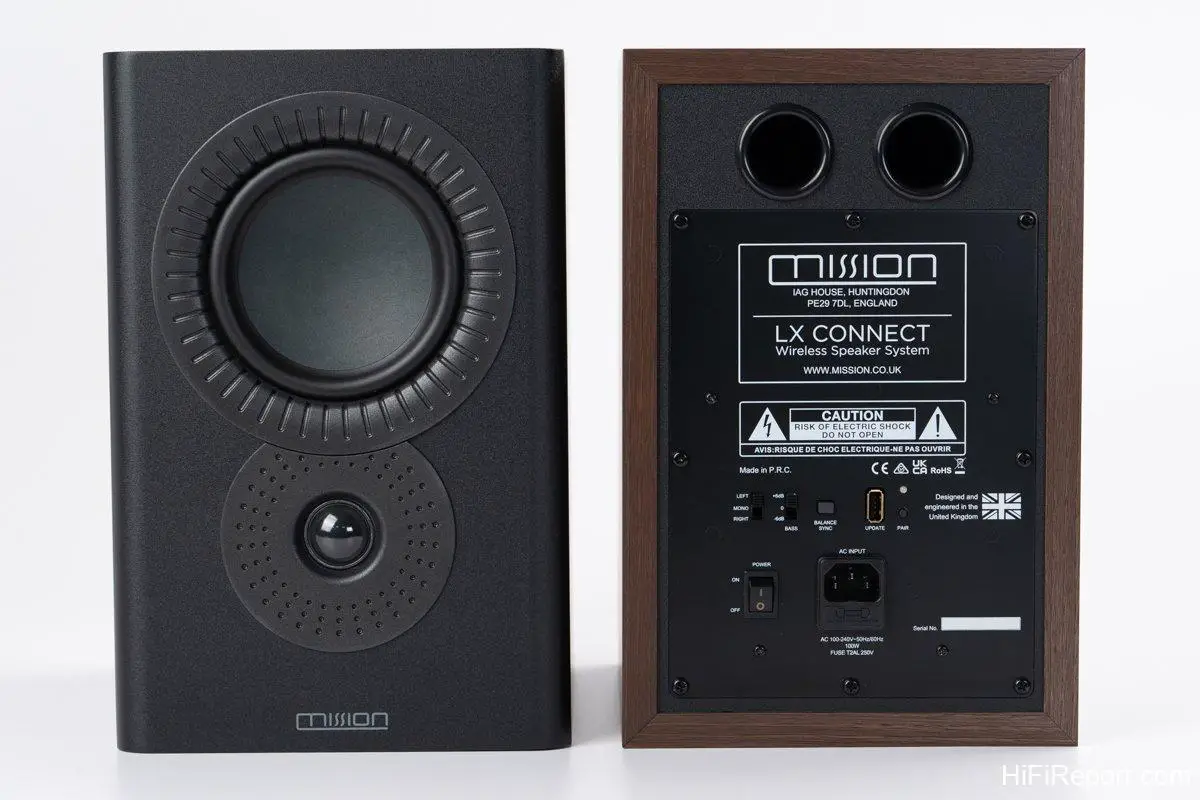
Having covered the technical specifications and settings of the LX Connect, it’s time for listening impressions! The LX Connect speakers are essentially plug-and-play; they power on and are ready to work. However, initial setup requires pairing the LX Connect speakers with the LX Connect HUB. The process is straightforward: power on the LX Connect speakers, and the LED indicator on the rear panel will flash green, indicating it’s not yet connected to the HUB. Press the ‘Pairing’ button, and it will automatically connect to the LX Connect HUB (ensure the HUB is also powered on). Once the wireless connection is established, the LED will display a solid green light, signifying a successful connection. This pairing process must be repeated for each speaker, left and right.
Next, configure the left and right channel assignments based on speaker placement. The selector switch is located on the speaker’s rear panel, with ‘Mono’ in the center, ‘Right’ upwards, and ‘Left’ downwards. Set it appropriately according to your speaker positioning.
This is the standard setting for stereo speaker placement. However, if you are using a non-traditional speaker arrangement (e.g., placed in ceiling corners, asymmetrically), you can switch to ‘Mono’ mode. In this mode, both speakers output the same sound, sacrificing stereo imaging.
The final setting is bass adjustment. For conventional speaker placement on stands, positioned with adequate distance from side and rear walls, you can set the bass level to 0 dB or +6 dB. If placed closer to the rear wall, potentially resulting in excessive bass, setting it to 0 dB is advisable. Conversely, if you place the LX Connect speakers inside a bookshelf, and experience significant bass resonance, the -6 dB setting can help reduce interference and improve bass clarity.
All settings are easily adjustable via switches on the LX Connect speaker’s rear panel.
Simple, User-Friendly, and Great Sounding
Evaluating a complete audio system like the LX Connect is somewhat unique, as direct comparisons are limited. Once the LX Connect HUB and speakers are synchronized, it’s difficult to introduce other components for A/B testing. Even comparing the LX Connect HUB’s analog input with a higher-end DAC is not particularly meaningful. The LX Connect is designed as a self-contained audio system, requiring no additional components or upgrades. Its core appeal lies in its simplicity, user-friendliness, and excellent sound quality.
In terms of sound performance, USB input naturally delivers slightly better results than Bluetooth, supporting high-resolution PCM and DSD audio files. However, for convenience, most users will likely opt for Bluetooth, enabling effortless streaming from smartphones. Modern Bluetooth connections are also remarkably stable, unlike earlier iterations prone to dropouts. Consequently, much of the listening evaluation was conducted using Apple Music via Airplay. When comparing the same music via computer USB connection, the sound density improves marginally.
Regarding the LX Connect’s default volume, the factory setting of 25 is a sensible starting point. Maintaining your phone or computer’s output volume at maximum and utilizing the LX Connect’s volume control allows for appropriate volume adjustment without overloading the system. This default volume is generally suitable for rock and pop music. For classical music, you might find the volume slightly lacking and may need to increase it slightly using the LX Connect HUB’s volume control.
If you find the default volume of 25 too loud, adjust the volume on your computer or phone rather than the LX Connect HUB for maximum simplicity.
Sufficient Bass Performance
Sonically, the LX Connect exhibits crisp and clear mids and highs, alongside ample bass for its size. By “ample,” I mean that for a bookshelf speaker, the LX Connect delivers bass performance exceeding expectations. Especially with rock and pop music, the mid-bass punch is quite impressive. Only the lowest bass frequencies exhibit some roll-off, a natural limitation of bookshelf speakers. Adding a subwoofer to create a 2.1 system would elevate the LX Connect to near floorstanding speaker performance levels. However, even without a subwoofer, the LX Connect’s mid-bass is already commendable.
Take EggPlantEgg’s “Love You More Than I Thought,” for example. The music opens with continuous kick drum beats and sustained synthesizer chords, with hi-hat rhythms leading into the vocalist’s entry. Despite being bookshelf speakers, the LX Connect renders the kick drum with surprising heft.
If you still desire more bass fullness, switching the rear panel setting to +6dB will further enhance the mid-bass, making it even more robust.
Note that music playback will briefly interrupt when switching bass gain or attenuation settings, which is normal.
Whether 0dB or +6dB is preferable depends on your personal taste. I personally prefer the 0dB setting, finding the mid-bass punchy and well-defined. The +6dB setting naturally delivers more powerful and voluminous bass with increased impact, but at the expense of some bass definition and clarity.
Sound Quality Outperforms Soundbars
For tracks like Ed Sheeran’s “Shape of You,” the LX Connect’s brisk pace and rhythmic drive, handling the synth and hand drum beats, are excellent. The layering of Ed Sheeran’s vocals and harmonies is also distinct, creating impressive 3D sonic depth. Considering the LX Connect’s price point, which is comparable to mid-range soundbars, its 3D sonic layering and musicality are significantly superior to similarly priced soundbars.
Of course, if your primary focus is movie watching, a soundbar might still be considered. However, if you prioritize music listening and desire a less flat audio experience, seeking a genuine 3D soundstage and spatial rendering, the LX Connect is the better choice.
Consider Lady Gaga’s rendition of “La Vie en Rose” from the “A Star is Born” soundtrack. Lady Gaga’s French chanson delivery exudes a captivating allure. The LX Connect captures the recording’s spatial ambience, with a spacious piano sound, full bass foundation, and delicate brush strokes in the upper mids. Lady Gaga’s vocals, enhanced with reverb, create an even wider sonic panorama. Achieving a beautiful soundstage with the LX Connect is easy. Place them on speaker stands, spaced approximately 1.5 to 1.75 meters apart, and the speakers effectively disappear, presenting a broad and natural 3D soundstage.
Listening to Katja Werker’s “Contact Myself 2.0” album, particularly “Carried Cross,” a live recording from Stockfisch Records in Germany, the LX Connect clearly delineates the interplay of two guitars. The fingerpicking technique, with right-hand plucking and tapping, accentuates rhythmic force. The LX Connect reproduces the guitars’ note elasticity and power, crisp with appropriate guitar body resonance. The percussive guitar strikes, potentially compressed in the recording, are distinctly prominent. These recording nuances are readily apparent on the LX Connect. The soundstage accurately positions the vocalist centrally with guitars spread to either side, effectively recreating the live performance. In terms of sound quality for the price, the LX Connect offers exceptional value.
Excellent Soundstage for Classical Music
The LX Connect’s strong soundstage performance extends to classical music. Consider the Mozart Piano Trio performed by Pires, Dumay, and Wang Jian. Listening to the cheerful and bright K.502 first movement, the cello’s sustained notes introduce the piano’s lighthearted opening theme, echoed by the violin. The LX Connect’s sonic character is relaxed and comfortable, with a soft tonality. Instrument outlines are spacious and unconstrained, the soundstage is transparent, with the piano centrally positioned, violin to the left, and cello to the right. The musical picture of the trio is clearly presented. The recording venue’s reverberation is natural. For a complete system priced under $1550 USD (converted from 49,500 NTD), the LX Connect’s sonic performance is virtually unmatched.
Can it handle larger orchestral works? Switching to the Mozart Double Piano Concerto, performed by Lupu and Previn, listening to the K.365 third movement Rondo. At the default volume of 25, the scale may seem slightly lacking, not fully conveying the concerto’s grandeur. Increasing the volume to 30 brings more impact. And, if your space allows and neighbors are tolerant, volume level 35 is even more exhilarating.
At a sufficient volume for the Mozart Double Piano Concerto, the LX Connect not only delivers ample power but also impressive soundstage imaging. The string section’s opening in the third movement is light and airy, followed by the piano entries. The first piano is positioned center-left, and the second piano center-right. These subtle piano placement differences are part of the enjoyment of double piano concertos. Identical musical phrases are exchanged between the two pianos, but the shifts in piano positions create a playful, almost conversational atmosphere. In Mozart’s time, stereo sound systems didn’t exist, so he relied on placing two pianos in different locations to create this back-and-forth musical dialogue. With the LX Connect, with careful speaker placement, you can achieve a relaxed, spacious, and transparent soundstage, fully appreciating the musical interplay between the two pianos.
Highest C/P Value Wireless Active Speakers
For Mission, the LX Connect represents a bold new endeavor. While competitors exist in the market, Mission’s late entry provides the advantage of more mature technology, simpler and more stable connectivity, and the inclusion of HDMI-ARC for soundbar replacement, expanding its application scope. In terms of price competitiveness, Mission’s suggested retail price, under 50,000 NTD, possibly makes it the most affordable branded wireless active speaker system currently available. If you prioritize value for money, the LX Connect is undoubtedly a top contender.
Specifications
* **Model:** Mission LX Connect Wireless Bookshelf Speaker System
* **Type:** 2-way bass-reflex wireless bookshelf speaker + LX Connect HUB
* **Frequency Response:** 58 Hz – 20 kHz
* **Drivers:** 25 mm silk dome tweeter × 1, 130 mm composite fiber diaphragm mid-bass driver × 1
* **Amplifier Power:** 60 Watts (100 Watts Peak)
* **Speaker Dimensions (H×W×D):** 305 × 200 × 250 mm
* **Speaker Weight:** 6.55 kg x 2