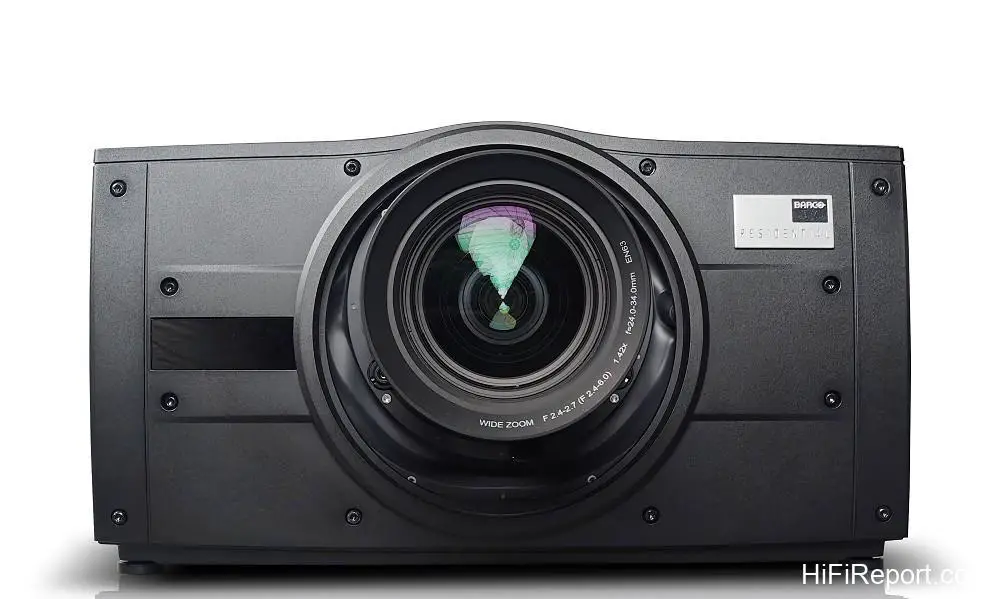
Barco Bragi CinemaScope Review
I think we can all agree that watching movies demands a larger screen size, right? However, the display format offered by today’s home theater projectors often runs counter to this very need. The vast majority of models have a 16:9 aspect ratio, with a very small number offering 17:9. Yet, movies, especially blockbusters (high-budget commercial films), frequently utilize the CinemaScope aspect ratio, predominantly 2.39:1.
When these films are displayed within the 16:9 light area, the cumulative “black bars” above and below the movie frame occupy roughly 24.5% of the total projection surface. In other words, when watching many Hollywood blockbusters with a projector, the displayed image area is only about three-quarters the size of the everyday 16:9 viewing area. If you truly desire a larger picture for watching movies, the display area actually ends up smaller than when watching TV programs. Does this make sense?
Unfortunately, this is the reality. We’ve all seen 16:9, 17:9, and even 1990s-era 4:3 projectors, but how many of you know a home theater enthusiast who has a dedicated CinemaScope projector installed? The subject of this review is precisely that unique kind of machine: the Barco Bragi CinemaScope. Its name plainly states it – this is a serious, hardcore, film-centric CinemaScope projector with a full-frame aspect ratio of 2.37:1.
Barco’s Legacy
For seasoned enthusiasts with over 25, perhaps even 30 years of home theater experience, Barco is absolutely a legendary brand. In the late 1990s, a Barco 9-inch CRT projector cost nearly $65,000 USD – enough to cover the down payment on a house! At that time, the only real competitor was Sony’s 9-inch CRT flagship, but most of the hardcore enthusiasts I knew opted for Barco.
This wasn’t because Barco offered significantly higher resolution (the key to resolution victory back then was calibration skill and the paired image processor), but rather the flavor and charm of its colors and grayscale rendering. It’s something that remains etched in my memory today. It’s like asking a photographer why they’d buy a Leica. There’s really not much explanation needed; if you think it looks good, that’s the answer.
After the CRT era, Barco quickly transitioned to DLP projectors. Initially, they produced home models, but later shifted their focus entirely to genuine cinema applications, creating digital cinema projectors for movie theaters. A significant percentage of the screens you see movies on after buying your ticket are powered by Barco projectors.
The Bragi CinemaScope Philosophy
The star of this piece, the Bragi CinemaScope (hereafter referred to as Bragi CS), is part of the Barco Residential series. These are top-tier projectors crafted specifically for high-end home theaters. It features a tri-color LED light source, utilizes large imaging chips, a substantial light engine, and a wide-aperture lens. The internal image processing circuitry automatically detects the aspect ratio of the input video signal, scaling it automatically from 16:9 to 2.39:1.

Users can also manually switch and adjust the scaling.
The recommended screen pairing for the Bragi CS is 120 to 150 inches, with a CinemaScope screen being the preferred choice, naturally. I did a quick calculation, and the height of a 150-inch 2.35:1 screen is approximately 150 cm. Even accounting for the screen frame (for fixed-frame screens) or the roller casing and roughly 30 cm of black drop on an electric screen, a typical residential ceiling height can accommodate it.
The width of a 150-inch 2.35:1 screen is approximately 350 cm. When displaying a “full” 16:9 image (uncropped, undistorted) on this screen, there will be black bars approximately 42 cm wide on either side of the 2.35:1 screen’s light area. At this point, the display area is nearly identical to that of a 120-inch 16:9 screen, with a height of about 150 cm and a width of about 266 cm.
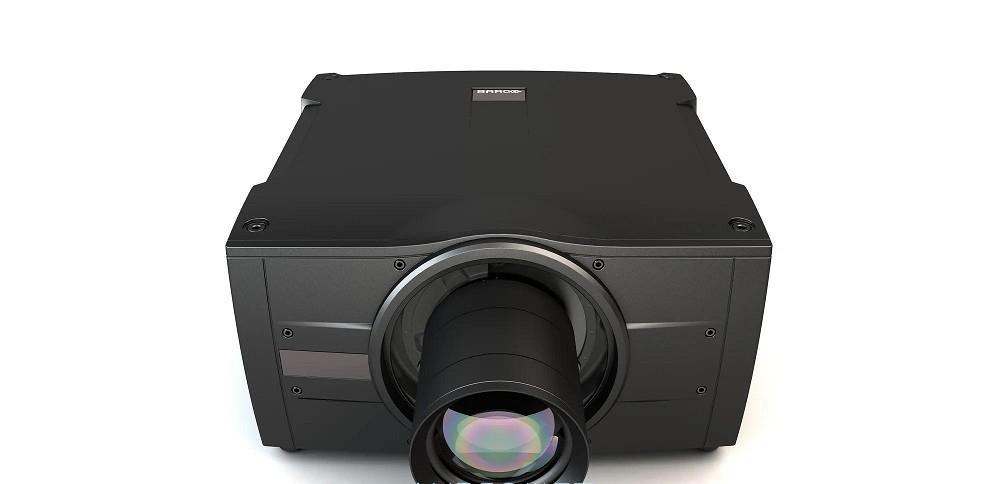
From the description above, you can see the advantage of the Bragi CS when displaying on a 2.35:1 screen: the movie image width and area are 24% larger than typical 16:9 viewing, better fulfilling the need for a “big picture” when watching movies. If you want an even larger screen, that’s possible too. Considering the projector’s light output and throw size, it’s best to choose a screen gain of 1.6 or higher.
Light Source & Image Technology
Nowadays, when discussing long-life, lamp-free projection, enthusiasts can almost instinctively say “laser light source.” However, the Bragi CS doesn’t use lasers; it employs LEDs. In the past, our impression of LED light sources in projectors was generally limited to small, portable, low-brightness models. The light source in the Bragi CS, however, comes from Philips’ ColorSpark HLD (High Lumen Density) LED technology, first introduced in 2017 and subsequently improved.
This is a tri-color LED light source. Barco’s reason for choosing this source is to endow the Bragi CS with wide color gamut performance. The wide gamut goal is very clear: to ensure a color gamut range “greater than or equal to” the DCI-P3 digital cinema standard.

When synthesizing white light from the three primary colors, the luminescence ratio of R, G, and B is approximately 30%, 59%, and 11% respectively. Therefore, the key to how bright an LED light source can be lies in the green light, which accounts for nearly 60% of the total output. ColorSpark HLD LED technology is specifically designed to enhance green light emission. The green light emission module is structured like a very narrow tunnel.
The walls of the tunnel are fitted with multiple blue LEDs, and inside the tunnel is a fluorescent rod made of a special formula material. The blue light emitted by the LEDs excites the fluorescent rod, converting it into green light. Utilizing optical expansion principles, a high-density light beam is generated within the narrow tunnel containing the fluorescent rod, emitting outwards.
Because this high-density beam is very concentrated, the component of scattered light is relatively low (which is beneficial for native contrast).

As for the blue and red light within the Bragi CS’s tri-color LED system, these are emitted directly by the LEDs without using the HLD structure. I recall that when Philips first unveiled this technology, the demo unit achieved 96% of the DCI-P3 color gamut. This didn’t quite meet Barco’s standard, so Barco installed an electric DCI/P3 filter inside the Bragi CS. When this filter is in use (in the optical path), the Bragi CS’s color gamut can exceed DCI-P3.
At “full light output,” the lifespan of this LED light source is 50,000 hours (this is the half-life, where light intensity decays to 50%). So, if you watch an average of two movies per day, the Bragi CS can last 34 years without needing a lamp change. If the light source is dimmed to 75% power, its lifespan increases to 75,000 hours.
The Bragi CS is a single-chip DLP projector, using a 0.9-inch DMD with a native resolution of 2560×1600 (16:9 aspect ratio). It employs XPR pixel shifting for display, resulting in a theoretical pixel count of 5120×3200. This projector utilizes 5120×2160 of this capacity for its 2.37:1 display, which is why Barco refers to the Bragi CS as a 5K projector. As for 16:9 video input, it is displayed at 3840×2160 on a 1:1 pixel basis.
Single-chip DMD projectors must display the RGB primary colors sequentially in a time-division manner for each frame. The traditional approach uses a white light source passing through a rotating filter wheel containing the RGB primary colors (a “color wheel”). Whichever primary color the wheel is positioned at, the DMD displays the image for that primary color. By leveraging the persistence of human vision, the sequential display of the three primary colors is combined to form a complete image.
However, because the RGB sequential display is limited by the color wheel’s rotation speed, individuals with better dynamic vision may perceive the “rainbow effect.” The Bragi CS has no color wheel. It directly controls the sequential illumination of the three independent R, G, and B LED light sources. Since the switching action of LEDs is extremely fast, the rainbow phenomenon found in traditional DLP projectors does not occur.
Lens System Flexibility
Currently, most home theater projectors use imaging chips no larger than 0.8 inches. The DMD used in this projector is 0.9 inches. As I’ve mentioned in previous reviews, this is like the difference in film format in traditional cameras or the sensor size in digital cameras. The larger the size, the better the optical characteristics. However, the entire system, from the imaging chip and light engine to the projection lens, must be correspondingly larger.
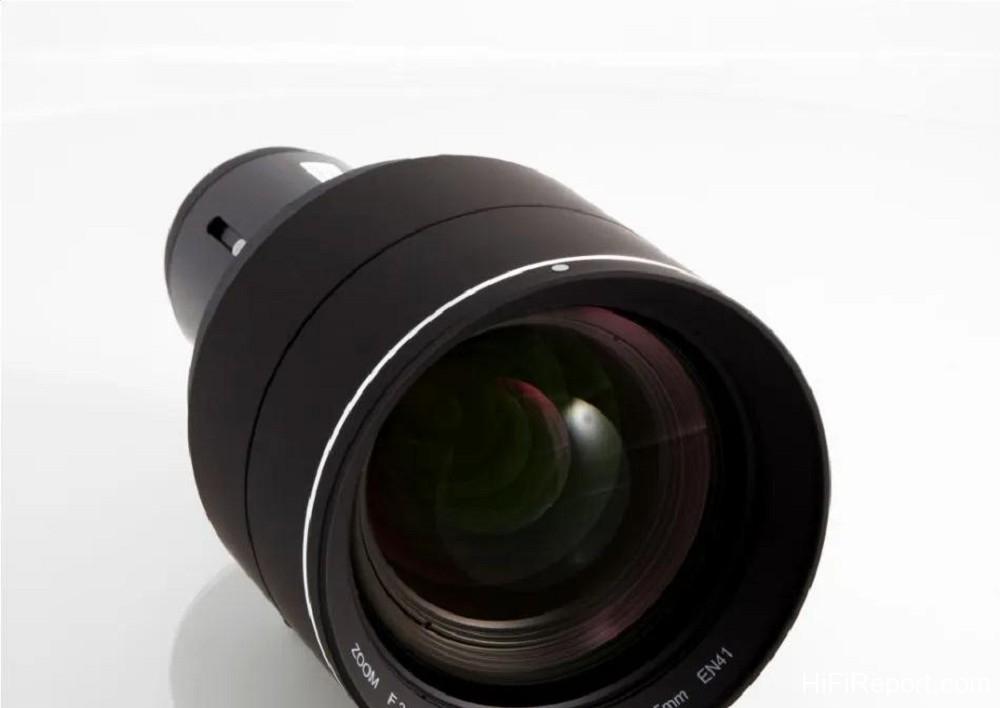
The downside is that the cost is inevitably higher. The advantage is reduced light loss and minimized various types of optical distortion. With Barco’s foundation and reputation in professional digital cinema projectors, they naturally strive for the best without compromise. Thus, the lens systems available for the Bragi CS are not only composed of glass elements but also include aspherical lenses and feature ultra-low dispersion performance.
The use of the term “systems” indicates that the Bragi CS features interchangeable lenses. There are a total of eight lenses available, ranging from ultra-short throw, 90-degree ultra-short throw, wide-angle zoom, standard zoom, to long zoom, to pair with the projector. Each lens supports both horizontal and vertical lens shift. The unit sent for review was fitted with the “EN63,” one of the most commonly paired factory lenses offering broad applicability.
This lens allows for substantial image shifting: up to ±110% vertically (image height) and up to ±32% horizontally (image width). This is optical shifting, so it doesn’t distort the image, eliminating the need for digital geometry correction and preserving resolution. This gives the Bragi CS significant flexibility in terms of installation location.
Using this lens, the minimum throw distances for projecting on a 120-inch, 150-inch, and 200-inch CinemaScope screen are 337 cm, 421 cm, and 562 cm respectively. The maximum throw distances are 478 cm, 597 cm, and 796 cm respectively. The Bragi CS unit and lenses are priced separately. The EN63 is suitable for most spaces.
If you wish to view a large screen of 200 inches or more in a space where the projection distance cannot reach 562 cm (due to insufficient room depth), there are five other lenses available to match specific spatial conditions.
Calibration & Color Accuracy
The “standard” installation and calibration procedure for the Bragi CS projector is virtually indistinguishable from the requirements for Barco cinema projectors. This review unit underwent professional installation and calibration by the general distributor, ensuring ideal focus across the entire image through lens adjustments.

Using a Qalif Spectro spectrometer, the actual color gamut, color coordinates, and color temperature displayed on the screen after pairing with the screen were measured and calibrated. During the testing process, it was confirmed that the native (maximum) color gamut range of the Bragi CS is larger than the DCI-P3 range. The goal of calibration was to rein in the areas that exceeded the standard, ultimately ensuring the displayed color gamut perfectly overlaps with the DCI-P3 standard.
I also measured the color gamut changes “before calibration” and “after calibration.” Although my test equipment is not as high-level as that used by the professional technicians, it’s still easy to see that the maximum color gamut range of the Bragi CS is larger than DCI-P3. Specifically, the areas in the G-Y-R and G-C-B ranges are very close to the P3 gamut, while the color gamut in the B-M-R range is larger than P3, and this is precisely the portion that was reined in after calibration.
The Bragi CS features Barco’s built-in RealColor color management system, which, with the assistance of instrument calibration, ensures the accuracy of color, color gamut, and color temperature.

The color gamut discussions above are based on the projector displaying HDR BT.2020 video. Barco’s approach is clearly aimed at “faithful reproduction.” Therefore, when displaying SDR video input, the corresponding color gamut is a very standard Rec.709, with no gamut expansion applied. No image processing is embellished or exaggerated. For instance, mid- to high-end TVs often perform motion interpolation to improve motion resolution and reduce the inherent judder of 24p film movement.
The Bragi CS does not offer motion interpolation to alter the refresh rate. Furthermore, there is no super-resolution processing, commonly found in high-end TVs and home theater projectors to enhance subtle clarity, on the Bragi CS. It performs “direct output” display, resulting in ultra-low latency (below 20ms), making it applicable for simulators and highly suitable for gaming (you could also consider the 16:9 model in the same class as this unit, the Bragi).
If Bragi CS users desire motion interpolated display or other image processing functions, they could consider pairing the unit with a madVR Extreme MK2.
Performance & Image Quality
Even without motion interpolation, my actual playback and inspection of various motion resolution test patterns showed that the Bragi CS has quite good motion resolution. The FPD Benchmark’s Resolution Pattern: 6.5ppf measured 900 lines (out of a possible 1080).
Additionally, when viewing the 4K/60p Motion Resolution Pattern 3840×2160 scroll at various speeds, the results showed that the resolution remained equivalent to a static image in the 2px and 4px motion segments, confirming that the unit’s motion resolution is above average. In 4K images, scenes and objects moving at slow and medium speeds maintain very good clarity, and I particularly paid attention to the grayscale of moving objects.
For example, facial features and arms on people maintained light, shadow, and color gradations comparable to static images, without any banding effects.
So, how does the Bragi CS look? I’ll say it again: whether a display device is good or not, you can tell by the reactions of my colleagues. They didn’t know anything about the calibration process or the instrument data, so their reactions were purely intuitive perceptions.
This time, I didn’t gather friends, but during the testing process, a colleague from *Audio Art* magazine (Lin Zhehong, quite knowledgeable in photography) needed to grab some equipment and saw the movie playing on the Bragi CS and was “stuck.” He watched for a few minutes and left, and then Editor-in-Chief Tao “heard” there was a really amazing projector inside and came in (he’s also a seasoned photography enthusiast).
What is the magic of the Bragi CS? Honestly, there’s not much magic at all; it’s simply very *real*. It allows viewers to feel like they are looking at an extremely large professional display monitor. The colors aren’t “enhanced” like those on a TV or most home theater projectors, to varying degrees. Despite not boosting color saturation or expanding the color gamut, this approach results in colors that appear almost identical to what we see in real life.
When displaying HDR BT.2020 video, viewers can strongly sense its wide color gamut performance. From very light, mid-tone, to very dense colors, the layering is incredibly distinct, presenting a very large “color dynamic range.” Even in very small ranges, such as between extremely pale and colorless, or in very dense colors approaching 100% above 95%, it’s easy to distinguish subtle differences in shade and tone for similar colors.
Beyond color, the light and shadow gradations of the Bragi CS, especially the three-dimensionality and complete integrity of shadows in low-light areas, are nearly perfect. Dark night scenes frequently appearing in movies pose no challenge whatsoever for the Bragi CS. Although it doesn’t have super-resolution processing, if the movie content itself has fine detail and high clarity, the Bragi CS can fully reveal it.
Conclusion
In addition to the points mentioned above, I believe the Bragi CS possesses two particularly outstanding characteristics. The first is its ability to render the stylistic nuances of each film, including lighting, cinematography, and the specific color and light-and-shadow qualities the creator intended to convey. The Bragi CS makes it easier than other display devices to discern the stylistic differences between different works.
The second is the depth perception (sense of depth of field) and the tangible “weight” of all objects on screen are truly impressive. I believe a significant part of this performance comes from the advantages of its optics. The absence of haziness and the exceptionally high color purity result in a clearer, more transparent image, giving objects (including people) a greater sense of physical presence. These two characteristics lend its movie image a unique and distinct charm.
It’s no exaggeration to say that the Barco Bragi CS is essentially a projector specifically built for high-end home theaters with the “intention of bringing a digital cinema projector home.” It is truly expensive! However, if you are buying a projector specifically for watching movies, budget is not an issue, and you hope to achieve a visual experience as close as possible to watching films in a cinema, the Bragi CS is one of the absolute best choices.
It rightfully earns our highest recommendation.
Specifications
* Type: DLP Projector
* Resolution: 5120×2,160 px @ 60Hz
* Imaging Chip: 0.9-inch DMD
* Aspect Ratio: 2.37:1
* Light Output: 2,200 Lumens
* ANSI Contrast Ratio: 450:1
* Light Source: Solid-state RGB LED
* Video Inputs: DP×2, dual link DVII×2, HDBaseT, HDMI 2.0
* Power Consumption: Max 570 Watts, Typical 500 Watts
* Noise Level: 30 to 33 dB
* Dimensions: 450×482×255 mm (W×L×H), without lens
* Weight: 21.5 kg