Bluesound Node Wireless Streamer Review
With so many streaming players on the market, and many appearing quite similar at first glance, how does one make the right choice? In my personal experience, I believe the selection process should begin with the software, not the hardware. The user interface—its usability and feature completeness—is the primary factor determining a streaming player’s true worth.
However, developing a user-friendly and feature-rich control interface is no easy task. It requires investment in software development talent, a cost that many traditional audio manufacturers are either unable or unwilling to bear. Consequently, many opt for compatibility with open-source formats or third-party software like UPnP/DLNA, and Roon Ready. This allows users to operate their devices using readily available software solutions.
While I acknowledge Roon’s excellence and broad compatibility, it comes with a price tag. Subscriptions range from an annual fee of $120 USD (or $9.99 USD monthly) to a lifetime membership of $699 USD. Investing this much in software for a modestly priced streaming player might seem disproportionate.
So, is there a streaming player out there that offers excellent software, comprehensive features, great sound quality, and an attractive price point? Of course! Otherwise, why all this preamble? The answer is the newly released Bluesound Node. My hands-on experience has been exceptionally positive, making it the most recommendable streaming player I’ve encountered recently.
BluOS Streaming Ecosystem
Bluesound is a company under the Canadian Lenbrook Group, which also owns renowned brands like NAD and PSB. This group strategically combines expertise in digital streaming, amplification, and loudspeakers to offer comprehensive home audio-visual solutions.
At the heart of the Node lies BluOS, Bluesound’s proprietary streaming technology. BluOS enables seamless wireless control of various Bluesound devices, including players, music servers, amplifiers, all-in-one speakers, soundbars, and subwoofers. These components can be effortlessly integrated into a multi-room system, allowing you to enjoy streaming services, high-resolution music files, internet radio, and music from your mobile devices—virtually without limitations.
Furthermore, the BluOS app offers unparalleled convenience with its cross-platform compatibility. Whether you use an Android phone, iPhone, Windows PC, or Mac, there’s a dedicated BluOS app version available, ensuring you always have a familiar and efficient control interface at your fingertips.
The Node also boasts compatibility with other popular platforms and features, including Roon Ready, AirPlay 2, Tidal Connect, Spotify Connect, and Amazon Alexa smart voice assistant, adding to its remarkable versatility.
Given the BluOS app’s extensive capabilities, let’s start with an introduction to the app before delving into the Node’s hardware features and design.
[Image: BluOS app tutorial]
[Image: BluOS app device detection]
[Image: BluOS app firmware update]
[Image: BluOS app main page]
[Image: BluOS app settings – network share]
[Image: BluOS app library]
[Image: BluOS app album view]
[Image: BluOS app music services]
[Image: BluOS app internet radio]
[Image: Tidal app device selection]
[Image: Tidal app output device]
[Image: BluOS app hardware settings]
[Image: BluOS app sound settings]
The BluOS app is designed to be intuitive, but even the most user-friendly apps can feel unfamiliar at first. To address this, BluOS app provides a tutorial to help new users quickly get acquainted and start using it immediately.
Upon initial setup, I connected the Node via Ethernet cable. The BluOS app instantly detected the Node on the network and prompted me to select it to proceed.
Once connected to the review unit, the BluOS app immediately detected that the firmware was outdated and proactively asked if I wanted to update. Naturally, I proceeded with the update.
Shortly after, the update was complete, and the app landed on the main home screen. From here, you can access all of Node’s audio sources, functions, settings, and operations.
You might have noticed the absence of a “Music Library” or “Server” option on the main screen. How then do you access music files stored on a NAS? You need to configure the NAS path within the BluOS app settings to view your music files. To do this, press “Settings” at the bottom of the screen.
In the middle of the settings screen, you’ll find “Network Shares.” Select this option and enter the path to your NAS, along with your login credentials. This allows the Node to access and scan your NAS for music files.
The initial setup may take some time as the BluOS app scans your NAS for music, importing album information and cover art to your control device, ensuring a fast and smooth browsing experience.As you can see, the setup is complete, and the NAS path is now displayed.
Returning to the main home screen, you’ll now find a “Library” option. This is your NAS music library. Select it to access your NAS.
Upon entering the NAS library, you’ll see various browsing categories. These are created based on album and track metadata, allowing users to find desired tracks using different criteria. I selected “Albums.”
The BluOS app then lists all albums in the library, arranged alphabetically by album title, displaying album cover art. Thanks to the initial library scan, scrolling and browsing are incredibly fast and fluid.
Notice the play button on the bottom right corner of each album cover. A single tap starts playback, a thoughtful and convenient design! Back to the main screen, this time I selected “Music Services” to explore the streaming platforms supported by the BluOS app.
Indeed, these are the streaming music services accessible through the Node. The screenshot only shows a portion of the available services. BluOS app excels in providing the widest range of streaming services and internet radio stations, including Spotify, Tidal, Qobuz, KKBox, Amazon Music, TuneIn, Deezer, and many more – virtually everything is covered.
While music streaming services require subscriptions, internet radio is free. For example, TuneIn is readily available via BluOS app. You can explore TuneIn and find your preferred internet radio stations by genre. Although internet radio streams are typically compressed, some stations offer surprisingly good audio quality.
The screenshot shows internet radio from BBC Radio playing.
Node also offers convenient support for Tidal Connect, Spotify Connect, and AirPlay 2. This allows you to stream directly to Node from your phone’s native music streaming app, bypassing the need to use the BluOS app for basic playback control.
This screenshot is from my phone’s Tidal app. You can see “NODE-C290” listed as an output device option. Selecting it routes Tidal music directly to the Node, without needing to operate through the BluOS app.
This is also a screenshot from the Tidal app, showing “NODE-C290” as the selected output device on the playback screen.
Back to the BluOS app, the screenshot shows the hardware settings section. From here, you can manage all aspects of Node’s configuration, including Wi-Fi setup, zone naming, source renaming, sound adjustments, infrared remote learning, front panel indicator brightness, and more.
Let’s take a look at the “Sound” settings.
Here, you can adjust treble and bass levels, enable or disable subwoofer output, control output gain, switch output modes (stereo/mono/left/right), and select fixed or variable output volume. The feature set is comprehensive and caters to various user preferences.
A Delight to Use and Behold
Now, let’s examine the Node’s hardware design.
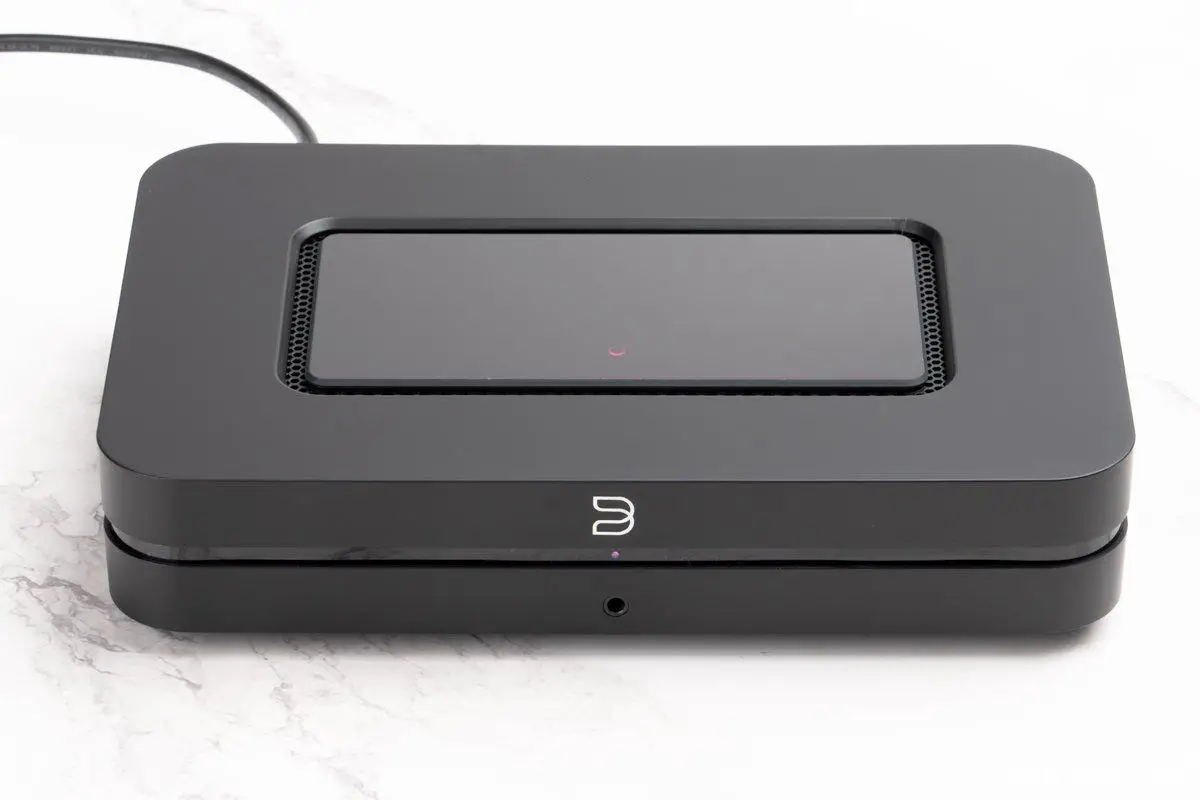
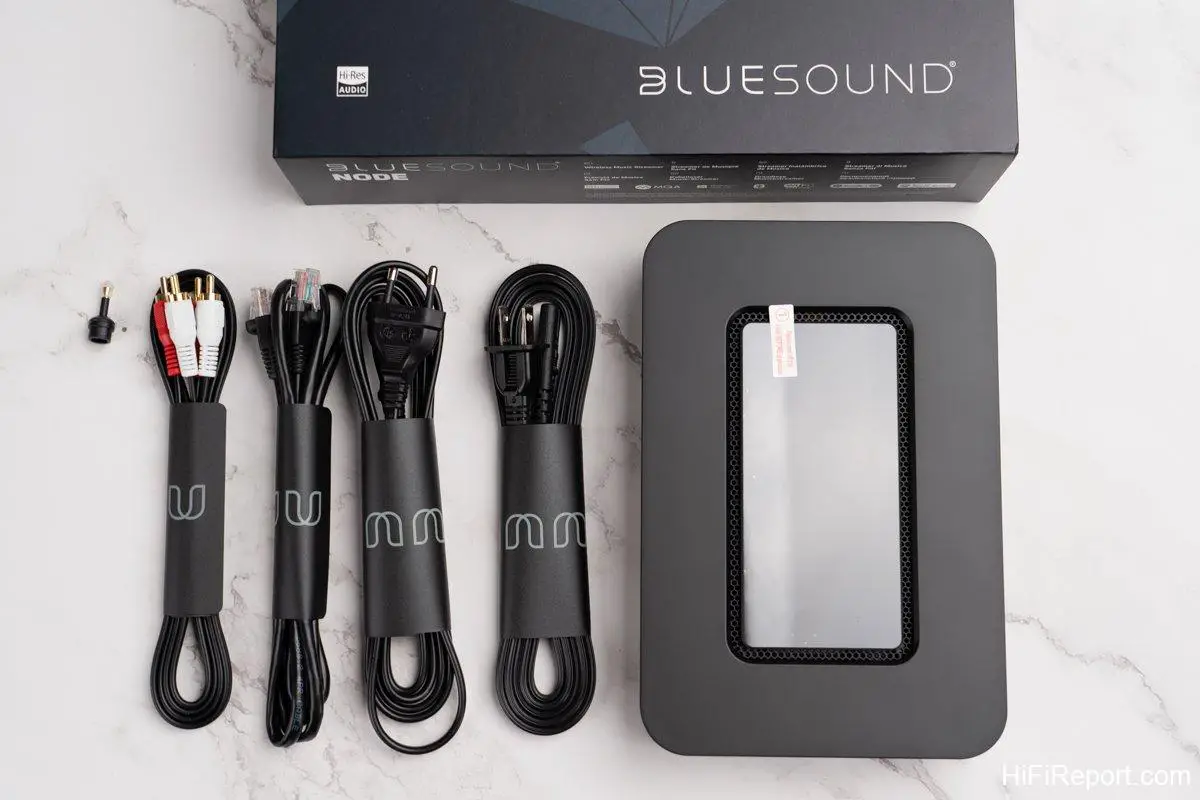
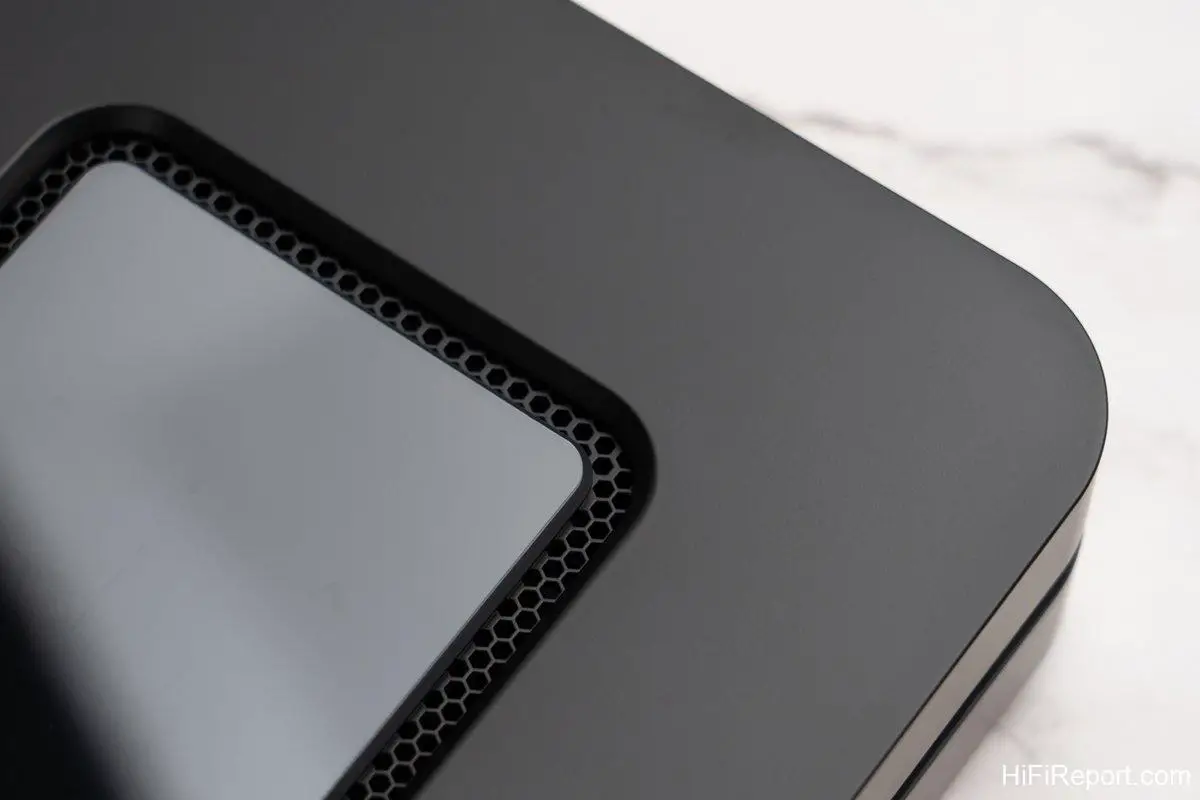
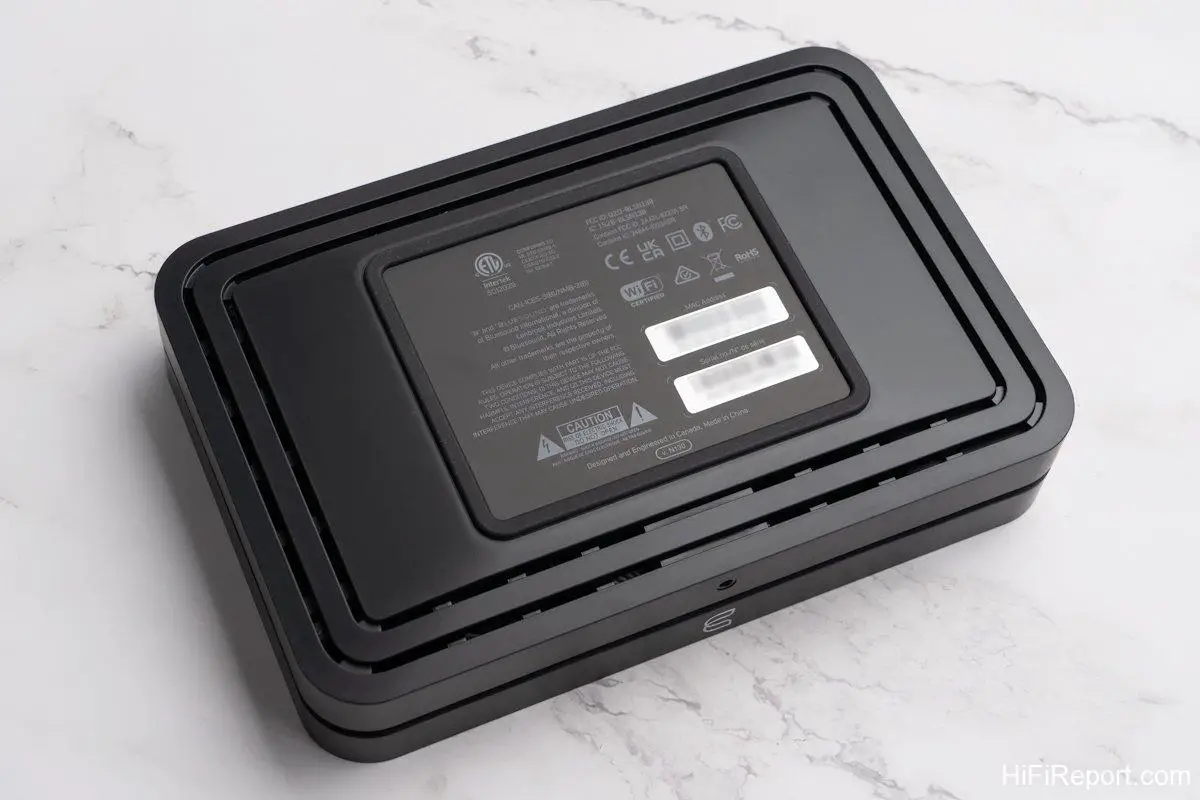
First and foremost, I must commend the Node’s aesthetic design. Its form is clean and uncluttered, with simple lines that manage to avoid looking bland. The proportions are just right, giving it a light yet substantial feel. Crucially, the Node’s build quality is remarkably refined. Despite using a plastic enclosure, it avoids any sense of cheapness. It enhances the ambiance of any space it occupies.
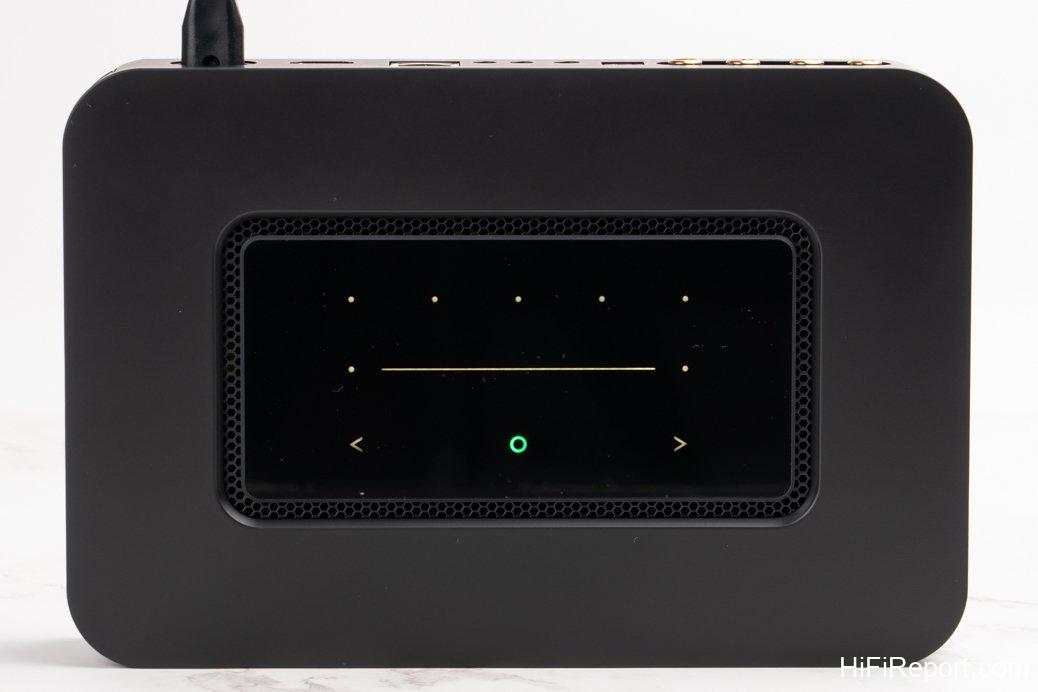
Its black top panel is smooth and seamless, serving not only as an aesthetic element but also incorporating motion-sensing and touch controls for volume adjustment and track skipping. Five small dots are also present, and when your hand approaches, the button area illuminates automatically, facilitating easy touch operation.
What are the five small dots for? These are shortcut buttons, programmable for five frequently used sources, channels, or streaming services. This eliminates the need to rely solely on the app for basic functions.
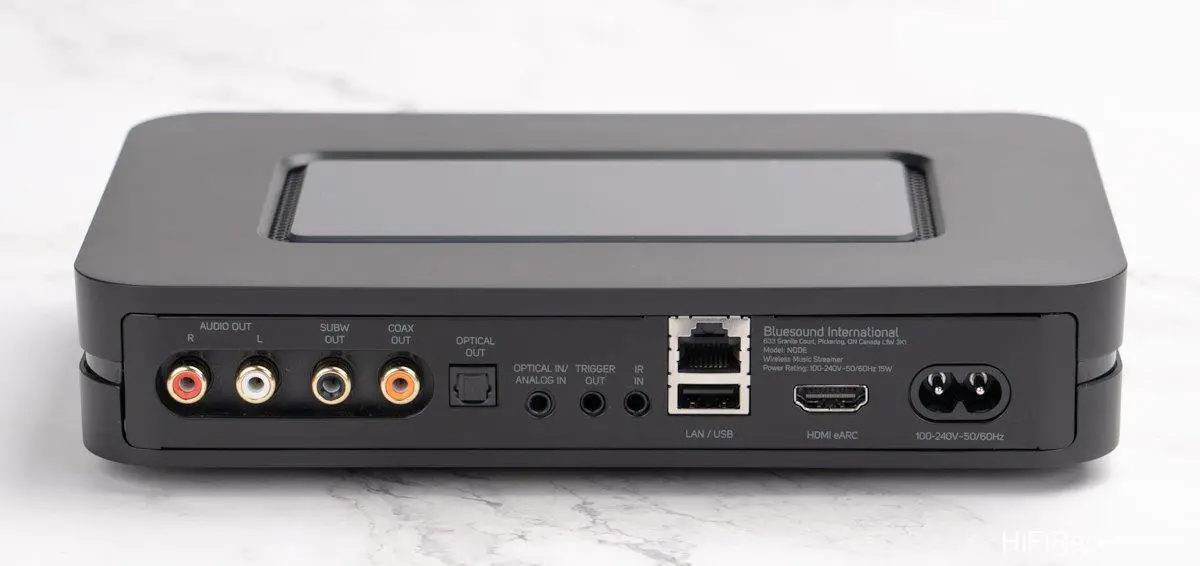
Moving to the rear panel, on the far left is a set of RCA stereo analog outputs, with selectable variable or fixed output volume.
Node also provides an RCA subwoofer output, simplifying the integration of an active subwoofer to extend low-frequency performance.
Furthermore, Node offers a variety of digital interfaces. It features both RCA coaxial and optical digital outputs, allowing connection to higher-end DACs without issue.
Additionally, Node includes a 3.5mm / optical combo input jack, accommodating other audio sources in your home.
Moreover, Node is equipped with a USB-A port. Currently, it supports connecting USB storage devices for direct playback of stored files. Future firmware updates will enable USB Audio support, allowing connection to USB DACs for playback.
Best of all, Node features an HDMI eARC input for connecting to a TV. This allows TV audio to be routed through the Node and your audio system, potentially eliminating the need for a soundbar.
Notably, the Node also includes a 3.5mm headphone output jack on the front panel, truly covering all bases.
The DAC within the Node is also quite capable. It supports formats up to 32bit/384kHz and MQA playback, enhancing your Tidal listening experience.
For control interfaces, beyond the BluOS app mentioned earlier, you can also use smart voice assistants like Apple Siri, Amazon Alexa, or Google Assistant to control the Node.
Even more impressively, Node can be integrated into advanced home automation systems such as Control4, Lutron, Elan, RTI, Crestron, and others. Such comprehensive capabilities are rare and truly set Bluesound apart.
Sound Performance: Refreshingly Good
My experience using and listening to the Node was excellent. While initially, the BluOS app felt slightly unfamiliar, mainly because I’m accustomed to Roon or BubbleUPnP interfaces, BluOS app is intuitively designed and quickly became second nature. Crucially, running BluOS app on my standard Android phone was remarkably smooth and stable. The responsiveness of track selection, playback, and function switching was impressive, clearly demonstrating BluOS app’s maturity and solidifying its position as one of the best streaming operating systems available today.
Node’s Wi-Fi supports both 2.4 and 5 GHz bands. If your home Wi-Fi router provides sufficient speed and stability, using a wired RJ45 Ethernet connection might not be necessary. Wi-Fi connection can actually result in a more relaxed and lively sound.
During my listening sessions, I used a Wi-Fi connection with the Node, paired with a Linear Acoustic LAV-60 MKII integrated amplifier and Divini KIT-M bookshelf speakers.
Overall, the Node’s sound performance significantly surpasses its price point, delivering a surprisingly refreshing sonic experience.
What More Could You Ask For?
The Node’s sonic performance is consistently above average across the board, achieving a pleasing balance that renders music both relaxed and engaging, avoiding the dullness or sterility often found in similarly priced devices.
Firstly, the Node’s sonic foundation is remarkably clean, with clear and detailed sound, and sufficient resolution to convey the texture and timbre of instruments and vocals without sounding cheap. It handles even classical music with competence.
Secondly, the Node exhibits commendable sonic fluidity. This stems from its natural and extended frequency response at both ends of the spectrum, avoiding artificially boosted bass or exaggerated highs. Combined with well-layered dynamics and nuanced volume gradations, the sound never feels lifeless.
Furthermore, the Node’s timbre possesses appropriate warmth and a touch of softness, with suitable body. It avoids harshness at high volumes and thinness or weakness at low volumes, making it suitable for extended listening sessions.
Of course, to fully realize this sonic potential, the partnering audio system must also be of sufficient quality to complement the Node and create the intended musical atmosphere. Therefore, if you intend to appreciate music in detail using the Node, don’t skimp on the rest of your system.
Frankly, considering the Node’s features, user-friendliness, performance, design, build quality, price, and sonic performance, what more could one possibly ask for?
Specifications
* Type: Wireless Streaming Player
* Inputs: Wi-Fi 2.4 / 5GHz, RJ45 Ethernet, Bluetooth 5.0 aptX-HD, Optical/3.5 mm combo input, HDMI ARC, USB Storage Device
* Outputs: RCA Stereo (Variable/Fixed Volume), Coaxial RCA, Optical, USB 2.0, Headphone (3.5 mm), Bluetooth, Subwoofer (RCA Analog)
* Supported Audio Formats: MP3, AAC, WMA, WMA-L, OGG, ALAC, OPUS
* Supported Hi-Res Audio Formats: FLAC, MQA, WAV, AIFF, MPEG-4 SLS (up to 24bit / 192kHz)
* Third-Party Streaming Support: AirPlay 2, Spotify Connect, Tidal Connect, Roon Ready
* Voice Control Support: Amazon Alexa, Google Assistant
* Dimensions: 220 × 46 × 146 mm
* Weight: 1.09 kg