
Boulder 812 Review
We all know that Boulder was founded by Jeff Nelson in 1984. In fact, Jeff Nelson had already been involved in the professional audio industry since the 1970s. At that time, he owned a recording studio and even designed his own mixing consoles. Later, Jeff Nelson joined Pacific Recorders and designed the Tomcat Cart (Tape Cartridge) Machine, a cartridge player widely used by broadcasters at the time, selling at least 3,000 units.
Design
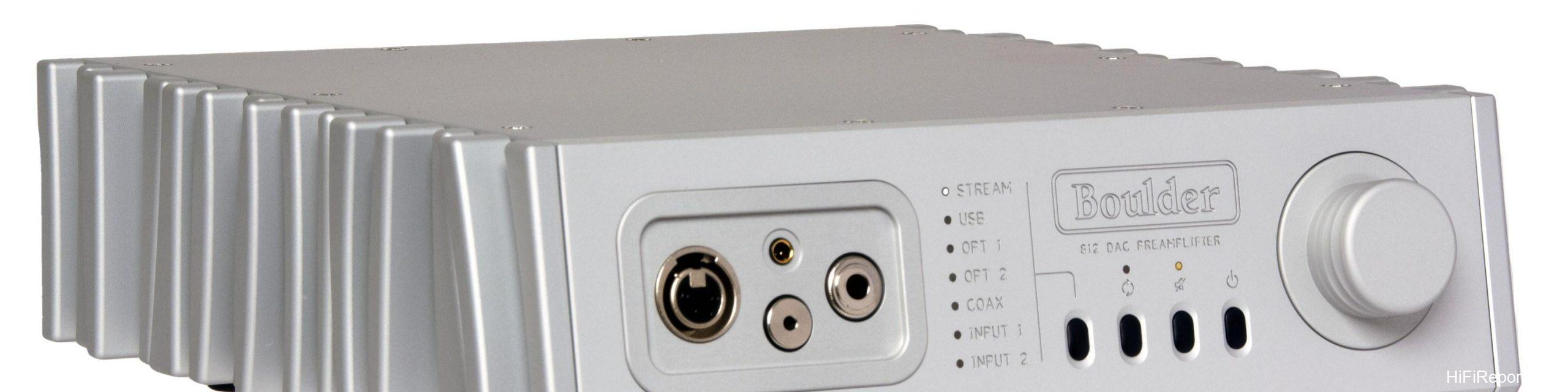
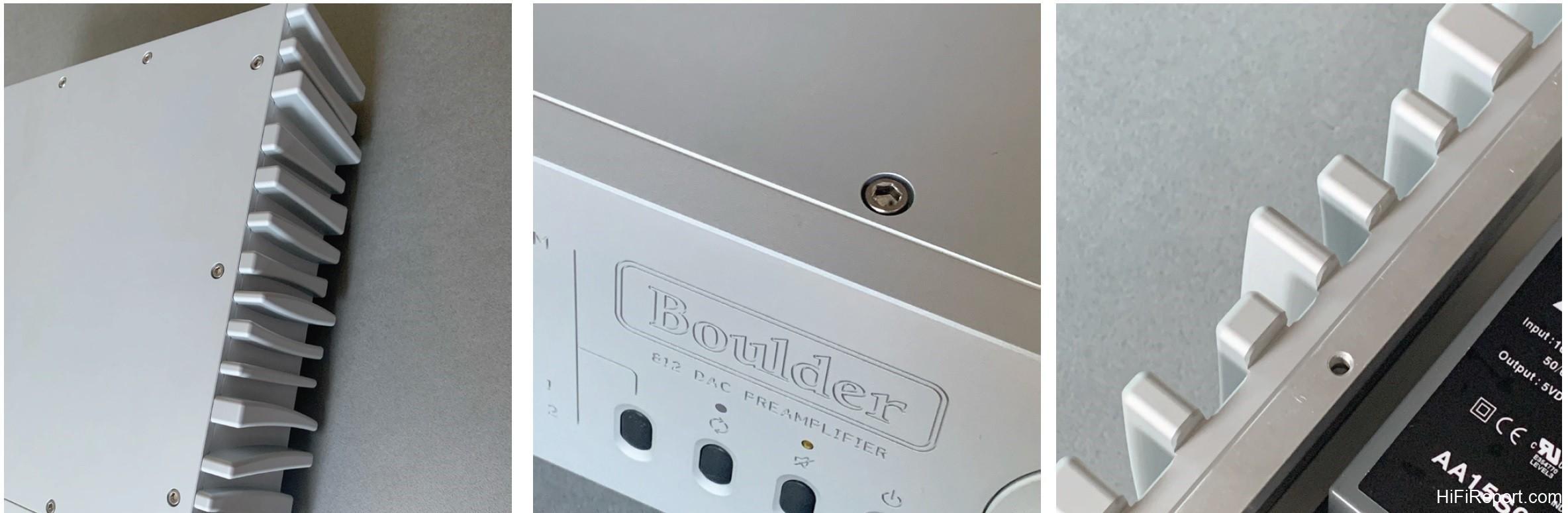
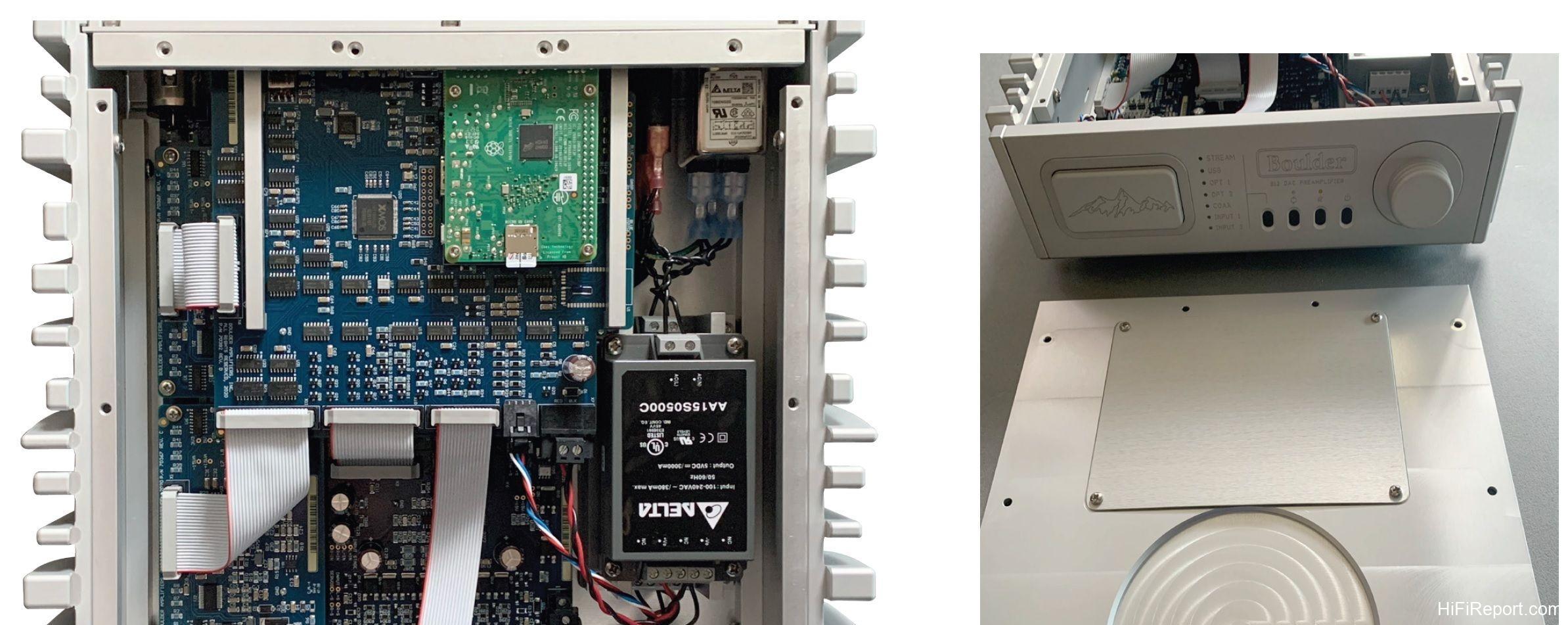
The front panel of the 812 has a slight angle, paired with the irregularly shaped heat sinks on both sides of the chassis, giving it a unique look. The heat sinks on the sides are primarily decorative for the 812, as there are no power transistors mounted directly on them. However, the solid aluminum chassis does genuinely help dissipate heat from the internal circuitry.
This distinctive heat sink design is inherited from the 866, whose heat sinks were designed by the renowned American (Canadian-born) post-modernist and deconstructivist architect Frank Gehry (1929–). His famous architectural designs include the Guggenheim Museum Bilbao in Spain, the Walt Disney Concert Hall in Los Angeles, and 8 Spruce Street in New York, all of which share similarities with the irregular shape of the 866’s heat sinks.
Controls and Interface
On the left side of the front panel is a textured volume knob. In the center are four buttons. From left to right, they are Input Select, Headphone/Preamp Output Select (illuminated means headphone selected), Mute (-30dB), and Standby. Input sources include Streaming, USB, Opt 1, Opt 2, Coax, Input 1, Input 2. Simply press the Input Select button, and it will cycle through the options from top to bottom.
Boulder’s volume control system, since the 2010 model in the 1990s, has used a discrete R2R resistor ladder network, not a traditional carbon film contact type. It offers a 100dB adjustment range in 1dB steps.
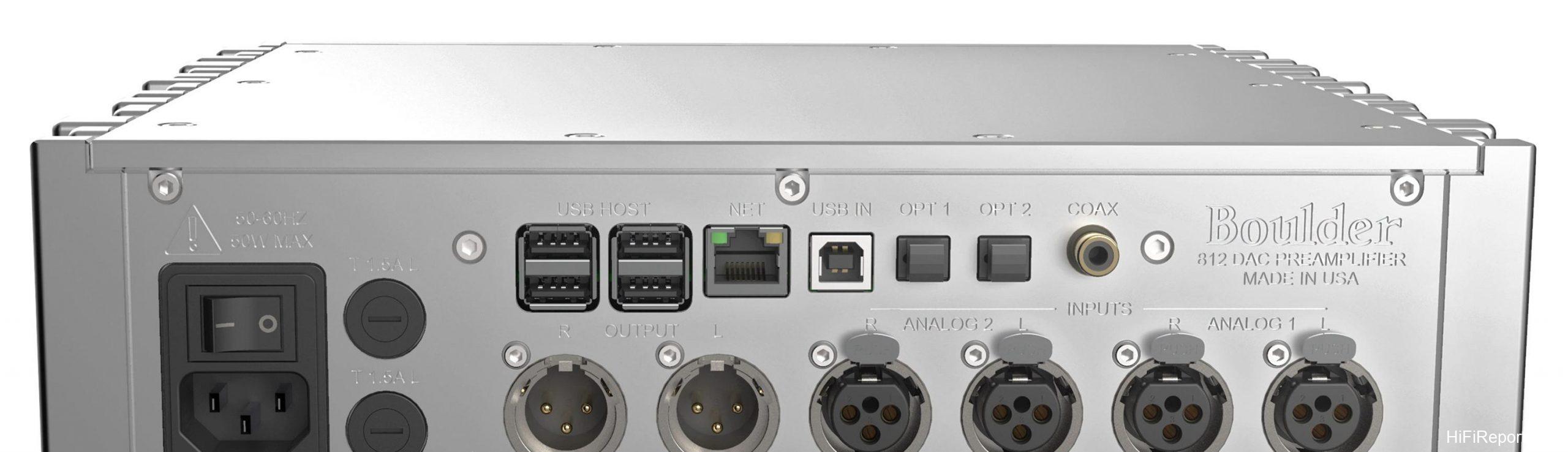

*Figure 07: The 812’s front panel only has four control buttons and a volume knob. Other controls are managed via the App.*
Rear Panel Connectivity
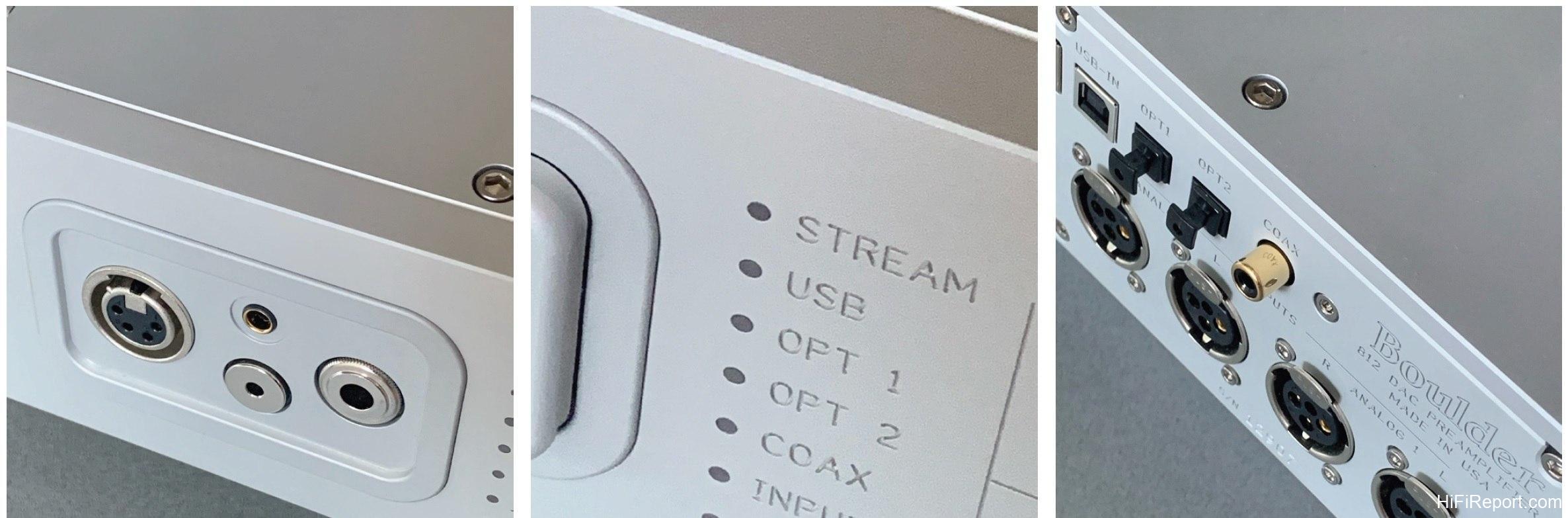
The rear panel houses digital input terminals, including one RCA coaxial input, two optical inputs, one USB-B (for DAC functionality), one Ethernet port, and four USB Host ports (for connecting devices with USB slots, such as Wi-Fi dongles, etc.). You can listen to internet radio, content from USB drives, and more.
Interface and App Control
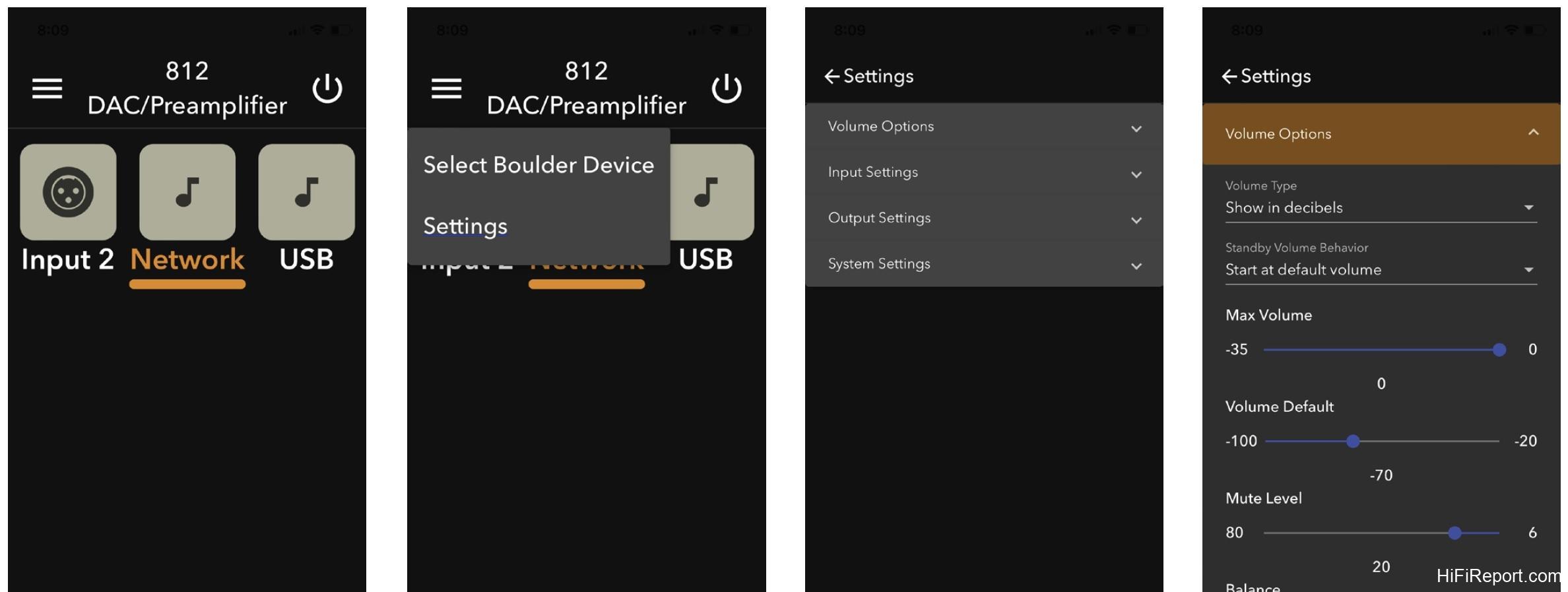
The 812’s front panel lacks menu buttons, so menu navigation must be done via the App. The 812 also does not include a physical remote control, but one can be purchased separately if needed. Furthermore, as long as the 812 is connected to your network, any new software updates will automatically be downloaded and installed over the network, requiring no effort on your part.
App Settings
Within the menu in the App, various items can be configured, including Volume (Volume Type, Max Volume, Volume Default, Mute Level, Balance), Input Settings (Input Trim, Theater Mode, Input Balance, Input Image), Output Settings (Headphone Gain, DAC Mode, Preamp Always On), System Settings, Network Settings, Factory Defaults, Input Defaults, etc.
Theater Mode is for home theater integration. If you select “On”, the 812’s volume control will be disabled, and the output will be full level. If you then connect it directly to a power amplifier or active speakers, you might experience a terrifyingly loud output. Therefore, you must ensure it is connected to an AV surround processor before enabling this mode.
In Output Settings, Headphone Gain can be set to High or Low. For most headphones, Low is sufficient. Particularly difficult-to-drive headphones can use High. DAC Mode is for using the 812 solely as a DAC; when this mode is active, the two analog input terminals are disabled. Preamp Always On is for when you want to listen through headphones while simultaneously having audio playing through your speakers.
If this mode is not selected, when you switch to headphone listening, the preamp output will be cut off, and audio will only be heard through the headphones.
Listening Experience
To be honest, listening with these four pairs of headphones was quite taxing, as the headphone cables weren’t very long. When connected to both the preamplifier and power amplifier, I had to bring a chair to sit in front of the 812, as sitting on the floor would have been too uncomfortable. If using the 812 purely as a headphone amplifier placed on a desk or next to your listening chair, this difficulty would, of course, be avoided.
How is the 812’s headphone amplifier performance? Excellent. Moreover, the sound is distinctly different from when it’s connected to a power amplifier and speakers. The sound heard through headphones is actually closer to the 812’s “original sound,” as it lacks the coloration added by the power amplifier, speakers, and room acoustics. Of course, the sonic characteristics of each pair of headphones are different, so the “original sound” I heard also varied.
Product Details
Boulder 812 Preamplifier, Headphone Amplifier, USB DAC, Streamer
Specifications:
* Inputs: Streaming, USB, 2 x Optical, Coaxial, 2 x Analog
* Outputs: 4 x Headphone Jacks, Preamp Out (RCA & XLR)
* DAC: USB-B (DAC mode available)
* Streaming: Ethernet, Roon Ready
* Volume Control: Discrete R2R, 100dB range, 1dB steps
* Headphone Gain: High/Low selectable
* Other Features: Theater Mode, App Control, Automatic Software Updates