
Panasonic TH-77LZ2000W Review
Panasonic stands as a key player in the global OLED display market. Compared to other brands, they declared their ambitions early on, consistently delivering products that not only feature cutting-edge picture and sound performance but also fall within a highly competitive price range. For this reason, I’ve always considered Panasonic’s OLED displays to offer the highest value for money in the market, a position they’ve solidified over the years, becoming increasingly undeniable.
The rationale is sound: Panasonic has mastered superior OLED panel technology. Their flagship models leverage the exceptional light-emitting capabilities of custom panels to achieve the remarkable effect of “simultaneously showing black and bright.” The HCX Pro AI image processor, adopted in recent years, incorporates powerful “intelligent detection” and “automatic adjustment” mechanisms.
Under specific image modes, the picture can automatically optimize itself for ideal viewing based on ambient light conditions.
Furthermore, in terms of audio technology, Panasonic’s flagship OLED displays are equipped with robust speaker architectures. In addition to the long-standing up-firing speakers, they utilize side and front speakers to recreate a spatial, enveloping effect for overhead channels that is unmatched by most competing products. Whether it’s image or sound, they provide consumers with a transcendent sensory experience.
The LZ2000 series, Panasonic’s latest flagship OLED display launched this year, serves as a prime example.
Comparing the LZ2000 series to last year’s JZ2000 series, you might initially find the specifications remarkably similar. Notably, both utilize the core HCX Pro AI chip, support all mainstream HDR formats, and employ the “Hexa Chroma Drive Pro” color technology. So, how exactly does the LZ2000 series differentiate itself from its predecessor in terms of performance? The key lies in Panasonic’s enhancement of the HCX Pro AI chip’s working efficiency.
Before delving into the details, let me offer a brief recap of the HCX Pro AI chip’s features.
Panel Performance
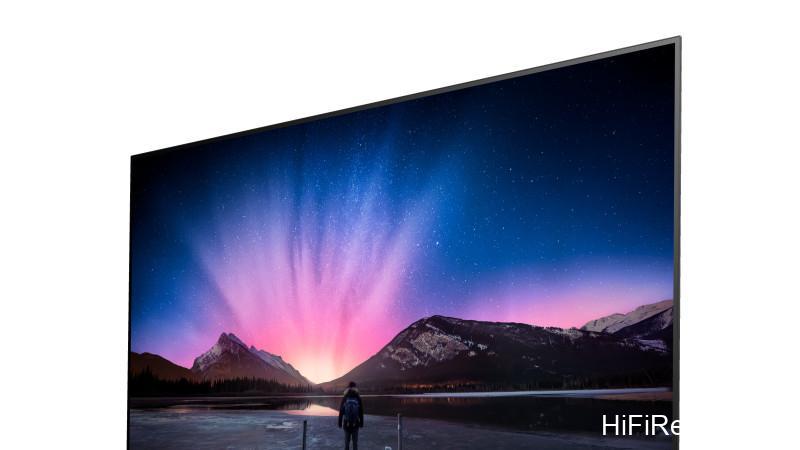
The color rendering capabilities of a TV are fundamentally determined at the panel level. The custom 4K OLED panel in the LZ2000 series boasts powerful color display abilities. When fine-tuning color and controlling gamut, Panasonic categorizes different modes based on their color range attributes relative to both DCI-P3 and Rec.709 standards. For instance, modes like Auto AI, Game, Vivid, and Soft correspond to DCI-P3 and exhibit a high gamut coverage.
Other modes, such as Standard, True Cinema, and Filmmaker, primarily adhere to the film standard Rec.709. In addition to offering 100% coverage, modes like True Cinema and Filmmaker, which are ideal for watching movies, show clear signs of calibration in their CMY chromaticity coordinates. While there may be minor deviations from the standard reference points, these can be corrected through the white balance settings in the picture menu.
HCX Pro AI Chip
The biggest difference between this chip and the HCX Pro chip used in most Panasonic LCD displays is the inclusion of proprietary AI processing technology. In Auto AI mode, the chip can automatically analyze the type of content based on the image itself, optimizing it to the most suitable viewing mode for that specific content.
For example, in a low-light scene, through real-time AI analysis of the image information, the chip can not only increase screen brightness but also enhance black levels to highlight clear details in dark areas. Whether you’re watching TV shows, sports, binge-watching series, or enjoying movies, you can maintain the optimal viewing state.

Additionally, the TV can use the AI ambient light sensor to detect the indoor lighting brightness and color temperature, automatically adjusting the TV’s brightness, contrast, and white balance. This ensures that you see a bright, detailed picture effect whether you’re in a sunlit living room during the day or a dim room at night.
Enhanced Processing
Building upon these capabilities, the LZ2000 series further strengthens the chip’s processing efficiency for these detection and adjustment tasks. According to Panasonic’s published data, the LZ2000 series’ image detection and adjustment speed is approximately 6 times faster than previous models. This means that when you switch content, the picture optimization will be significantly quicker.

Furthermore, when you switch between different image modes, the TV will automatically switch audio modes based on the different audio attributes. This year, the LZ2000 series also adds music detection functionality for external devices connected via HDMI and USB. When playing music videos or audio files, it can automatically switch to a newly added music mode.
Advanced Audio System
Another major evolution in the LZ2000 series is the enhanced performance of the built-in audio system! Last year’s JZ2000 series added side speakers to the base of the top-mounted up-firing speakers, improving the enveloping effect of the side soundstage.
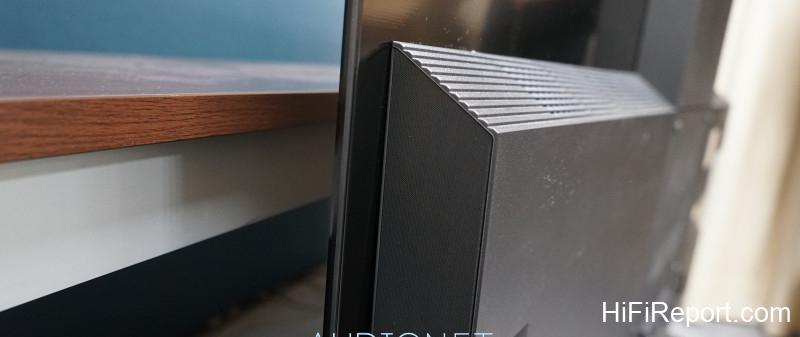
This year, the LZ2000 series continues the top and side speaker design of the JZ2000 series and adds a set of front array speakers below the screen (18 speakers with 5W output each for the 77-inch model, 16 speakers with 5W each for the 65-inch model).
This single addition elevates the audio performance of Panasonic’s OLED displays to an unprecedented level of completeness. This new array speaker system not only provides excellent sound separation for a three-channel effect, minimizing crosstalk between left and right channels to create a clear soundstage upfront, but also works with the top and side speakers to create the LZ2000 series’ unique 360° Soundscape Pro audio.
You can clearly perceive both the immersive nature of the stereo soundstage and the effect of sound moving up, down, left, and right.
Beamforming and Tuning
It’s worth noting that Panasonic has also incorporated beamforming technology, commonly found in digital soundbars, into the LZ2000 series. What is the LZ2000 series’ beamforming technology? In simple terms, it allows you to set the “focus point of the sound.” Through the TV menu under “Sound Settings” -> “Sound Focus Mode,” you can select from four modes: “Pinpoint,” “Spot,” “Area,” and “Wide.”
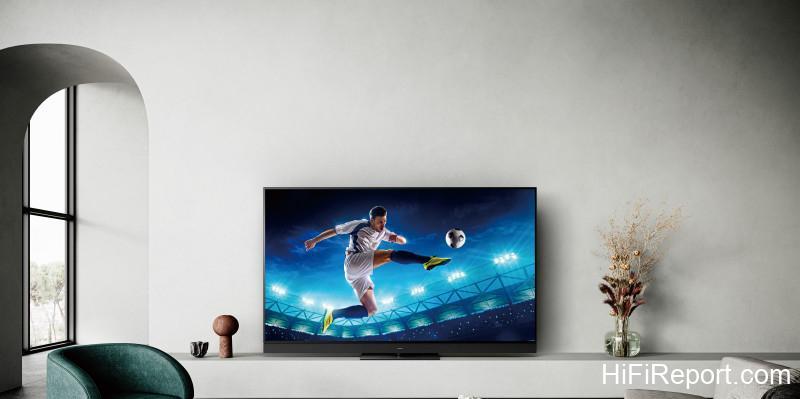
This allows you to tailor the directivity of the front sound based on your TV’s placement environment, ensuring that you and your family can achieve the most accurate sound positioning regardless of where you are sitting.
Additionally, the sound menu includes the Space Tune function. This means, similar to setting up an amplifier, the LZ2000 series can use test tones from each channel to adjust for the most ideal sound effect, no matter what type of home space it is placed in.
Gaming Performance
High-end home displays on the market today place great emphasis on gaming performance. In technical terms, this means focusing on “refresh rate” and “input lag.” Panasonic’s three high-end models this year, including the LZ2000 series (along with the LZ1000 series and LX980 series), all share the same gaming display technology. First, the input lag across these models is 50% lower than 2020 models, allowing for more synchronized controller actions when gaming.
Through the HDMI 2.1 interface, the LZ2000 series also supports a 4K/120Hz refresh rate, as well as features like VRR (Variable Refresh Rate), ALLM (Auto Low Latency Mode), and AMD FreeSync Premium.
Smart TV System
Panasonic’s top-tier LCD and OLED displays have long utilized Panasonic’s self-developed “My Home Screen” smart TV system. The LZ2000 series uses the latest “My Home Screen 7.0.” The menu retains the familiar bottom-aligned layout, allowing users to freely rearrange the order of all graphical content. All necessary streaming platforms are built-in, including Netflix, Disney+, Apple TV+, Prime Video, and YouTube.
The included smart remote control for the LZ2000 series also features dedicated shortcut buttons for these five platforms.
Furthermore, the “my Scenery” function, added in last year’s “My Home Screen 6.0,” has been retained. This allows you to use built-in beautiful full-screen images as standby wallpapers when the TV is idle, with background music cycling through. You can also cycle through your own photos or videos, effectively using this OLED display as an extra-large multimedia photo frame in your living room.
Features present in the JZ2000 series, such as USB HDD recording, screen mirroring, Swipe & Share, USB multimedia playback, two-way Bluetooth audio connection, and Bluetooth support for two devices, are all retained in the LZ2000 series. While these are older functions, they are all very useful in daily life.
Hands-On Experience
I tested the 77-inch model, the TH-77LZ2000W. Before assessing the picture quality, I first checked the menu options as usual. For picture modes, this model offers Vivid, Auto AI, Standard, Professional Photo, Soft, Filmmaker, True Cinema, User, two Professional Settings, Sports, and when viewing Dolby Vision content, the tied-in Dolby Vision modes (Vivid, Soft, Dolby Vision IQ).
While watching, in addition to using the “True Cinema” and “Filmmaker” modes I often recommend for movies and TV shows, I strongly suggest leveraging the powerful automatic detection and adjustment capabilities of the HCX Pro AI chip. Especially for those who prefer not to manually adjust settings, be sure to select “Auto AI” for the image mode. The TV will combine ambient light detection with AI algorithms to deliver a picture effect optimized across all parameters.
However, when it comes to sound settings, I highly recommend opening the menu and adjusting them yourself. This is because the LZ2000 series offers extremely precise sound positioning. Although there is an “Auto AI – Sound Effect Level” function, everyone’s TV placement and living room environment are different, and people tend to sit in specific areas when watching TV.
This is where “Pinpoint” mode becomes very useful, as it allows you to freely set the focus point of the sound with exceptional accuracy. Beyond individual viewing, when the whole family is watching TV together, you can use different positioning settings to satisfy varying preferences for TV volume, making it incredibly practical. You absolutely must try it.
Picture Quality Impressions
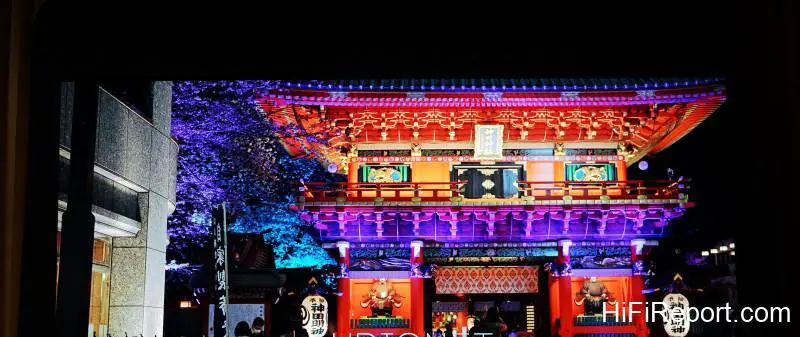
Panasonic OLED displays have always had a very appealing characteristic: top-notch black performance combined with bright, detailed picture quality in 4K images. This performance is thanks to the exceptional light-emitting efficiency of the OLED panel used by Panasonic, which allows for high peak brightness. As a result, not only can the dark areas of the picture be truly black, but the overall image brightness isn’t compromised by strong black levels, leading to outstanding HDR effects.
Taking city night scenes, which have extreme contrasts between light and dark, as an example that I frequently watch, you can clearly discern the fine details of the streetscape at night on the 77-inch screen of the LZ2000 series. Moving cars, building silhouettes, and even walking pedestrians are all remarkably clear.
Close-ups of billboards and neon signs also display extremely rich information regarding light, shadow, and color gradation, completely free from the common phenomenon on LED models where bright whites blend together into a fuzzy mess. The incredibly high contrast also makes the picture look incredibly premium.
* With absolute black levels, the LZ2000 series excels in picture finesse, vibrant and lively colors, and HDR effects. Thanks to the support of ultra-high contrast, the already bright 4K picture has even more leeway to clearly render delicate textures, light, and shadow variations, resulting in images with sharp outlines and exquisite detail information.
This effect, built upon deep black levels, creates the most appealing crystal-clear texture, making the picture appear cleaner and more natural.
Applying this high-quality rendition to movie images significantly enhances the viewing experience. The ultra-high contrast greatly boosts the three-dimensionality of 4K images and revitalizes color expression in various ways. Besides using the low-color temperature modes True Cinema and Filmmaker for most movie clips, I also used Auto AI to observe the LZ2000 series’ intelligent optimization effect and have summarized the following impressions.
First, the LZ2000 series lives up to its flagship status, precisely recreating the appropriate “cinema feel” at standard color temperatures. When playing movies with a strong film-like quality (heavy grain) like “Black Hawk Down” and “Transformers,” the overall color temperature of the picture is warm, but it is never muddy. Chaotic battlefield environments and complex combat scenes remain clearly discernible thanks to the delicate image resolution, with every element of the picture distinct.
* Color is also worth mentioning. Due to the LZ2000 series’ excellent color reproduction, the wide color gamut vividly renders the color information in test patterns, movies, and dramas. The color density is saturated and solid, enhancing the visual weight of the image. Color gradation is natural, improving the three-dimensionality of objects, and light and shadow layers are distinct, highlighting the overall texture of various scenes.
The sum of these elements creates the LZ2000 series’ uniquely captivating picture style.
Furthermore, the characteristic color reproduction of OLED models—saturated depth, distinct layers, and neighboring colors that don’t bleed—is fully evident on the LZ2000 series. Because the background is sufficiently black, colors appear more vibrant and stand out. The orderly gradation of light and dark colors enhances the three-dimensionality of character costumes and skin tones, and creates a natural depth of field between the foreground and background.
A prominent example is the Netflix movie “Hustle.” The players and coaches on the court, and the spectators in the stands wearing various colored clothes, as well as the colors of the seating areas, are naturally segregated by depth, enhancing the three-dimensionality of the protagonists on the court. Not to mention the clear hair and wrinkles on the protagonist’s face, and the subtle changes in light and shadow on clothes and accessories.
These elements combined contribute to the LZ2000 series’ excellent picture quality performance.
Conclusion and Specifications
Frankly, compared to last year’s JZ2000 series, the LZ2000 series doesn’t feature earth-shattering specification changes. However, the LZ2000 series’ performance enhancements targeting key features deliver a noticeable evolution in both audio-visual effects and gaming performance. The audio performance, in particular, is on par with a soundbar. If desired, you can even connect an external subwoofer.
Essentially, you can build a complete and very high-end home theater system with just one OLED display. It is highly recommended.
Specifications
* Type: 77-inch 4K OLED TV
* Panel: Custom 4K OLED panel
* Aspect Ratio: 16:9
* Panel Resolution: 3840×2160
* Panel Drive: Smooth Motion Drive Pro
* Processor: HCX Pro AI Image Processing Chip
* Color Technology: Hexa Chroma Drive Pro
* HDR Specifications: Dolby Vision IQ, HDR10, HDR10+ Adaptive, HLG/HLG PHOTO
* Audio System: Front Array Speakers + Side Speakers + Up-firing Channel, 170W total output (Built-in subwoofer)
* Terminals: HDMI×4 (Input 2 supports eARC), USB×3 (1x 3.0, 2x 2.0), Optical×1, Analog Video Output×1, Headphone Output×1
* Audio Features: Supports Dolby Atmos, 360° Soundscape Pro, features physical up-firing and side speakers
* Network Multimedia Features: My Home Screen 7.0, Screen Mirroring, USB HDD Recording, Swipe & Share
* Dimensions: 1723×1079×350mm (with stand), 1723×1050×78mm (without stand)
* Weight: 43.0 kg (without stand), 51.0 kg (with stand)