
Sony BRAVIA 5 Smart Display & BRAVIA Theatre System 6 Home Theater System Review
The Star of the Year: BRAVIA 5
The most significant new product of the year is undoubtedly the protagonist of this review: the BRAVIA 5. Its numerical designation immediately places it a tier below the BRAVIA 7. So what makes a mid-range model special? I can’t speak for other brands, but when Sony releases a new product, there is always a clear intent.
I’ll cut to the chase: while the BRAVIA 5 sits at a lower “price tier” than the BRAVIA 7, its “picture quality tier” is in no way inferior — this includes subjective viewing impressions. Furthermore, the lineup covers 55-, 65-, 75-, 85-, and 98-inch sizes. Yes, you read that right: Sony’s 98-inch model has finally officially landed in Taiwan.
Now that streaming movies at home has replaced going to the cinema as the primary way to watch films, who would still want an ultra-short-throw projector when a 98-inch direct-view 4K display is available?
I suggest you search online (or ask an AI) for current “near-100-inch” 4K smart displays (TVs). You will find that most remain “mid-to-low-tier performance models” competing on price rather than performance. I won’t name brands, but most of these products still use traditional LED backlighting. Simply achieving a direct-lit backlight (sufficient brightness for bright living rooms) is considered a win for them.
However, if you demand higher picture quality while needing to satisfy daily viewing in a bright living room, as well as movie watching and gaming in dim environments, I strongly recommend you seriously consider the BRAVIA 5 4K mini LED smart display, which excels at both highlights and deep blacks with zero risk of burn-in.

Backlight Architecture: The Core Differentiator
According to materials provided by Sony, performance comparisons regarding evolution are primarily made against the X90L series. This makes sense, as the X90L’s launch price two years ago was similar to the current BRAVIA 5. The critical difference lies in the backlight module’s class. Experienced enthusiasts know that the objective classification of LCD TV tiers comes down to the backlight. Traditional direct-lit LED ranks above edge-lit.
Within direct-lit LED, there is a further distinction: whether or not it features local dimming zones. The X90L series naturally has them; the 65-inch model features 88 zones.
Since we are comparing against the X90L, I must present data. However, “per convention,” first-tier Japanese and Korean brands completely refuse to disclose local dimming zone counts for their smart displays, and the BRAVIA 5 is no exception. Therefore, “per convention,” I tested the zone count using my own methodology. Sony provided a 65-inch BRAVIA 5 for review.
Based on my observation of a proprietary test pattern in a dark environment, the BRAVIA 5 features 24 horizontal zones and 16 vertical zones, totaling 384 zones. The above figures are solely my personal observations and not official data (not guaranteed to be perfectly accurate). By this measure, the BRAVIA 5’s local dimming zones are not only over four times that of the X90L, but also quite close to the higher-tier BRAVIA 7 I tested last year.
At that time, I measured the 65-inch BRAVIA 7 at 480 zones.
Beyond zone count, Sony introduced 22-bit drive control for its mini LED backlight modules in 2024, comprising 12-bit PWM and 10-bit current control. Theoretically, this allows each mini LED zone 4,194,304 steps of luminance control from pitch black to peak brightness. Does this actually help?
Last year, during rigorous testing of the BRAVIA 9 in a dark room, I found blooming so minimal it could be virtually ignored, while shadow gradation became more distinct and three-dimensionality noticeably improved. Observing the BRAVIA 5, despite knowing its zone count lags behind the BRAVIA 9, the characteristic of “blooming being barely perceptible” is, in my view, already clearly superior to competing brands with similar zone counts.
Compared to its own sibling, the BRAVIA 7, I’ll be blunt: when watching normal content (not special test patterns), I genuinely doubt anyone can discern the difference between 384 zones and 480 zones on a 65-inch screen.
The 65-inch BRAVIA 7 has 480 zones. Assuming similar zone density, I estimate the BRAVIA 5 75-inch at roughly 500–600 zones, the 85-inch at 600–700 zones, and the 98-inch possibly at 800–1,000 zones. These figures are pure speculation for reference only. I am quite confident that the BRAVIA 5’s mini LED backlight control performance has already reached the level of the next-flagship BRAVIA 7.
Measured Peak Brightness
Next, I measured peak highlight brightness. I must preface this by stating there is currently no global standard for this test — for example, what percentage of a full-white window on a black background constitutes the measurement. The tester must also repeatedly experiment with picture modes and parameter adjustments to hit the maximum value.
Frankly, so-called “peak brightness” rarely appears during actual viewing (including HDR content), but this test retains reference value for HDR highlight rendering performance and bright-room contrast (ANSI contrast).
I measured the BRAVIA 5’s peak brightness at 1,044 nits on a 20% window. After multiple attempts, I found the highest brightness occurred at a 27% window, measuring 1,055 nits. The results confirm the BRAVIA 5’s peak brightness reaches upper-tier levels, clearing the 1,000-nit threshold required for HDR10. Comparing this data against my measurements of the higher-tier BRAVIA 7 last year: Sony clearly still separates the tiers.
The BRAVIA 7 hit 2,128 nits at 20% window, peaking at 2,296 nits at 12% window. The peak brightness difference is roughly double, and this is visible when watching HDR content in bright environments. If this matters to you, increase your budget and buy the BRAVIA 7.
Color Performance: Mini LED vs. QD Mini LED
At this point, comparing the BRAVIA 5 to its own previous-generation peers at the same price point seems less meaningful. I’d rather continue pitting it against the current upper-tier model, the BRAVIA 7. Regarding color, attentive readers may have noticed some brands marketing “mini LED” while others push “QD mini LED,” implying the latter is superior. To my knowledge, the LED chips in all these mini LED displays emit blue light.
They all undoubtedly use quantum dot films to convert that blue light into high-CRI white light, solely to expand the color gamut. So please understand: mini LED has QD whether it’s written on the box or not; the name doesn’t matter — measured gamut coverage is what counts.
I tested the BRAVIA 5: the Cyan-Green and Magenta-Red segments exceed the DCI-P3 standard, while the warm Red-Yellow-Green segment falls slightly short of P3. The measured results show the BRAVIA 5’s color space is essentially equivalent to DCI-P3 (though the coverage shape differs slightly). I pulled up my identically equipped BRAVIA 7 measurements from last year for comparison; the two gamuts are extremely close, with the BRAVIA 5’s green coverage actually slightly wider.
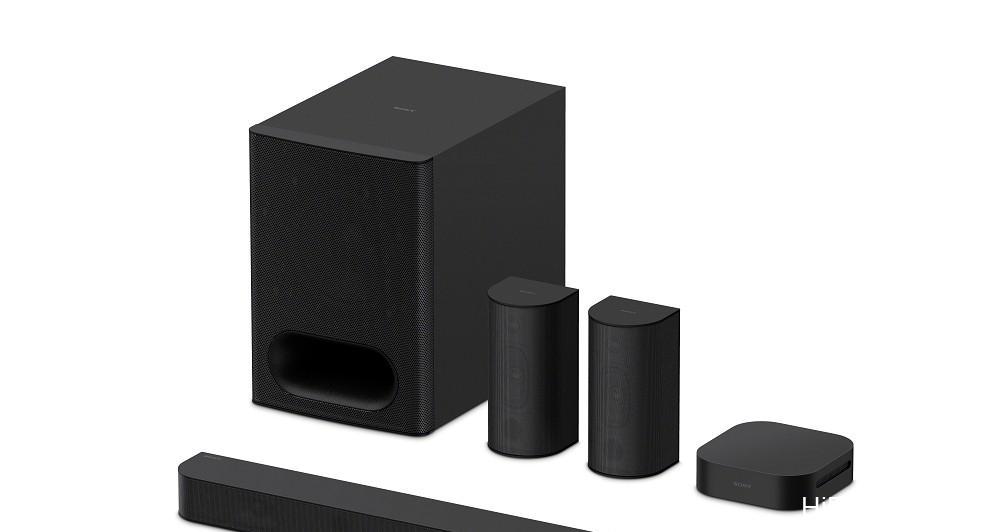
Image Processing: The Sony Advantage
Image processing and color calibration have always been the twin pillars of Sony’s TV and 4K smart display superiority. In image processing, I believe the current battleground for mid-to-high-end products is upscaling quality for daily streaming content and cable TV channels. All 4K panels are 3840×2160, but daily content is predominantly 1080p (Full HD). While 4K content isn’t rare now, it’s heavily compressed — often at 1/3 the bitrate of 4K Blu-ray or less — damaging picture quality.
FHD has only 1/4 the pixels of 4K, so displaying it on a 4K panel requires interpolation, adding three times the original video data via image processing.
Sony began researching super-resolution a decade before the Full HD to 4K transition (circa 2002) and implemented its “Database-type Super-Resolution” in its first 4K TVs in 2012. The core technology has the processor analyze the input frame, identify object and background types, and reference an internal database of real-world footage to instantly supplement missing detail and texture. Because daily source quality is far from ideal, Sony’s processing has ample room to elevate the image.
This is why Sony 4K TVs look finer than competitors using the same panels.
The BRAVIA 5 employs the “XR Cognitive Processor” previously reserved for Sony’s high-end models. Its super-resolution uses the latest XR Clear Image. Compared to the previous database-type approach, deep learning (a form of AI) was integrated during development, further enhancing the engine’s ability to recognize object types in the frame. A primary goal is repairing picture quality degradation from heavy streaming compression, bringing the viewed image closer to the uncompressed master.
Additionally, the XR processor enhances recognition of multiple objects and backgrounds (e.g., human faces, including profiles), identifies the visual focal point, and applies stronger super-resolution there. So understand this: 4K panel resolution is the same, but actual perceived sharpness differs significantly — image processing technology is the key.
Motion Resolution: XR Motion Clarity
Regarding motion resolution, Sony’s XR Motion Clarity in mid-to-high-end LCDs comprises two processes. First is frame interpolation (high frame rate display): for 60Hz video, the processor analyzes positional differences between adjacent frames and inserts a generated intermediate frame, displaying at 120Hz on the panel. This raises moving object resolution and reduces judder for smoother motion.
The second is Black Frame Insertion (BFI): inserting ultra-short black frames between frames to break LCD persistence blur. Most brands use full-screen BFI; Sony’s exclusive method is “object-tracking partial BFI.” Because Sony’s mid-to-high-end Motionflow combines both, it has dominated motion resolution performance for years, even besting Sony’s own OLED models I’ve tested.
In the FPD Benchmark 1080-line moving resolution test, the BRAVIA 5 achieved the full 1080 lines (perfect score) at 6.5 ppf and 12.5 ppf speeds in its completely unadjusted factory state. At 18.5 ppf, it scored 800 lines. Previously, the BRAVIA 7 and BRAVIA 9 hit 1080 lines at 18.5 ppf in their factory defaults. Does this mean the BRAVIA 5 falls short?
I attribute the difference to factory tuning. Simply setting Motionflow to “Custom” and raising “Clearness” from 1 to 2 allows the BRAVIA 5 to hit 1080 lines at 18.5 ppf. Although this slightly reduces brightness due to increased BFI, I detected zero visible flicker. This simple tweak unlocks higher motion resolution, making it suitable for sports.
In 4K motion resolution, the unit maintained full 4K resolution on a 4 px/frame moving object in a 4K/60p test — above average, though still behind the BRAVIA 7 and BRAVIA 9.
Subjective Viewing Impressions: A Different Flavor
All this technical talk aside, “how it looks” is paramount. Honestly, it differs from my expectations. I assumed it would adopt the near-reference neutrality of the BRAVIA 9 and 7 series, but Sony appears to have deliberately given the BRAVIA 5 a distinct image style from the price-adjacent BRAVIA 7.
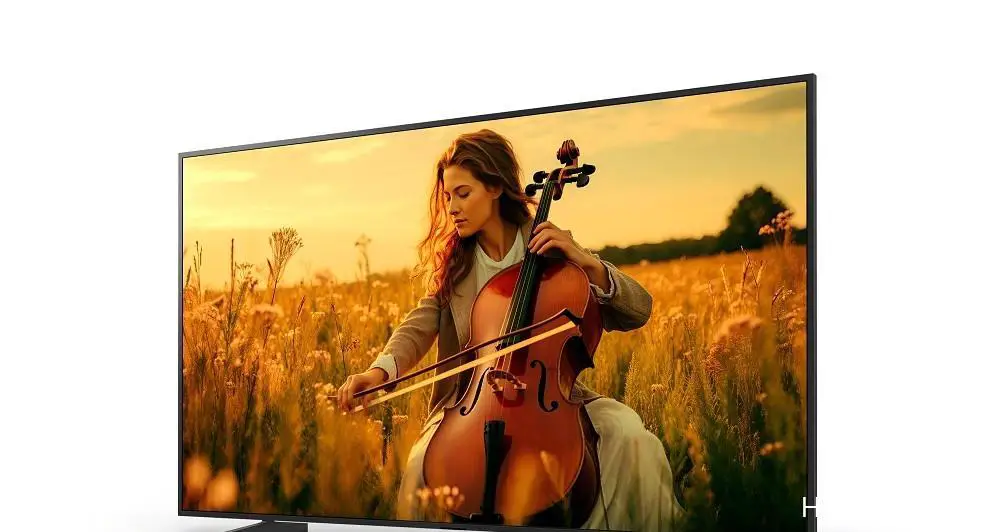
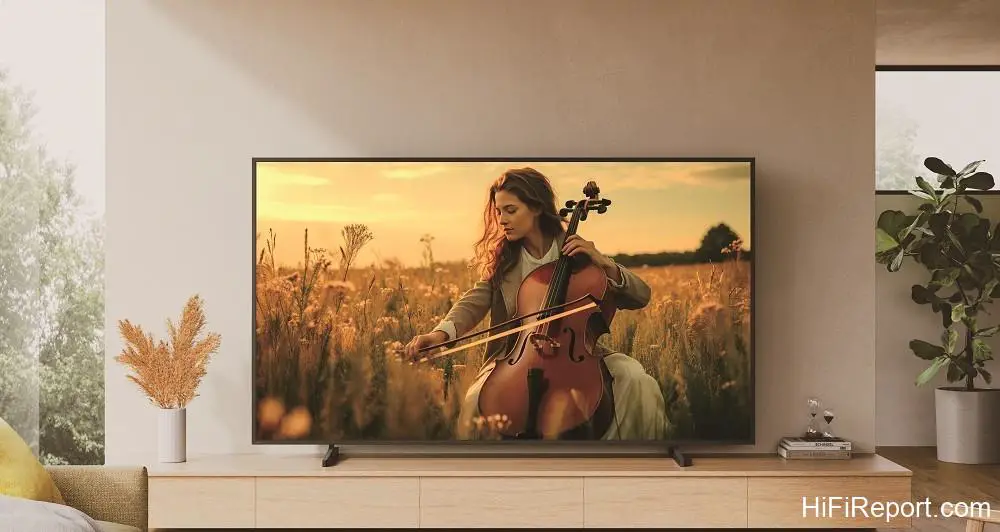
In Cinema, Professional, and Calibrated modes (for Netflix and Sony Picture Core), the BRAVIA 5 retains that near-reference neutrality. However, in “Standard” mode, it leans toward “eye-catching” and “pleasing” tendencies: it leverages the wide gamut to render HDR colors more vividly. Mid-tone (not near-black) color saturation is higher, creating a perception of richer color — a “richer flavor” compared to the “lighter palate” of a reference display.
I also sensed increased detail enhancement and sharper edge rendering. Toggling Reality Creation (super-resolution) on/off reveals a more obvious resolution boost with it on, highlighting Sony’s processing prowess. Furthermore, the XR processor’s focal-point super-resolution appears significantly more aggressive, making the texture at the focus plane far finer than the background (out-of-focus areas).
Combined with the 22-bit backlight drive’s gradation benefits, this yields stronger three-dimensionality and depth perception (depth of field).
Regarding shadow performance, the BRAVIA 5’s black-level convergence is excellent, nearing upper-tier standards. However, I feel the BRAVIA 5 loses slightly to the BRAVIA 7 in “near-black” performance. In prioritizing black-level cleanliness, I observed a sacrifice in the very darkest gradations near 1 IRE. I must stress only the most obsessive videophiles with high-end reference gear would notice this; normal viewers won’t see it.
Most other brands’ expensive models share this issue (some worse). If this truly bothers you, step up to the BRAVIA 7, 8, or 9.
Audio: Acoustic Multi-Audio & The System 6 Pairing
Thin TVs are physically limited — they cannot fit large drivers and cabinets like dedicated speakers. The BRAVIA 9’s three-way design with a dedicated woofer, delivering soundbar-level energy, is an exception. Still, the BRAVIA 5 upholds Sony’s “Screen and Sound Unification” tradition. Beyond two X-Balanced full-range drivers at the bottom, it positions “Sound Positioning Tweeters” higher on the rear left/right.
Their primary role is anchoring dialogue imaging height to the screen, aligning sound localization with on-screen actors.
The BRAVIA 5 also includes virtual surround processing. Judged purely as “TV sound,” its imaging and clarity are above average. But I’ll be straight: to truly enjoy movies on the large sizes (especially 85- and 98-inch), the internal speakers’ energy — particularly low-frequency authority — is simply insufficient.
Internal TV speakers will always be bass-limited. Sony pragmatically launched the affordable BRAVIA Theatre System 6 (HT-S60) simultaneously to pair with the BRAVIA 5. I tested them together. This is a physical 5.1-channel system compatible with Dolby Atmos and DTS:X. It uses Sony’s Vertical Surround Engine to virtualize height channels, delivering a three-dimensional surround field.
The “main unit” is built into the subwoofer cabinet. It handles HDMI eARC from the BRAVIA 5, decoding multi-channel or stereo audio, processing, and amplification. It drives the subwoofer itself and the front three channels (the soundbar portion), while wirelessly transmitting surround audio to the wireless amps driving the two rear speakers. The entire system uses Sony’s S-Master digital amplification, rated at 1,000W total.
This complete 5.1 system retails for just NTD 18,900 (approx. $610) — cheaper than an entry-level standalone subwoofer for home theater enthusiasts. What surprised me is how seriously Sony takes this system’s sound quality. Aside from the center channel using a single full-range driver, the Left, Right, Left Surround, and Right Surround channels are all two-way designs. High-frequency extension and detail will surely best most budget soundbars using only full-range drivers.
For multi-channel streaming movies, users can select Sony Vertical Surround Engine, Dolby Speaker Virtualizer, or DTS Virtual:X. For two-channel TV, music (including Bluetooth), the system upmixes to multi-channel, engaging all speakers. The upmixed soundfield feels close to Dolby Surround: clear dialogue, front-focused imaging matching on-screen action, natural surround that doesn’t overpower.
“Multi-Channel Stereo” acts like a Party mode — balanced output across all speakers — suitable for loud parties or quiet background music.
By “entry-level users,” I mean general consumers who haven’t experienced a proper multi-channel system. The moment I finished setting up the BRAVIA Theatre System 6 and hit play, colleagues turned their heads. The subwoofer packs serious punch (many soundbars costing twice as much can’t match it). At default settings, the low bass and sub-bass quantity is exaggerated, and surround levels run a bit hot.
This is clearly tuned to instantly impress casual buyers with powerful, aggressive movie sound and obvious envelopment.
After hearing that massive bass, switching instantly to the BRAVIA 5’s internal speakers feels like the bottom fell out. The difference is that stark — once you hear it, you can’t go back. I advise buyers to lower the subwoofer level (reduce “Bass Level”) for better three-band balance across movies, TV, and music.
Verdict: Disruptive Value
Before filing this review, I noted the BRAVIA 5’s official pricing for the 55-, 65-, and 98-inch models at NTD 45,900 ($1,480), 53,900 ($1,740), and 249,900 ($8,060) respectively. This is Sony trickling down flagship mini LED technology to the mid-range — effectively selling high-end performance at a mid-range price. It is undeniably a “dimension reduction strike” (disruptive attack); there is no competitor in this price bracket that can match its picture quality.
The BRAVIA Theatre System 6 delivers explosive surround performance far exceeding my expectations for a sub-$610 entry-level multi-channel system. Evaluating value, I believe both the BRAVIA 5 and BRAVIA Theatre System 6 deserve our highest recommendation.
BRAVIA 5 (65-inch) Specifications
* **Type:** 65-inch 4K Smart Display
* **Aspect Ratio:** 16:9
* **Panel Type:** LCD
* **Panel Resolution:** 3840×2160
* **Backlight Type:** mini LED
* **Dimming Type:** Local Dimming Technology
* **Digital Video Compatibility:** 4096 x 2160p (24, 60 Hz), 3840 x 2160p (24, 30, 60, 120Hz), 1080p (24, 30, 60, 120 Hz), 1080i (60 Hz), 720p (24, 30, 60 Hz), 480p
* **HDMI 2.1 Features:** 4K120 / eARC / VRR / ALLM / SBTM
* **USB Compatibility:** FAT16 / FAT32 / exFAT / NTFS
* **HDR Compatibility:** HDR10, HLG, Dolby Vision
* **Terminals:** AV Input ×1, HDMI Input ×4, USB ×2, RJ-45 Ethernet ×1, Digital Audio Output ×1, Headphone Output ×1
* **Built-in Speakers:** Acoustic Multi-Audio, Sound Positioning Tweeters ×2, X-Balanced Full-Range Drivers ×2
* **Amplifier:** 10W ×4
* **Dimensions (W×H×D):** 1447×832×58 mm (without stand), 1447×865×345 mm (with stand)
* **Weight:** Approx.
24.9 kg (without stand), 26.3 kg (with stand)
BRAVIA Theatre System 6 (HT-S60) Specifications
* **Speaker Configuration:** 10 Drivers, 5.1 Channels
* **System Composition:** Soundbar SS-S60, Subwoofer SA-WS60, Surround Speakers SA-WS60
* **Total Power Output:** 1,000W
* **HDMI eARC Input Support:** Dolby Digital, Dolby Digital Plus, Dolby TrueHD, Dolby Atmos, DTS, DTS ES, DTS 96/24, DTS:X, LPCM 2ch / 5.1ch / 7.1ch
* **Optical Input Support:** Dolby Digital, Dolby Digital Plus, Dolby Digital Plus/Atmos, DTS, LPCM 2ch
* **Bluetooth Reception:** AAC, SBC
* **Virtual Surround:** S-Force PRO, Vertical Surround Engine, DTS Virtual:X
* **Sound Enhancement:** DSEE