
YAMAHA WXC-50/WXA-50 Review
Late last year, YAMAHA introduced two wireless streaming amplifiers equipped with MUSICCAST functionality. Both models feature wireless network streaming, multi-room control, and built-in decoding capabilities. The WXA-50 includes a complete amplifier circuit and speaker terminal output, while the WXC-50 is equipped with a pre-amplifier circuit. This week, YAMAHA sent both devices to HiFiReport for review.
In terms of price and functionality, they represent the most cost-effective and accessible entry point into the world of wireless streaming playback.
First, take a look at the official introductory video:
Currently, YAMAHA’s operations in Taiwan are managed by Yamaha Taiwan.
Choose Your Model
The functionalities of the WXA-50 and WXC-50 are quite similar, with the primary difference lying in their output capabilities. The WXC-50 only offers a pre-amplifier output, requiring connection to a separate power amplifier. This makes it ideal for users who already own a traditional Hi-Fi system.
Adding the WXC-50 to an existing system enables wireless/wired network streaming, allowing playback of online music services, as well as music from smartphones, tablets, NAS devices, and computers on the home network.
The WXA-50, on the other hand, is a complete all-in-one device. Users looking to build a new audio system can opt for the WXA-50, which, when paired with a set of passive speakers, is ready to play music immediately. Essentially, select the model that best suits your individual needs.
Both the WXA-50 and WXC-50 support a range of online music services, including Qobuz, JUKE, Napster, PANDORA, and Spotify.
Connectivity options include Bluetooth, Wi-Fi, and AirPlay.
MusicCast App Control
For wireless streaming, a dedicated controller is essential, and the obvious choice is a mobile app. YAMAHA’s control software, named MusicCast, is compatible with all YAMAHA products labeled with MusicCast, including soundbars and both stereo and multi-channel Hi-Fi equipment. This app enables remote control and multi-room setup, among other functions. The MusicCast app can be downloaded and used on both iOS and Android smartphones and tablets to connect with compatible devices.
Elegant and Similar Design
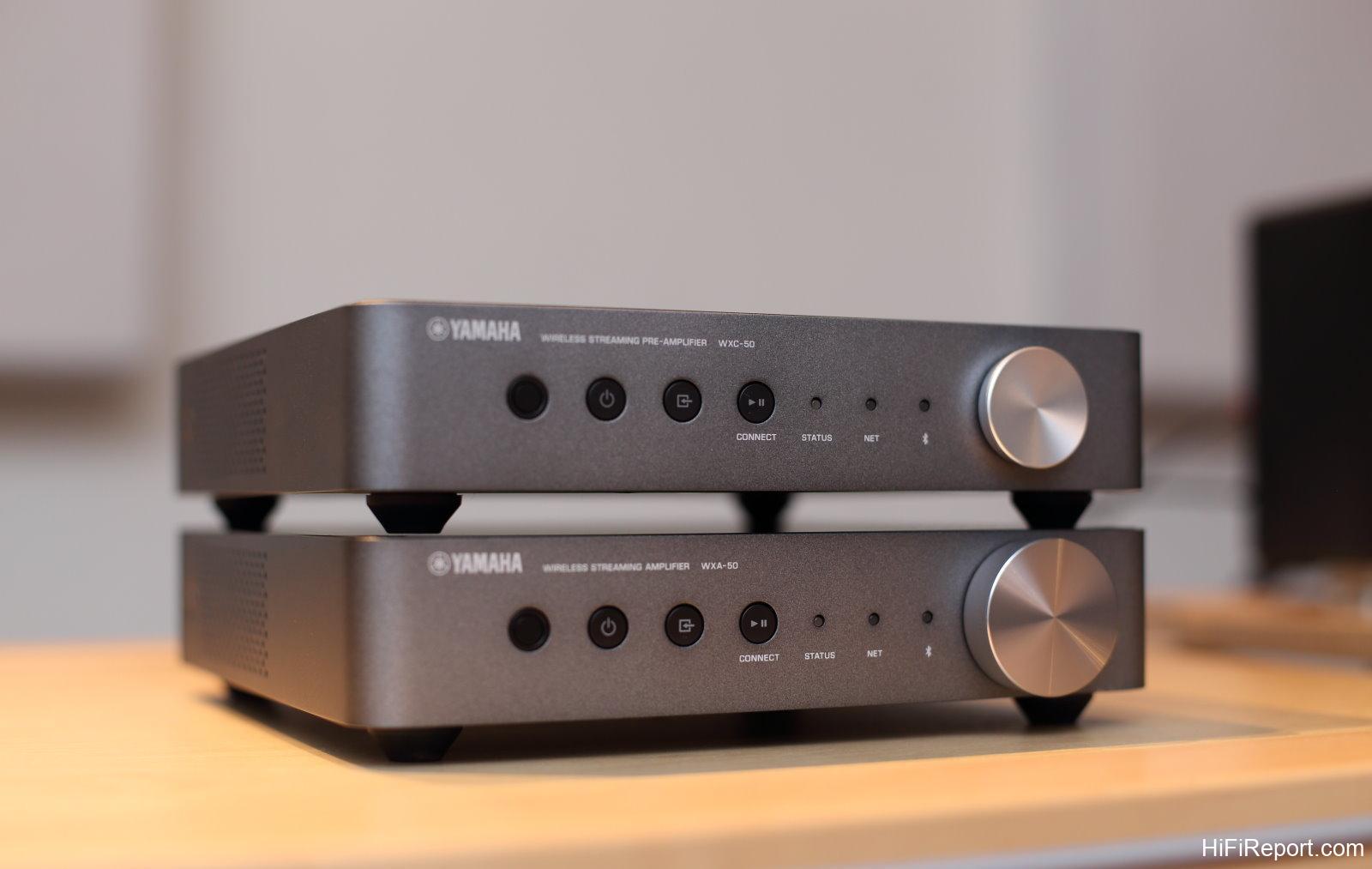
Upon unboxing both units, it’s evident that their chassis and front panel designs are nearly identical. The only noticeable difference on the front panel is the size of the volume knob. The WXC-50 features a smaller knob, while the WXA-50 sports a larger one. Let’s now examine the differences on their rear panels.
Different Outputs, Tailored to Needs
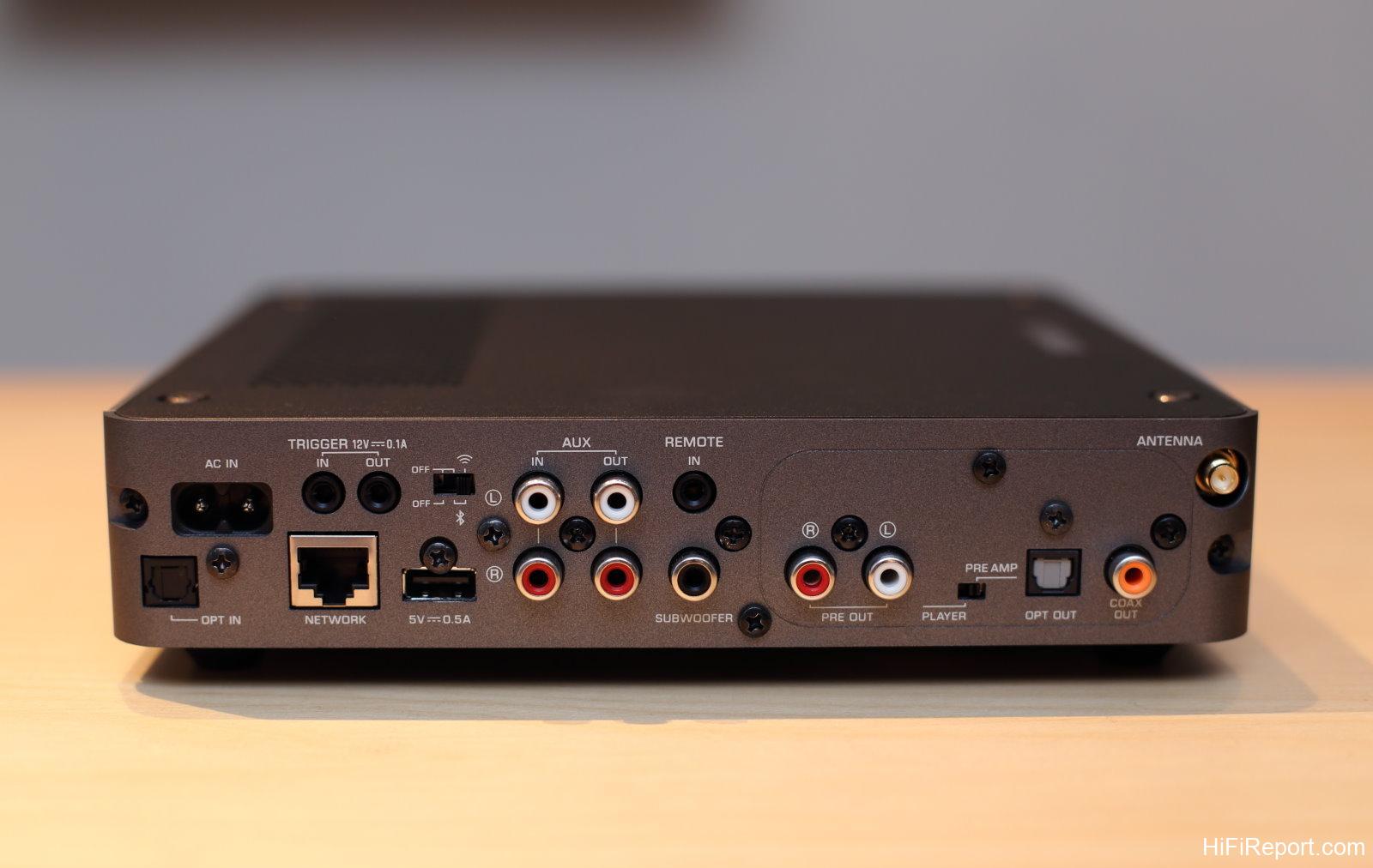
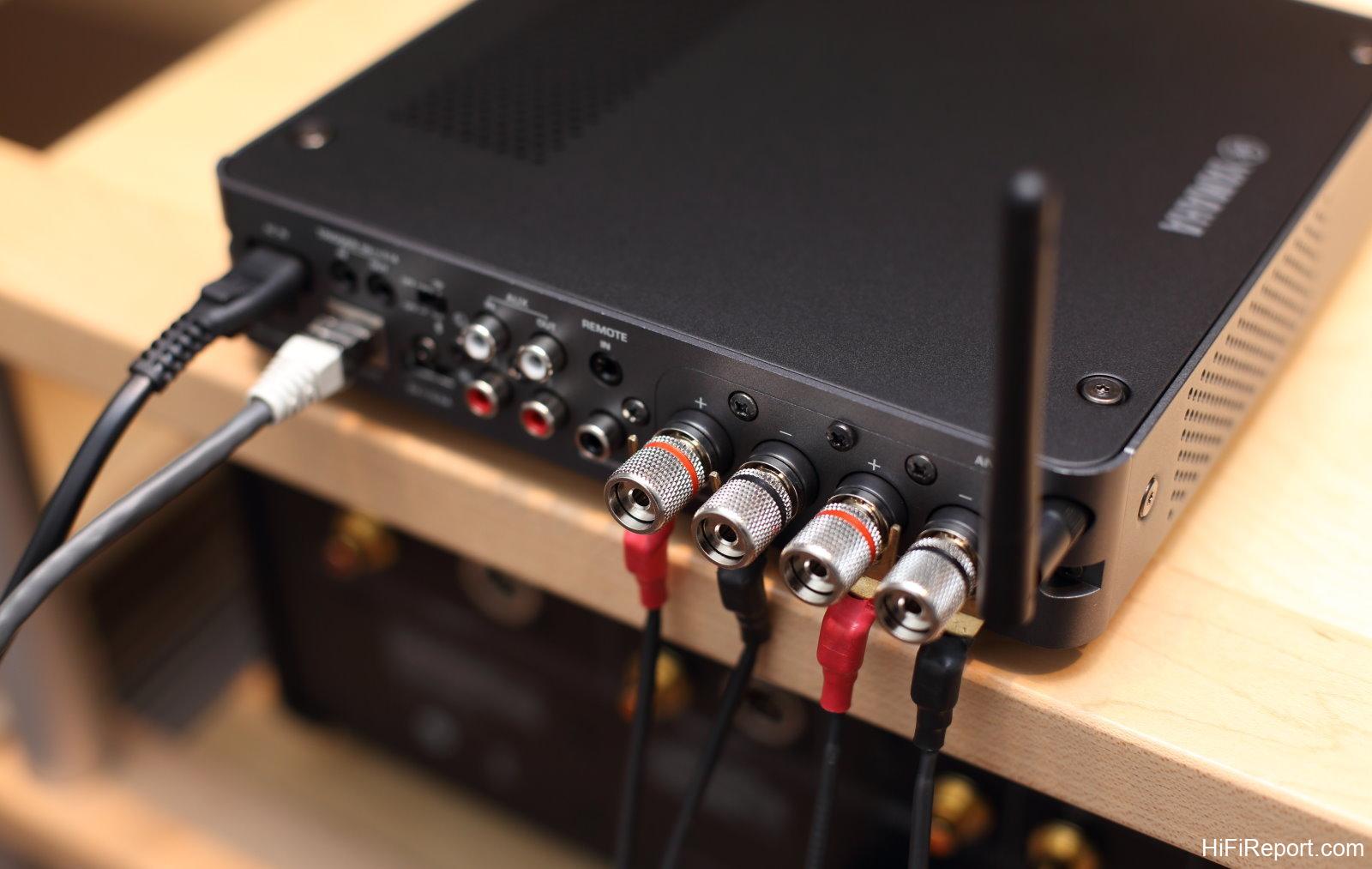
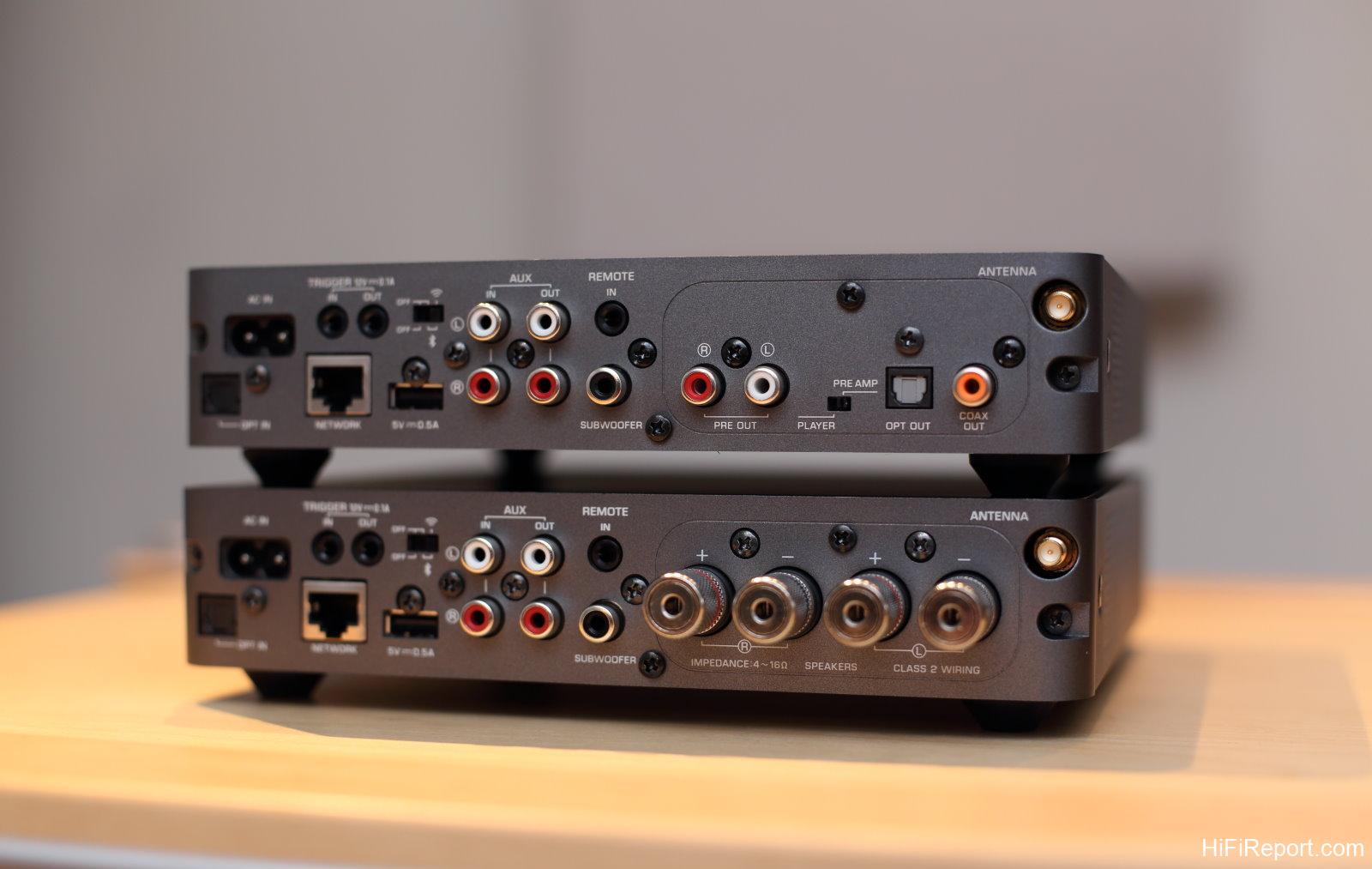
The left side of the rear panels is identical for both units; the differences lie in the right-side module. The top unit is the WXC-50, equipped with pre-amplifier output functionality. Therefore, the right side outputs include PRE OUT (STEREO RCA). In this configuration, volume control is managed by the WXC-50. A PLAYER/PRE AMP switch is also present.
If connecting to a pre-amplifier or integrated amplifier, selecting PLAYER mode allows the WXC-50 to output at 0dB attenuation (maximum volume), and volume control is then handled by the external amplifier. In this mode, some EQ settings are disabled. Additionally, digital outputs are provided, including OPT OUT (optical) and COAX OUT (coaxial). Below is the WXA-50, the all-in-one model. Its right-side module features speaker terminal outputs for audio.
I will use another clearer photo to detail the left-side section, which is common to both.
Versatile Wireless Streaming Source
The WXC-50 offers remarkable versatility. Firstly, it functions as a digital source, incorporating a DAC capable of decoding up to 24bit/192kHz and DSD 5.6MHz. This allows it to receive and decode digital signals from external devices. On the far left of the rear panel, you’ll find a digital input, OPT IN (optical), which can be used to connect a CD transport, transmitting digital signals to the WXC-50 for decoding.
It can also receive signals from TVs, game consoles, or Blu-ray players with optical outputs, making it highly versatile in application.
Regarding AC power, audiophiles may consider using higher-end power cables, which is perfectly acceptable. However, be mindful that oversized power plugs might obstruct adjacent input terminals. The TRIGGER connection can be used to link with other devices for power synchronization. The network port below is for connecting to your home network. As both the WXC-50 and WXA-50 have wireless networking capabilities, this wired connection isn’t always necessary.
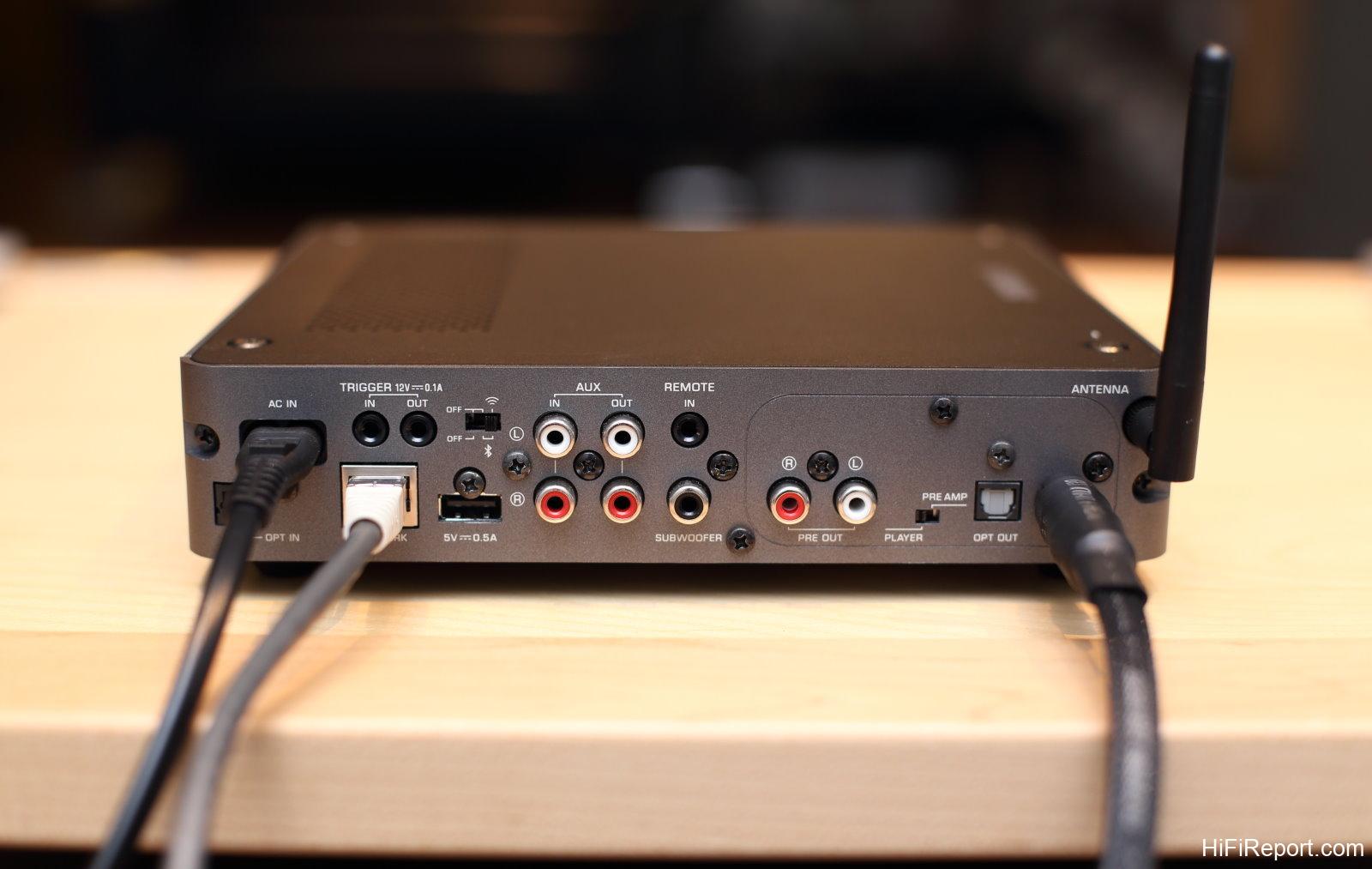
During my testing, I rarely used a network cable. However, wireless signals can potentially affect sound quality. For those with higher sonic demands, a wired network connection is recommended, and the wireless module can be deactivated by switching the wireless switch at the top to the rightmost “off” position, which might offer some sonic improvement.
The USB port allows for playback of music stored on USB drives or for firmware upgrades. AUX inputs and outputs are provided (one of each) for flexible use. Furthermore, both the WXC-50 and WXA-50 offer a subwoofer output, enabling 2.1 channel configurations for enhanced listening. Both the WXC-50 and WXA-50 come with a small remote control with an effective range of 6 meters. For greater distances, an infrared receiver can be added via the REMOTE IN port.
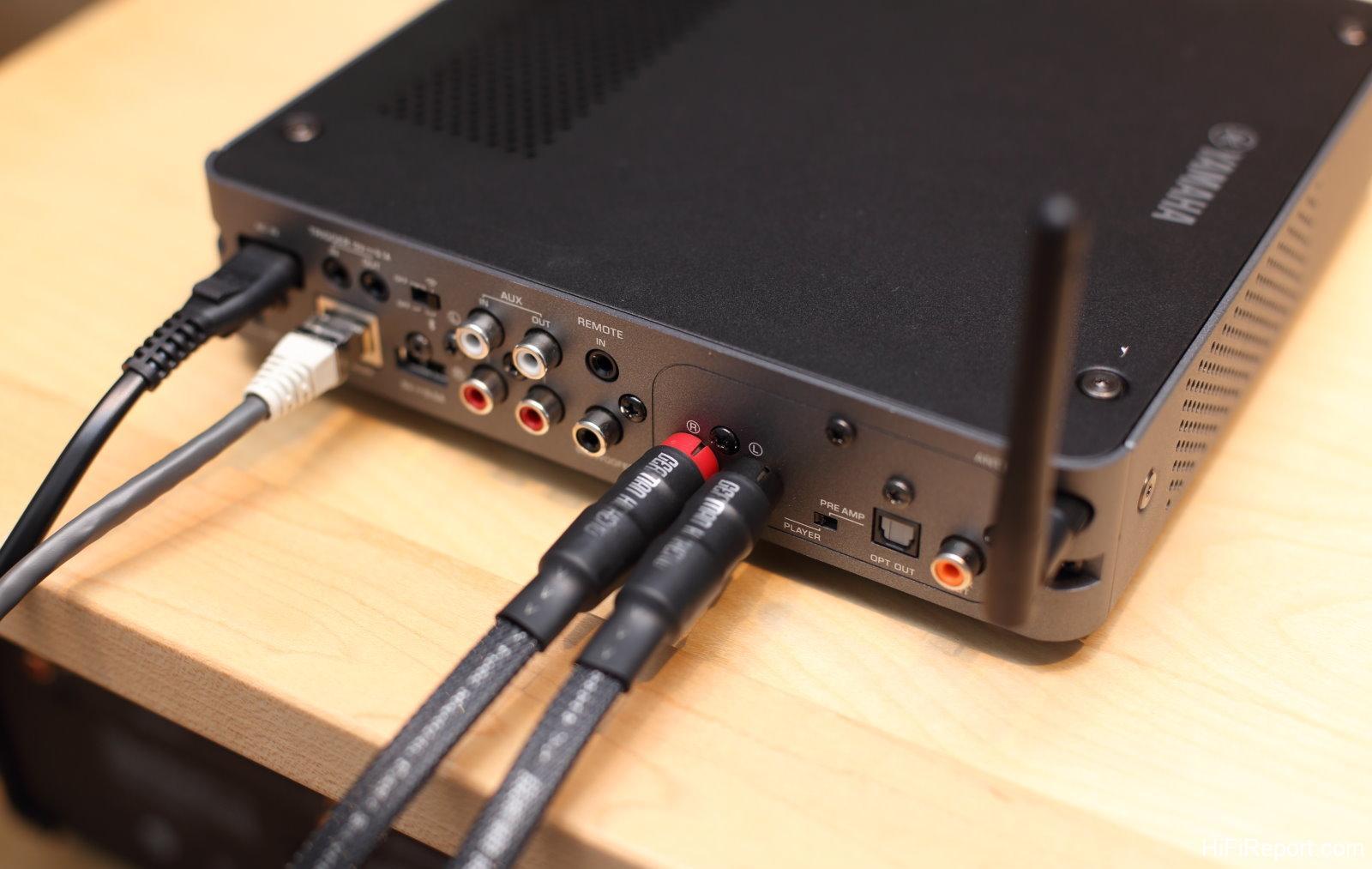
The antenna connection is located at the far right.
The WXC-50 offers considerable flexibility in use. With both digital inputs and outputs, users can choose to utilize the WXC-50’s internal DAC for decoding or output the digital signal to other devices for decoding, depending on sonic preference. Both digital input and output support sampling rates up to 16bit/192kHz.
I experimented with several listening configurations, including outputting music via COAX OUT to a CD player for decoding, and listening to music from online streaming services, NAS devices, and smartphones/tablets.
When listening to DSD music from a NAS, I used the WXC-50 for decoding, as digital signal output is not possible in this case, requiring analog output directly to an integrated amplifier.
When using the WXA-50, the output was directly connected to speakers. The WXA-50 has a built-in two-channel amplifier with a rated power output of 70 watts per channel. For connecting other sources like CD players, both optical digital input and AUX analog input options are available, or you can directly use MusicCast for streaming music playback.
Intuitive and Smooth MusicCast App
MusicCast is YAMAHA’s proprietary software interface designed for controlling digital streaming and multi-room audio. Throughout my testing, the app was exceptionally smooth and intuitive. Operation is straightforward, and the fully localized interface and navigation eliminates any learning curve.
The main screen is designed to be self-explanatory, using graphics and text. “My Music” at the top lists saved playlists, favorites, playback history, and currently used mobile devices. “Sources” displays all available input sources, and tapping on an icon takes you to the next level of options. Selecting Spotify allows you to log into your account. “Disklavier” at the end is for use with YAMAHA’s Disklavier player pianos.
Under “Server,” networked storage devices within the local network are detected. Here, our NAS was found, allowing access to all music files stored within.
A particularly useful feature during music playback is the equalizer (EQ), which allows for subtle adjustments to the high, mid, and low frequencies, along with other setting adjustments.
Playback of DSD files is also seamless, with both the WXC-50 and WXA-50 capable of decoding double-rate DSD files. During music playback, the function menu in the lower right corner allows you to add tracks to playlists or favorites, or share them on social media.
After adding to favorites, you can see that different sources, connected via network, are all listed, clearly indicating the source.
Playlists can also be created, and playlist names can be customized.
Radio is another frequently used function. If you want to listen to music beyond your personal collection, internet radio is an excellent choice, offering vast selections without the need for manual music selection.
Radio stations are categorized by region and music genre for easy browsing. Stations also indicate their audio specifications, which, while not always high-resolution, are very convenient. If you find a station you like, simply add it to your favorites.
MusicCast also offers basic settings, all clearly labeled in localized language and easy to understand.
There are also tutorial-like help prompts, clearly explaining MusicCast’s functions and usage in localized language.
The MusicCast app is feature-rich and remarkably user-friendly. YAMAHA, as a large and resourceful company, provides excellent software development and maintenance, ensuring users have no concerns in this area. Furthermore, their extensive hardware development and manufacturing experience ensures superior product quality and after-sales service.
Many of YAMAHA’s new products now incorporate MusicCast, allowing different devices to be managed and operated through the MusicCast app, offering a truly convenient and complete ecosystem. Let’s watch the official introductory video directly.