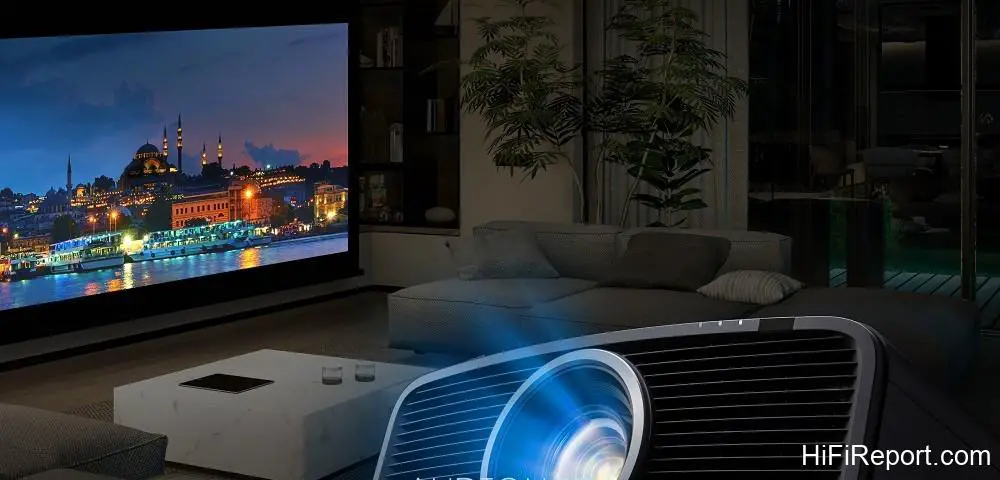
JVC DLA-NZ700 Review
The grade of the display device is the most critical factor determining a projector’s picture quality, encompassing both the number of pixels and the number of display devices utilized. Currently, the majority of 4K projectors employ display elements that possess only one-quarter of the pixels required for true 4K resolution.
While employing “4-way pixel shifting” from a Full HD (1920×1080) base can “mathematically” yield a pixel count equivalent to 3840×2160 (4K), this shift-based approach results in partial overlap between adjacent pixels. Consequently, the actual displayed resolution, discernible by the naked eye, falls somewhere between Full HD and 4K. It is more accurately described as “pseudo-4K,” as it does not fully render true 4K resolution.
Since the emergence of 4K home theater projectors, only two brands have been exceptions, opting *not* to use pixel shifting. Instead, they have developed their own display elements with Native 4K resolution. Currently, JVC is the sole brand with official authorized import channels in the local market. Their 4K D-ILA microdisplay elements boast a resolution that surpasses the typical 3840×2160, matching the digital cinema 4K resolution of 4096×2160 pixels (a 17:9 aspect ratio).
When displaying content in a 16:9 format, none of the 3840×2160 pixels are lost, and there is absolutely no overlap. Each pixel is distinctly defined. Another vital point is that most current 4K projectors are “single-chip” DLP models, which must display the R, G, and B primary colors of an image sequentially using a single display element, relying on the human eye’s persistence of vision to synthesize the full-color picture. This can sometimes lead to the visible “rainbow effect.”
JVC’s 4K D-ILA projectors, on the other hand, are all “three-chip” designs, utilizing three separate 4K D-ILA panels for independent, “full-time” display of R, G, and B. Even viewers with highly dynamic vision will never experience the rainbow effect, and these projectors are capable of displaying a far richer range of color gradations.
Design and Laser Light Source
Responding to demands from enthusiasts, JVC has developed the DLA-NZ700 and DLA-NZ500, the world’s smallest native 4K projectors. Compared to the preceding DLA-NZ7, they represent a 35% reduction in physical volume while remarkably preserving crucial, image-quality-enhancing features such as the three-chip native 4K D-ILA panel and the BLU-Escent laser light source. The most tangible benefits of incorporating a laser light source are high brightness and an extended lifespan.
The DLA-NZ700 and DLA-NZ500 deliver maximum light outputs of 2,300 lumens and 2,000 lumens respectively. With a laser light source life rated at 20,000 hours, you could use it like a television, watching for an average of 5 hours per day for nearly 11 years, completely eliminating the cost of replacing traditional high-pressure mercury lamps.
Furthermore, projector manufacturers are keen to leverage the inherent speed and responsiveness of laser diodes. The image processing circuit instantly analyzes the brightness state of the input frame, adjusting the light source’s output dynamically in response to the scene’s varying lightness and darkness. Traditional projectors relied on a “motorized door” mechanism for Lamp Iris control; the DLA-NZ700 and DLA-NZ500, however, directly control the intensity of the laser diodes’ light emission.
When encountering a full black transition scene, the laser source can be entirely shut off. Consequently, according to the definition of “dynamic contrast” – which measures the brightness ratio between a full white screen and a full black screen (not displayed simultaneously) – having zero light output during a full black screen results in an “infinite:1” dynamic contrast ratio.
Contrast Performance
Both the DLA-NZ700 and DLA-NZ500 achieve this, though, truth be told, JVC has never particularly emphasized this specification.
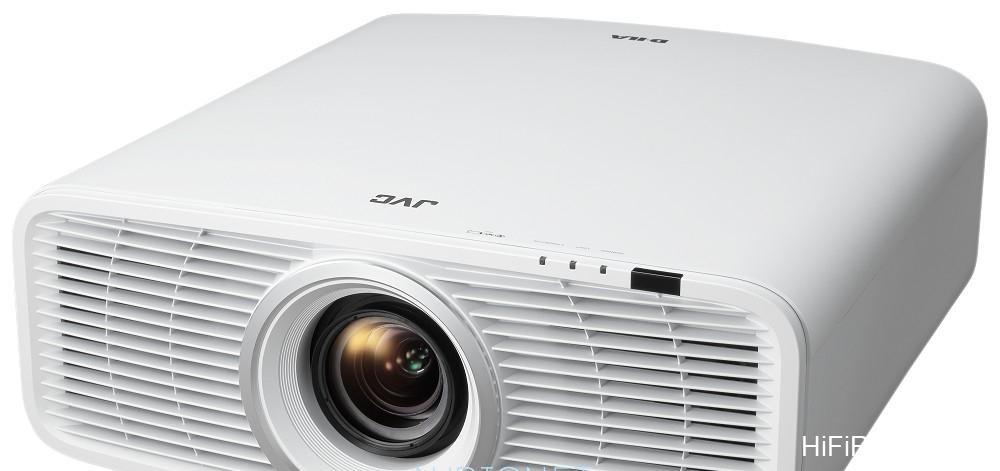
JVC’s true mastery lies in native contrast ratio (also referred to as real contrast), a performance parameter in which JVC projectors have reigned supreme, unchallenged, since the Full HD era. Native contrast is defined as the brightness ratio between peak white and full black displayed *simultaneously on the same screen*. It represents the display range of light and shadow, from brightest to darkest, within a single image.
This metric reflects a projector’s genuine capability for rendering deep blacks, nuanced shadow detail, and overall image contrast. The DLA-NZ700 achieves a native contrast ratio of 80,000:1, while the DLA-NZ500 manages 40,000:1. Are these figures impressive?
While the DLA-NZ700 and NZ500 are not JVC’s absolute flagship projectors (they have higher-end 8K models), their native contrast ratios are four times, and even ten times, higher than those of most other brands’ flagship models. The vast majority of home theater projectors would consider a native contrast ratio exceeding 7,000:1 to be quite exceptional.
JVC’s ability to turn contrast into an absolute advantage is the culmination of years of technological advancement, with the key strategies consistently focused on “reducing stray light.” In the early stages of JVC projector development, their advantage first stemmed from D-ILA itself; as a “reflective” LCD panel, it offered an aperture ratio over 30% higher than the “transmissive” LCD panels prevalent at the time.
This was followed by the Wire-grid, a proprietary JVC innovation involving nano-scale “aluminum grid” polarizers fabricated on a glass plate. These replaced traditional multilayer interference film PBS glass prisms and were strategically placed at the light input and output positions of the D-ILA display elements. This critical component dramatically reduced stray light, instantly boosting contrast by a factor of five.
Optical Refinement
*A significant recent improvement in the optical design of JVC projectors involves the addition of another polarization element positioned between the light engine output and the projection lens. Its purpose is to alter the polarization angle of light reflected within the lens. In essence, this serves as an “anti-reflection” measure, preventing light reflected by the lens from bouncing back into the light engine and subsequently returning to the lens, which would cause ghosting artifacts.

JVC has fittingly dubbed this element the “Ghost Buster. “*
Furthermore, JVC persistently refines its D-ILA display elements. The very latest 0.69-inch “third-generation” Native 4K D-ILA has already been implemented in the current flagship DLA-NZ900. Compared to the previous generation, this display element features a higher aperture ratio (resulting in narrower gaps between pixels) and a greater degree of flatness in the liquid crystal alignment layer, promoting more uniform liquid crystal molecule arrangement.
This leads to a further reduction in stray light components and the achievement of higher native contrast. The DLA-NZ700 is equipped with the same third-generation D-ILA element found in the DLA-NZ900. I recently had the opportunity to interview an engineer from Epson regarding the classification and selection of D-ILA display elements.

He stated that because the third-generation element’s native contrast is already 1.5 times that of the second generation, classification (binning) is no longer necessary. This indicates that the NZ700 and NZ900 use identical display elements, which explains why the NZ700’s contrast ratio is double that of the NZ500, which utilizes a second-generation D-ILA panel.
Lens, Installation, and Screen Modes
Despite JVC’s intention to make the DLA-NZ700 and NZ500 chassis smaller, they have unequivocally not cut costs in crucial areas. Their lens diameter (80mm) is even larger than that of previous equivalent or even higher-tier models (65mm).
The newly designed 1.6x powered zoom lens offers exceptional optical performance, ensuring the fine details of 4K high resolution are faithfully reproduced (I could feel this during installation when observing the convergence of fine lines at both the screen’s center and edges during lens adjustment). They also provide a generous lens shift range of vertical ±70% and horizontal ±28%, allowing for much greater flexibility in installation location.
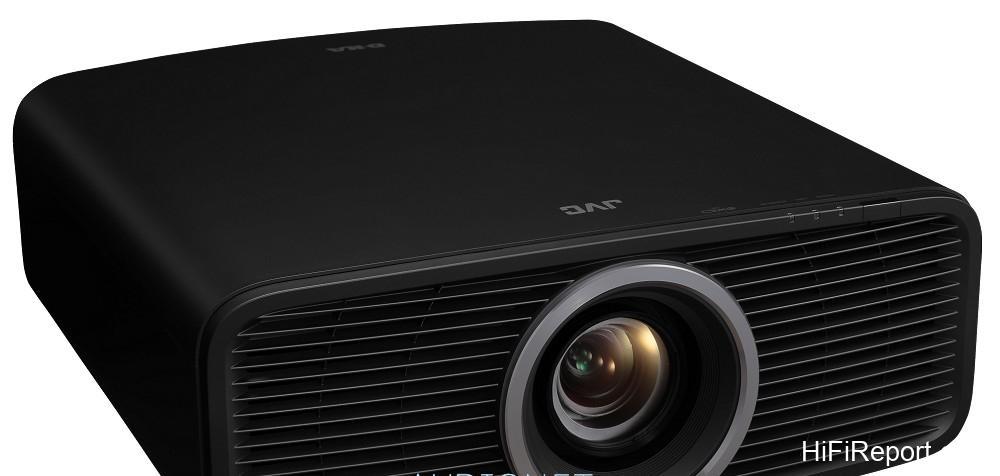
These two new models not only feature a new lens but also incorporate a revised airflow design. Previously, hot air was expelled from the front; this time, the design is “front intake, rear exhaust.” This ensures that the expelled hot air does not cause refractive distortions (similar to a mirage effect) that could negatively impact the projected image.
The DLA-NZ700 and NZ500 are compatible with 16:9 screens ranging from 60 to 200 inches. Compared to JVC’s previous 4K projectors, the lenses on these two new models are somewhat “shorter throw,” allowing them to project larger images from shorter distances. The minimum projection distances for 100-inch, 120-inch, 150-inch, and 200-inch screens are sequentially 2.98, 3.58, 4.49, and 6.01 meters.
The maximum projection distances for the same screen sizes are sequentially 4.79, 5.76, 7.21, and 9.63 meters.
Speaking of screens, JVC projectors include pre-set screen modes specifically tailored for popular models frequently used in home theaters from major screen manufacturers. For instance, for this review, I used the professional low-gain Kikuchi WA screen. Consulting JVC’s official “Screen Adjustment Mode Table” online, I found its code number is 32.
Therefore, before commencing testing, I navigated to the projector’s installation settings menu under “Screen Setting,” activated “Screen Adjust,” and set the code number to “032.” This completed JVC DLA-NZ700’s pre-set calibration for use with my Kikuchi WA screen. I strongly recommend users of this projector who do not possess a colorimeter for image calibration to utilize this feature.
Color Accuracy and Wide Gamut
The reference price of the DLA-NZ700 is approximately $3,500 USD higher than that of the NZ500. We’ve already discussed the differences in contrast ratio and light output between the two. Additionally, there is a difference in color gamut coverage: the NZ700, mirroring the higher-tier NZ900 and NZ800 models, is equipped with a wide color gamut filter (Cinema Filter). When utilizing certain picture modes, the NZ700 integrates this color filter into the optical path to expand the color gamut.
According to official JVC data, the NZ700 achieves 98% DCI-P3 color gamut coverage (roughly equivalent to 73% BT.2020). The NZ500, lacking the wide color gamut filter, has a relatively smaller color gamut, covering 100% sRGB.
I conducted actual measurements of the DLA-NZ700’s color rendering range under various conditions. When displaying SDR video, the available picture modes include Natural (default), Cinema, Vivid, FILMMAKER MODE, SDR 1, and SDR 2. Among these, the FILMMAKER MODE, dedicated to “original source reproduction,” naturally adheres to the BT.709 range compliant with HDTV SDR specifications. SDR 1 and SDR 2 also follow suit.
Only the “Cinema” mode, in its default configuration, employs the aforementioned wide color gamut filter. Instrumental measurements clearly showed that this mode expands the average color gamut of all six RGBCMY colors outwards. It can be said to be the only picture mode that defaults to displaying SDR with a wide color gamut. Should a user wish to display a wide color gamut in other picture modes, they can modify the “Color Profile” within the picture adjustment menu.
Selectable options include BT.709, BT.2020 Wide, BT.2020 Normal, DCI, Video, Animation, and Cinema. Among these, the BT.2020 Wide, DCI, and Cinema settings enable wide color gamut display, and my measurements confirmed their gamuts are very close to the range defined by the digital cinema standard DCI-P3.
Next, I tested the NZ700’s performance when displaying HDR video. In this scenario, the selectable picture modes include Frame Adapt HDR 1, Frame Adapt HDR 2, FILMMAKER MODE, HDR 1, and HDR 2. Among these modes, only Frame Adapt HDR 2, when using its factory default settings, has the “Color Profile” set to “BT.2020 (Wide)”; the other modes utilize “BT.2020 (Normal).”
Regarding the color rendering range for the six RGBCMY colors, “BT.2020 (Normal)” is similar to DCI-P3 for R, B, M, and Y, but the color gamut between G-C-Y is smaller than P3. Conversely, “BT.2020 (Wide)” results in the overall color gamut, including RGBCMY, being remarkably close to DCI-P3.
It’s worth noting that any state utilizing wide color gamut display will inherently result in approximately a 25% reduction in light output due to the insertion of the Cinema Filter. However, I consider this negligible, as even with the 120-inch Kikuchi WA screen, which has a low gain of only 0.85, the image brightness was more than sufficient. Typical users are likely to pair the projector with screens offering double the gain I used.
Users also have the option to increase the laser light source output to compensate for the brightness reduction when opting for wide color gamut display.
Regarding color temperature accuracy, although the NZ700 I received was still a sample unit that had not undergone complete setting and calibration, it was remarkably close to being “out-of-the-box ready,” requiring minimal further color temperature adjustment. In its initial state, the Natural mode’s color temperature measured around 6800K.
Most gradation levels in FILMMAKER MODE registered color temperatures within the 6500K to 6700K range, and the Cinema mode’s color temperature was also consistently around 6600K. These frequently used modes were already very close to the D65 standard of 6500K without any tweaks. The measured color temperature for the Vivid mode, however, was around 7600K.
Having discussed the instrumental measurements of color, let me now share my subjective viewing impressions – “how it looks.” When using this projector for everyday viewing (SDR), I found the colors in both the default Natural and FILMMAKER MODE to be quite neutral. Both the color gamut range and depth were very similar to what one expects from a “professional monitor.” Compared to the “televisions” that most people are accustomed to watching, the colors might appear slightly more subdued.
However, I have always found JVC’s color rendering to possess a unique appeal, particularly when calibrated for a “richer taste” with vibrant, deeply saturated colors. Users don’t need to spend much effort; simply switching the NZ700 to Cinema mode will, due to the color gamut expansion, allow it to express the vividness of the deepest colors more boldly, and color saturation will increase accordingly.
Even in this state of wide color gamut display, the projector maintains the ability to differentiate between subtle color variations within the most saturated hues. For instance, the petals of a vibrant red rose not only appeared fiercely red but also possessed a palpable sense of dimensionality.
I used the Colorscale test pattern to evaluate the six RGBCMY colors in this mode; the projector could still clearly distinguish the subtle differences between 98% and 100% saturation for all six colors (something most display devices struggle with above 96%). The presentation of colors with greater depth, combined with the projector’s inherent high contrast performance, imparts a considerable sense of weight and solidity to objects (surpassing that of many flagship televisions).
Therefore, I believe using Cinema mode for everyday viewing is perfectly suitable if it aligns with the user’s preference. As for the “Vivid” mode, the picture exhibits higher impact. True to its name, the colors are slightly more vibrant than in Natural mode. It is well-suited for watching animation or for use in living rooms with less effective light blocking during the daytime.
Advanced Image Processing
Compared to other brands, I believe the most significant feature of the new JVC projectors in terms of image processing is Frame Adapt HDR. When displaying HDR10 video, it analyzes the peak brightness of every single frame and dynamically adjusts (expands) the displayed dynamic range in real-time. This processing effectively transforms HDR10 into something akin to variable dynamic range HDR10+.
While playing HDR movies, I could genuinely feel how it more effectively leveraged the projector’s high contrast performance. It boosted the intensity of highlights, made mid-tones appear clearer, and in the Deep Black setting, even in dim, low-average-brightness scenes, dark areas nearing full black still exhibited rich layers of light and shadow.
It allowed me to clearly discern the gradation and details within dark areas and deepened the sense of “shadow,” effectively enhancing the rendition of “black within black.” Displaying the texture and luster of black asphalt roads at night achieved a level of realism close to seeing the actual scene – a feat most projectors simply cannot match.
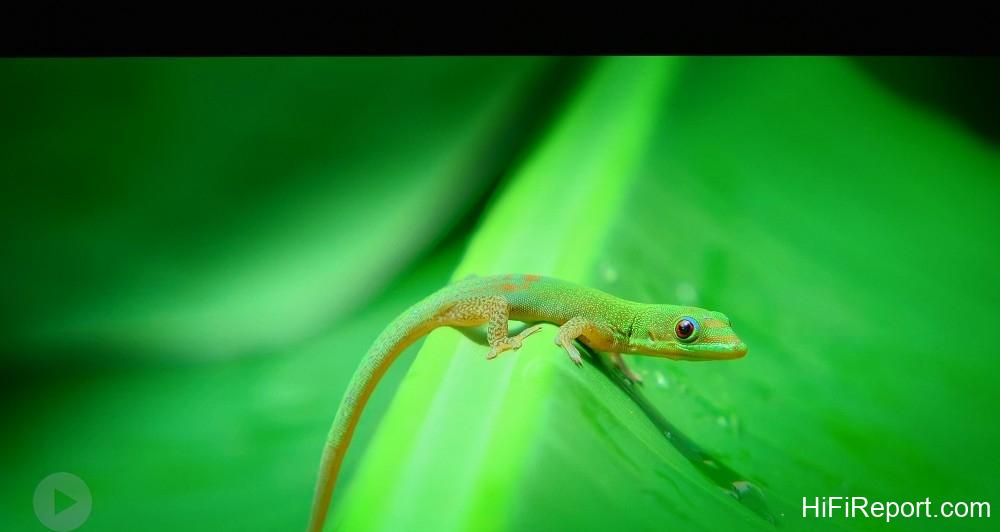
Regarding the visual perception of HDR, both FILMMAKER MODE and Frame Adapt HDR 1 provide ample brightness. Even with a low-gain screen, I didn’t need to utilize the maximum light source output. Sunlit scenes conveyed a strong sense of illumination. The wider color gamut of Frame Adapt HDR 2 made the distinction between different color shades even clearer.
Increasing the light output when using HDR2 resulted in a visual sensation of more vibrant colors, feeling much like watching a super-large-screen television.
In terms of resolution performance, I was particularly fond of the effect provided by MPC (Multiple Pixel Control). It functions like a manual super-resolution processing engine, allowing users to enhance the clarity and texture of details according to their personal visual preferences. Based on my actual usage and switching between different video inputs and adjustment states, I can confidently confirm that MPC effectively enhances detail when displaying both Full HD and 4K streaming content.
I recommend users, whether displaying FHD or 4K (these modes require separate adjustments), to navigate to the MPC adjustment page within the “Mode Setting” menu. My suggested adjustments are: “Graphic Mode: Weak,” “Enhance” increased from the default 5 to 10, and “Image Smoothing” maintained at 0. These settings will improve the resolution and textural clarity of the finest details.
While enhancing details, they successfully maintain a natural softness or hardness in the image (avoiding an artificially hard-edged look).
Regarding dynamic resolution, I observed the differences between the various CMD (Clear Motion Drive) settings and noticed that the approach this time is somewhat different from previous models. In the past, CMD typically utilized frame interpolation (inserting intermediate frames between two consecutive original frames). This time, the DLA-NZ700’s CMD, when enabled, performs black frame insertion.
This method is indeed effective in “breaking up motion blur” and contributes to improving dynamic contrast. Using the Resolution Pattern 6.5ppf segment from the FPD Benchmark test clip as an example, the dynamic resolution measured with “CMD Frame Interpolation: Off” was approximately 850 lines. With “CMD Frame Interpolation: Strong,” it increased to 1080 lines.
I won’t deny that the description “world’s smallest” initially caught my attention, but after thoroughly understanding and conducting comprehensive testing, I believe size is not the main point. Positioned below their two 8K projectors, JVC has clearly treated the DLA-NZ700 as a 4K flagship projector.
It possesses the resolution advantage of Native 4K (compared to pixel-shifted 4K), a native contrast ratio several times higher than its competitors, a wide color gamut, excellent color accuracy, and the high dynamic contrast advantage impressively demonstrated by Frame Adapt HDR’s effective utilization of the hardware capabilities, among other strengths. It is not the most expensive, yet it is undeniably one of (and arguably *the*) highest picture quality 4K projectors currently available.
Given its outstanding picture quality and value proposition, it emphatically earns our highest recommendation.
Specifications
* Type: D-ILA 4K Projector
* Display Element: 0.69-inch Third Generation Native 4K D-ILA Element (4096×2160) ×3
* Display Resolution: 4096×2160
* Lens: Diameter 80 mm 1.6x Powered Zoom/Focus/Shift Lens
* Lens Shift: Vertical ±70%, Horizontal ±28%
* Projection Screen Size: 60 to 200 inches
* Light Source: BLU-Escent Laser Diode
* Light Output: 2,300 lumens
* Contrast Ratio: Dynamic Contrast ∞:1, Native Contrast 80,000:1
* Color Gamut: DCI-P3 98%, BT.2020 73%
* Video Input: HDMI×2 (32Gbps, 3D, Deep Color, HDCP2.3 compliant)
* Input Video Signal Compatibility: 480p, 576p, 720p 50/60 Hz, 1080p 24/25/30/50/60 Hz, 2K (2048×1080) 24/25/30/50/60 Hz, 4K (3840×2160) 24/25/30/50/60 Hz, 4K (4096×2160) 24/25/30/50/60 Hz
* Power Consumption: On 280W, Network Standby 1.5W, Eco Standby 0.3W
* Noise Level: Minimum 23 dB
* Dimensions: 450×181×479mm (WHD)
* Weight: 14.8 kg