SOtM tX-USBexp: Elevating PC Audio with USB Expansion Review
While streaming players have gained widespread popularity and become more budget-friendly, a dedicated group of audiophiles, myself included, continues to champion the computer as a source, often referred to as CAT (Computer As Transporter).
Admittedly, CAT setups, particularly desktop-based systems, can be somewhat space-consuming and necessitate a USB DAC for audio output. However, they offer compelling advantages. A computer is a powerhouse of functionality, serving as a versatile player, network bridge, or even a dedicated music server. Furthermore, the sheer breadth of compatible playback software and music streaming services is virtually limitless.
Regarding audio performance, with judicious software and hardware optimization, a computer can rival the sound quality of high-end dedicated players. This sonic potential is why many audiophiles remain dedicated to the CAT approach.
The path to optimizing CAT sound quality is paved with numerous tweaks and modifications. So, where to begin? Let me introduce a straightforward yet remarkably effective upgrade: installing the SOtM tX-USBexp USB expansion card into your desktop PC.
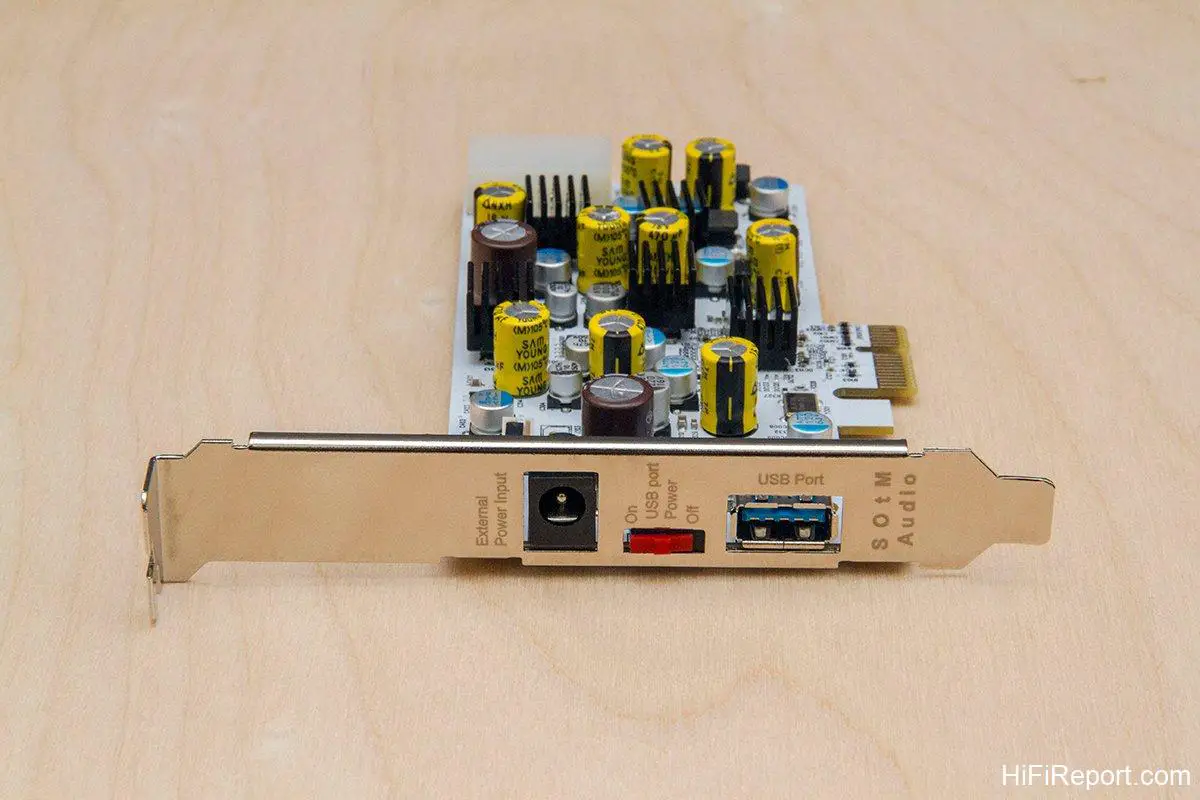
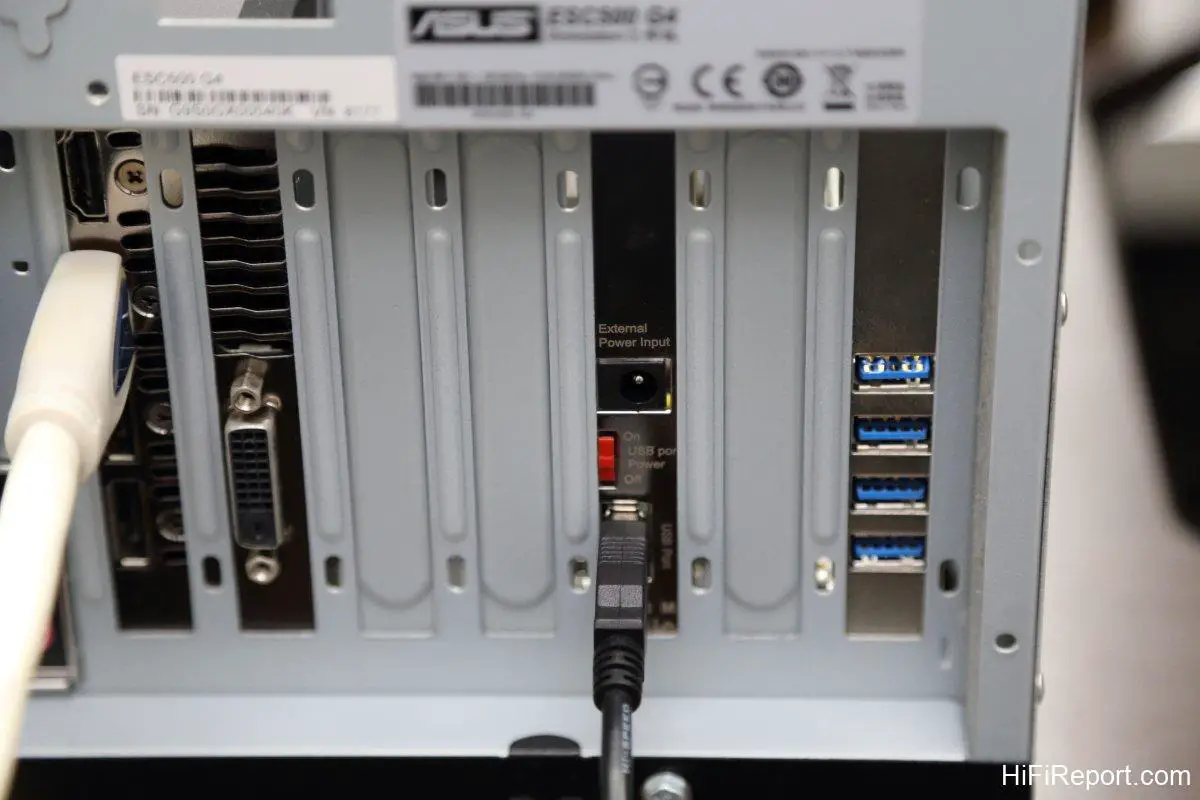
[Image: tX-USBexp USB expansion card with external power input]
*The tX-USBexp USB expansion card supports external power input, allowing for an even higher quality power supply.*
[Image: Red switch on tX-USBexp for USB 5V power control]
*The red switch pictured disables the USB 5V power output, useful if your DAC has its own independent USB 5V power supply.*
Breaking Free from Computer USB Noise
Before proceeding, it’s important to clarify that this solution is specifically designed for desktop PCs. Laptop and Apple desktop users, unfortunately, cannot accommodate internal PCI-E expansion cards like the tX-USBexp. However, SOtM offers an alternative: the tX-USBultra. This is an external USB hub engineered for high-fidelity audio, functioning similarly to an internal expansion card but with potentially even greater capabilities. Laptop users and Mac enthusiasts should definitely explore this option.

Why bother installing a dedicated USB expansion card for a CAT system? Aren’t computers already equipped with multiple USB ports? To understand the rationale, we need to consider the fundamental purpose of the USB interface.
USB was conceived as a versatile interface for seamless and rapid connection of computer peripherals. It’s an excellent design for devices like mice, keyboards, flash drives, USB network adapters, printers, and more – plug-and-play simplicity with the added convenience of USB power delivery, eliminating the need for separate power supplies for many peripherals.
However, the original USB specification was not designed with high-fidelity audio transmission in mind, certainly not for the discerning ears of audiophiles. It’s not an inherently audiophile-grade interface. The problem lies in the fact that a computer is a hotbed of electrical noise, and this noise can readily propagate through the USB cable and contaminate sensitive USB DACs, ultimately degrading sound quality.
Furthermore, other USB devices connected to the CAT system, such as keyboards and mice, can also introduce noise and negatively impact the audio performance of the USB DAC.
This is where a dedicated USB expansion card comes into play. By installing a separate USB card in your CAT, you can bypass the motherboard’s native USB ports, effectively isolating your USB DAC from motherboard-borne noise and interference from other USB peripherals. Moreover, if this expansion card is specifically engineered with noise isolation, filtering, and jitter reduction technologies, can it further purify the audio signal and elevate sound quality? This is precisely the core proposition of the tX-USBexp.
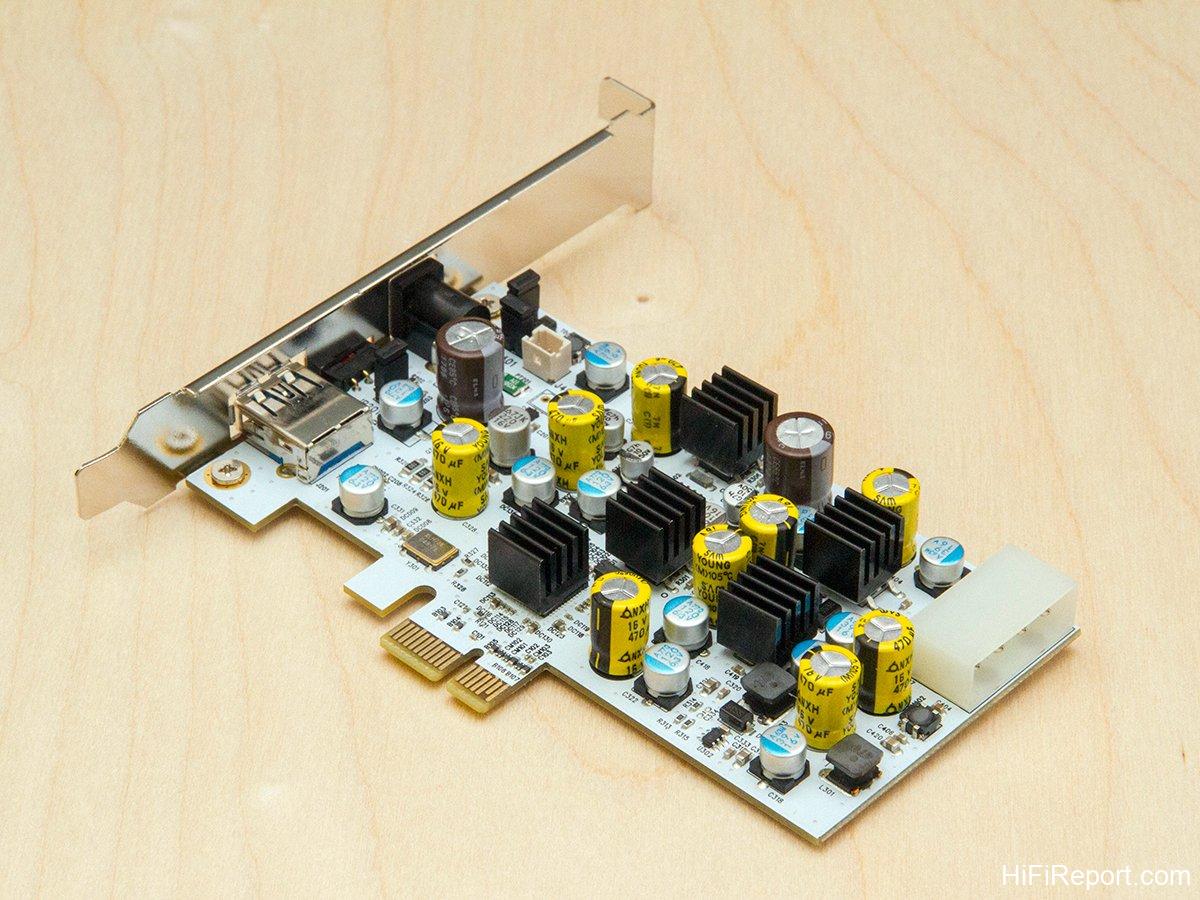
[Image: SOtM tX-USBexp with heatsinks on components]
*The tX-USBexp features heat sinks on numerous key components, ensuring stable operation and optimal performance.*
External Power and Noise Mitigation
The tX-USBexp tackles internal computer noise from a multifaceted approach.
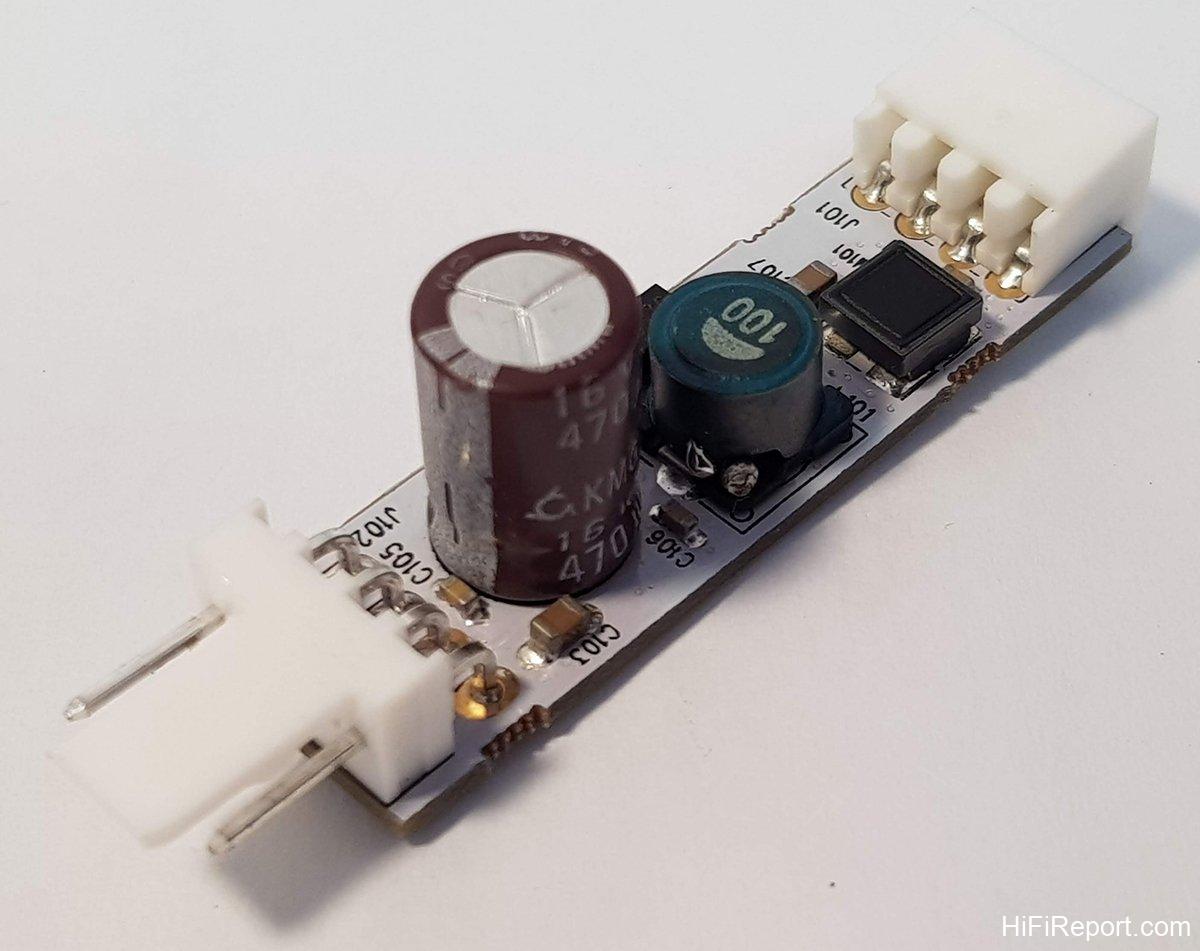
It incorporates multiple stages of power filtering circuits to suppress noise originating from the incoming power. Ultra-low noise voltage regulators are employed to guarantee a clean and stable power supply throughout the card. A dedicated PCI-E interface filter is included to prevent motherboard noise from propagating through the PCI-E bus. Even the clock circuitry benefits from a dedicated noise eliminator – a truly comprehensive design. An ultra-low jitter clock circuit ensures precise data transmission. Furthermore, the circuit board utilizes audiophile-grade capacitors and a sophisticated four-layer PCB architecture, all in the pursuit of minimizing noise.
All these meticulous design choices are aimed at preventing the myriad sources of noise within a computer from reaching the sensitive USB DAC.
Recognizing the immediate and positive impact of a superior power supply, the tX-USBexp is designed to accommodate an external, higher-quality power source.
The card features an external DC power input jack (5.5mm outer diameter, 2.1mm center pin), accepting voltages between +6.5V and +9.0V. This compatibility allows for the use of a wide range of power supplies within this voltage window, including SOtM’s own sPS-500 power supply, which offers a 9V output and serves as an optional upgrade for further sonic refinement.
Furthermore, the tX-USBexp includes a red toggle switch on its exterior panel. This switch enables or disables the USB card’s 5V power output. Many DACs feature self-powered USB receiver circuits and do not require 5V power from the host computer’s USB port. In such cases, disengaging the 5V power via this switch can further minimize the transmission of computer-borne noise to the DAC through the USB power line.
[Image: Audiophile-grade capacitors on tX-USBexp PCB]
*Audiophile-grade capacitors are used throughout the tX-USBexp circuit board.*
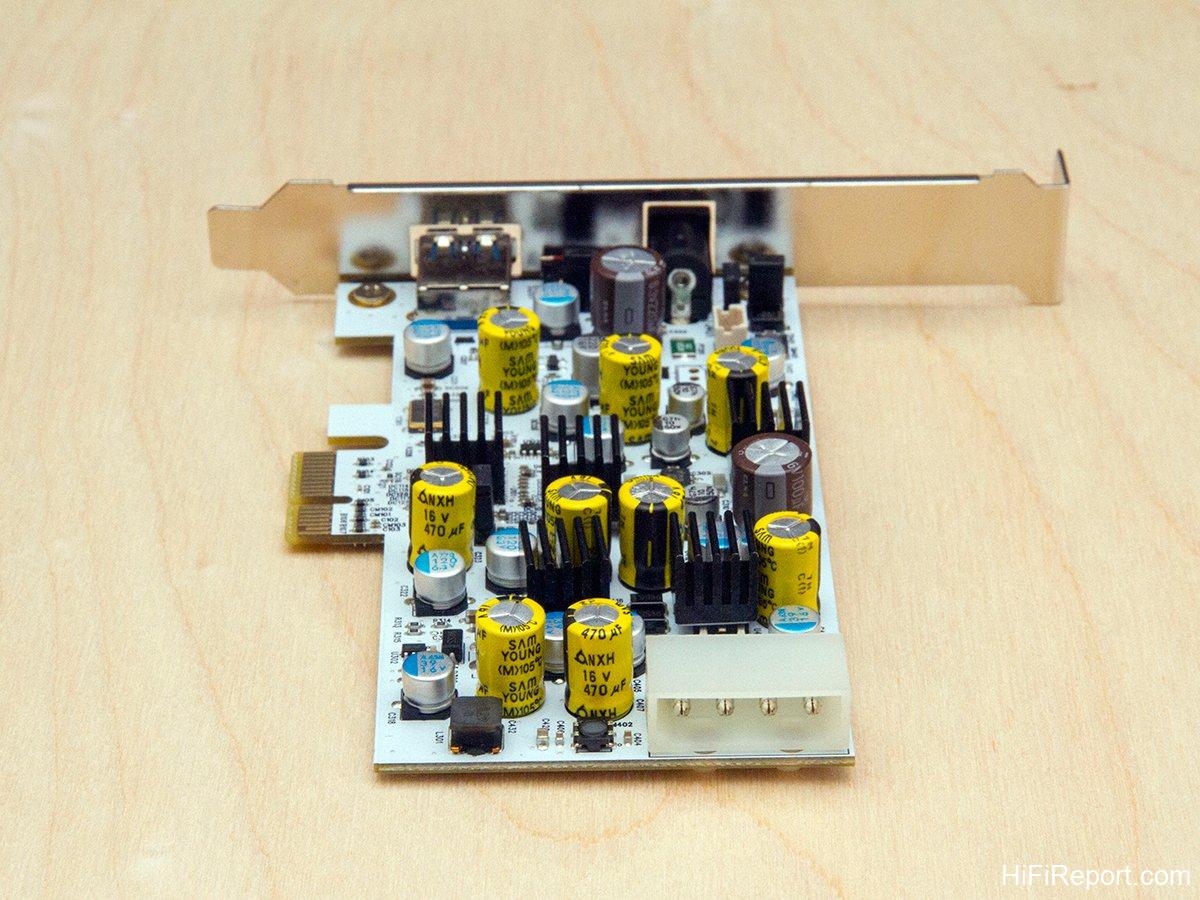
[Image: Molex internal power connector on tX-USBexp]
*Internal power is supplied via a standard Molex (large 4-pin) connector, utilizing a 12V rail internally, rather than the typical 5V USB power.*
Installation and USB Chipset
Installing the tX-USBexp is a remarkably straightforward process. Begin by disconnecting the power cord from your computer. Then, with a touch of courage, open the computer case and locate an available PCI-E slot on your motherboard. The tX-USBexp is a PCIe ×1 card, the smallest form factor, making it compatible with PCIe ×1, PCIe ×4, PCIe ×8, or PCIe ×16 slots.
Once securely seated in the slot, tighten the retaining screw. Next, locate a Molex (large 4-pin) power connector from your computer’s power supply and plug it into the corresponding socket on the rear of the tX-USBexp.
It’s worth noting that while Molex connectors supply both 5V and 12V, typical USB expansion cards utilize the 5V rail. However, the tX-USBexp uniquely draws power from the 12V rail, setting it apart from conventional designs.
At this point, you might have noticed the voltage discrepancy between the external and internal power inputs of the tX-USBexp. This indicates distinct circuit designs optimized for each power source, a testament to the card’s sophisticated engineering. Furthermore, SOtM recommends leaving the internal Molex connector plugged in even when using an external power supply. The tX-USBexp will prioritize the external source, while the internal connection acts as a failsafe, preventing potential damage to the card or computer in case of sudden external power loss.
For those who are absolutely certain they will never utilize an external power supply, you can disable the external power input by removing the jumper pins at locations J401 and J402 on the tX-USBexp circuit board. This ensures that even if an external power supply is connected, it will not be utilized.
Another distinguishing feature of the tX-USBexp lies in its choice of chipset.
While the vast majority of USB 3.0 expansion cards on the market employ Renesas chipsets, the tX-USBexp opts for a Texas Instruments (TI) chipset. Although TI chipsets are known for their performance, Windows operating systems may not inherently provide full driver support. Therefore, it’s essential to download the dedicated driver from the SOtM website and install it on your computer to ensure optimal compatibility and performance.
[Image: Galileo PTU304N USB card for comparison]
*The initial listening tests involved an A/B comparison against a Galileo PTU304N USB card as a reference point.*
[Image: tX-USBexp and Galileo USB card installed in PC]
*The image shows both USB cards installed on the motherboard, powered via internal cabling.*
[Image: Close up of tX-USBexp and Galileo USB card]
*The tX-USBexp is positioned in the center, while the consumer-grade Galileo PTU304N USB card, identifiable by its four USB ports, is on the right.*
Immediate Sonic Upgrade
Now, let’s delve into the listening experience.
The listening evaluation was conducted in two phases. First, I performed an A/B comparison between the tX-USBexp and a consumer-grade USB card (Galileo PTU304N), a typical IT product purchased a few years ago. The goal was to determine if a basic, inexpensive USB card suffices, or if the tX-USBexp justifies its investment. Secondly, I pitted the tX-USBexp against the reigning champion of audiophile USB cards, the JCAT USB Card Femto, which I already use in my system. This face-off would reveal the true performance echelon of the tX-USBexp. The initial phase of comparative listening was conducted at the office.
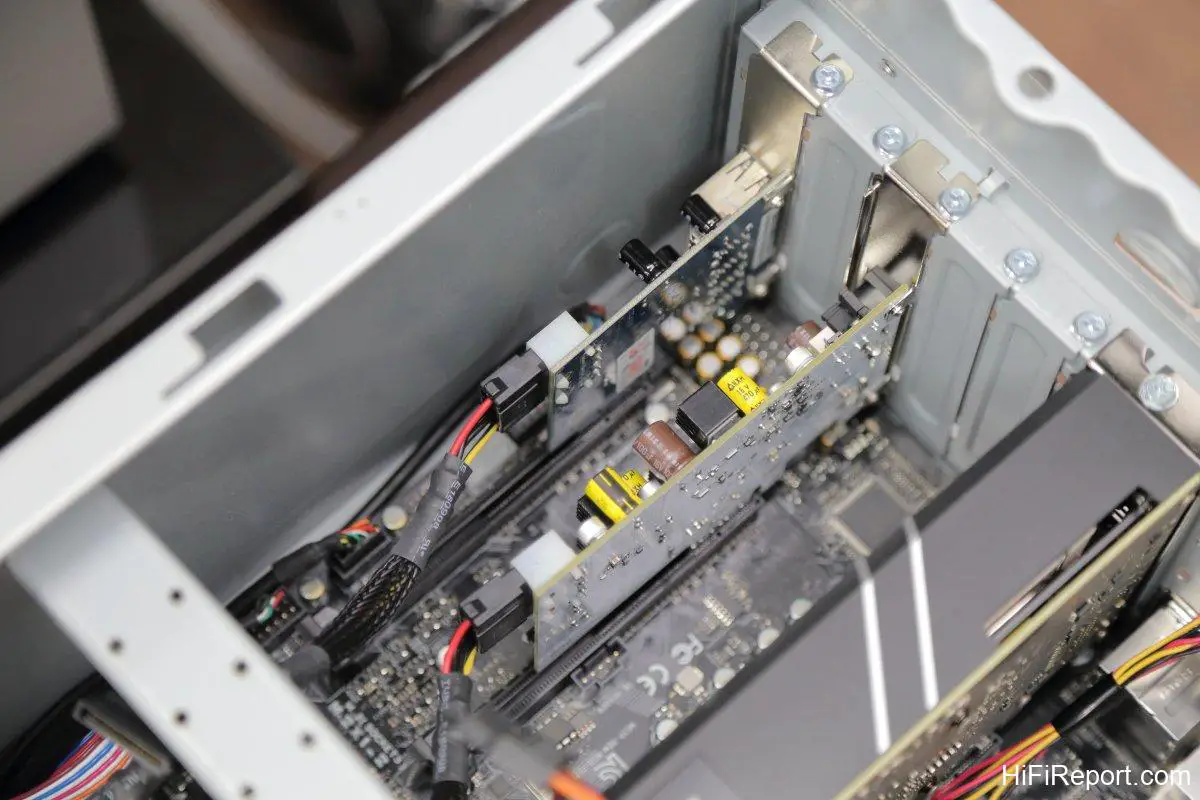
For the office testing, I utilized a standard ATX PC, the same machine we use for video editing. Its ample PCI-E slots allowed me to install both the tX-USBexp and the Galileo USB card simultaneously. Power was supplied to both cards via a Molex splitter cable from the internal power supply, enabling rapid A/B switching simply by swapping the USB cable between the two cards.
The listening setup comprised foobar2000 playing music files from a NAS, a North Star Design USB DAC32, a Linear Acoustic LAV-60 MKII integrated amplifier, and Wilson Audio Alexia 2 loudspeakers.
[Image: JCAT USB Card Femto for comparison]
*The second phase of testing involved an A/B comparison between the tX-USBexp and the JCAT USB Card Femto, widely regarded as the pinnacle of audiophile USB cards. The JCAT is identifiable by its green circuit board on the right.*
The comparison was swift and decisive. Within just a few tracks, the verdict was clear: the tX-USBexp demonstrably delivered a more vibrant and engaging listening experience compared to the generic USB card. It elevated the humble computer source, primarily valued for its convenience, into a digital transport of genuine audiophile caliber.
For instance, listening to “Le Vallon,” the first track from Berlioz’s “Nuits d’été” on the Linn Super Audio Collection Vol. 7 demonstration disc, performed by soprano Karen Cargill with the Scottish Chamber Orchestra. This piece is characterized by its light and elegant style, featuring a buoyant accompaniment of strings and woodwinds, punctuated by lyrical, flowing melodies.
Listening through the standard USB card, the experience was unremarkable – neither offensive nor particularly engaging, simply adequate and somewhat flat.
Switching to the tX-USBexp, the music immediately gained a palpable sense of ‘presence’. The soprano’s vocal image became more sculpted and three-dimensional, while the instrumental textures of the strings and woodwinds acquired a greater sense of body and density, becoming more focused and solid.
With the enhanced solidity and clarity of individual sonic elements, the relationships between different instrumental sections, and between the orchestra and the vocalist, were rendered with greater precision. The layering of instrumental voices became more distinct, and stereo separation improved noticeably.
Furthermore, I perceived a significant expansion of the soundstage, with a more clearly defined sense of spatial dimensions and contours. The tX-USBexp unearthed more ambient information, revealing subtle room acoustics and lingering decays, even conveying a sense of air and spaciousness. This imbued the music with a greater sense of flow, dynamic ebb and flow, and an overall more natural and lifelike presentation.
In stark contrast, the generic USB card rendered sonic images that felt flat and two-dimensional, akin to paper cutouts. Depth and dimensionality were diminished, outlines were less defined, and the soundstage was confined within the boundaries of the loudspeakers, lacking any sense of extension beyond.
In simple terms, the tX-USBexp made the music sound alive, while the generic USB card rendered it lifeless.
Considering the price, the tX-USBexp carries a price tag significantly higher than the Galileo USB card – more than tenfold. Is the investment justified? For those committed to a long-term strategy of software and hardware optimization, aiming to transform a computer source into a true high-end digital front-end, I believe the tX-USBexp is a worthwhile investment. It represents a crucial piece of the high-quality CAT puzzle. If the USB interface bottleneck isn’t addressed, the benefits of other upstream optimizations will be inherently limited.
Contending with the JCAT
The second phase of comparative listening relocated to my home listening room. I installed the tX-USBexp into my personal PC, which was already equipped with the JCAT USB Card Femto (hereafter referred to as JCAT), enabling convenient A/B comparisons in my familiar system.
For this phase, both cards were powered by external power supplies. Serendipitously, I had on hand two switching power transformers from the same brand and series, but with different voltage outputs: a 9V unit for the tX-USBexp and a 5V unit for the JCAT.
The home listening system consisted of an Audiobyte Black Dragon DAC, an EC 4.8 preamplifier, NuPrime Evolution One power amplifiers, and Aurum Cantus Grand Harmony loudspeakers.

[Image: tX-USBexp and JCAT USB card installed in home PC]
*Both USB cards installed in the computer, with the tX-USBexp in the center and the JCAT USB Card Femto on the right.*
[Image: External power supplies for tX-USBexp and JCAT]
*Both cards were externally powered for this comparison.*
The clash of these titans – what were the results? Again, the differences were readily apparent, though not necessarily indicative of outright superiority. Rather, they represented divergent sonic philosophies.
The JCAT presented a more expansive and airy soundstage. Sonic elements were distributed more broadly, less focused towards the center, and more evenly spread across the stereo image. The overall sonic weight was lighter, with a less weighty lower register, resulting in a more ethereal and delicate presentation.
In contrast, the tX-USBexp focused the soundstage more centrally, imbuing the sound with greater solidity and density. This not only enhanced sonic density and weight but also increased the tangibility of sonic images, resulting in a more forceful and grounded presentation.
Both cards shared numerous strengths, including exceptional sonic purity, transparency, extension at both frequency extremes, balanced frequency response, detailed retrieval, overall musicality, and naturalness. Both delivered remarkably high levels of performance across these critical audiophile parameters.

However, when price is factored into the equation, the tX-USBexp gains a significant advantage.
The JCAT commands a price of 435 Euros, translating to over $480 USD (at an exchange rate of 35). Currently without domestic distribution, it necessitates direct purchase from European online retailers, incurring potentially substantial shipping fees.
In stark contrast, the tX-USBexp is priced at just over 10,000 NTD (approximately $358 USD), making it significantly more accessible. Furthermore, it’s readily available domestically and backed by warranty service from HiFiReport, offering peace of mind alongside sonic enjoyment.
Immediate Purchase – No Hesitation
After just a few tracks, my decision was immediate: purchase the tX-USBexp without hesitation. It would become a permanent fixture in my CAT system, representing a significant stride towards transforming my computer source into a truly high-fidelity streaming transport.
What I acquired was more than just improved sound quality; it was the culmination of years of deep experience and technical expertise in computer audio sources and streaming playback, embodied by SOtM’s principal, Mr. Lee Yiyuan.
Beyond the tX-USBexp USB expansion card, SOtM offers a range of other components designed to enhance CAT and streaming playback quality. These include the sPS-500 power supply, designed as a companion to the tX-USBexp, along with computer fan filters, SATA interface filters, USB cables, network cables, and the highly regarded sNH-10G audiophile-grade network switch – all representing further upgrade paths for the discerning CAT enthusiast.
[Image: SOtM SATA interface filter]
*SOtM’s SATA interface filter, designed to mitigate noise from SATA devices. Particularly beneficial if you store your music library on SATA hard drives within your computer.*
[Image: SOtM fan filter]
*Even computer fan noise can subtly impact audio quality. SOtM offers fan filters that install in motherboard fan slots, effectively filtering noise from fan power lines.*
Specifications
* Type: PCI-E USB 3.0 Expansion Card
* Specification: PCIe × 1 Gen2
* Internal Power: DC +12.0 V / 2 A
* External Power: DC +6.5 V ~ +9 V
* Supported OS: Windows 7 and above, Linux