
Epson EH-QL3000B Review
I originally thought that would be sufficient, but Epson clearly intends to completely break free from the environmental constraints of home projectors. They’ve even made it possible to view a projected image on a large screen just like an extra-large television. Some might initially think of “laser TVs,” which are ultra-short throw projectors.
However, the ambient light rejection capability of ultra-short throw projectors primarily relies on the screen itself, such as black grid or Fresnel screens, which use textured patterns for directional light absorption. The main issue with these screens is that the texture is quite coarse compared to the matte white or special woven screens used by high-end enthusiasts.
The inherent problem with laser TVs is that the optical performance of their ultra-wide-angle projection lenses is often mediocre. While picture quality is decent near the center, more noticeable chromatic aberration and focusing issues can be observed towards the edges and corners.
The overall picture detail is insufficient, leading most laser TV users to limit projection sizes to around 100 inches (120 inches is already close to the limit), because larger screen sizes tend to magnify the limitations of the picture quality.
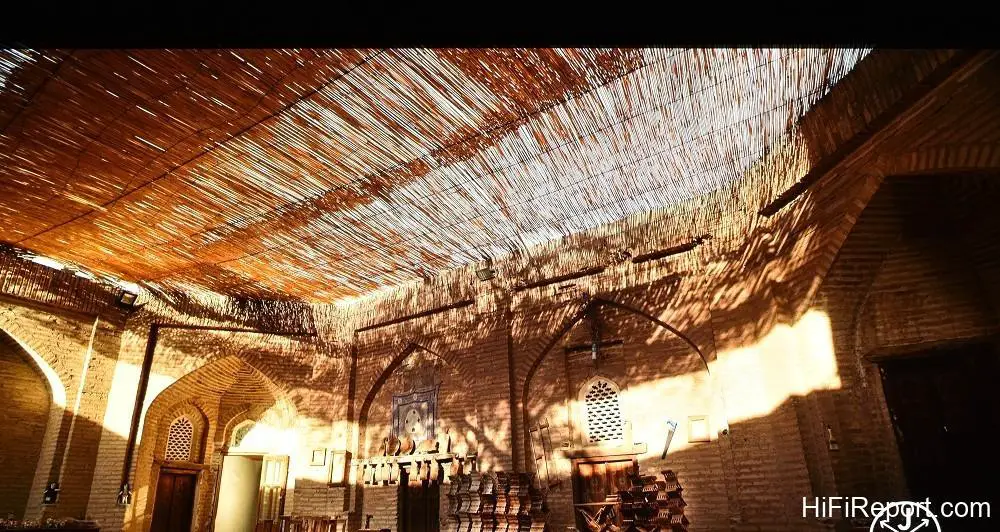
Epson’s Approach: High Brightness Home Theater
Epson’s solution remains the “traditionalist” approach. Their new QL series, featuring the “EH-QL7000W” and “EH-QL3000B,” are home theater projectors designed for use in bright environments. The W and B in the model names denote the unit’s color, white and black, respectively. From now on, I’ll refer to them simply as QL3000 and QL7000. These projectors boast light outputs of 6,000 and 10,000 lumens, respectively. Seeing such high light outputs, enthusiasts might wonder, “Are you kidding me?
Are you sure these aren’t commercial projectors, but home theater models?” To be honest, I approached them with exactly this skepticism. However, as soon as I started using the QL3000, I quickly confirmed that it is indeed a home theater projector.
Quiet Operation
The primary requirement for a home theater projector is “quietness.” Enthusiasts who purchase these projectors, especially high-end models, typically have a proper multi-channel audio system. In movies and TV shows, earth-shattering sound effects aren’t present every moment. Moments like the quiet tension before a battle, where hearing the slightest rustle of wind or movement is crucial for building suspense, can be ruined if the projector is too noisy.

The QL3000 operates at a very low noise level, just 26 to 28 decibels, which is quieter than many home theater projectors, let alone ultra-high brightness models with three to four times the light output.
Understanding High Brightness: Lumens vs Nits
Merely looking at the numbers, it might be difficult for everyone to grasp just how bright the QL3000’s 6,000 lumens is. Lumens are actually a unit of luminous flux, not brightness. The standard unit for screen brightness in the film industry is fL (foot-lamberts), not nits, which are now more commonly known and used to represent the peak brightness of televisions.
Long ago, the film industry set a standard of 12 to 22 fL (approximately equivalent to 41 to 75 nits) to ensure sufficient screen brightness, partly driven by the desire to save on lamp replacement costs which led to insufficient brightness from older bulbs. Even considering the condition of “watching in a dark room,” the high standard of 75 nits falls short of the 100 nits standard for SDR. How can this deal with HDR, which is commonly used in 4K video today?

Nits are candelas per square meter. I won’t burden you with complicated formula calculations and unit conversions. Instead, I’ll use the QL3000’s peak light output data, combined with screen size and gain, to calculate the peak screen brightness for you. Let’s start with a standard home theater size: a 120-inch 16:9 screen. If the screen gain is only 1.0, under the QL3000’s maximum light output of 6,000 lumens, the peak screen brightness can reach 481 nits.
With a 150-inch screen of the same type, the maximum brightness is 308 nits. These brightness levels are already comparable to those of typical televisions, so the objective conditions already tell us that the QL3000 “looks like an extra-large television.”
If you want the QL3000 to display HDR brightness comparable to professional studio monitors, aiming for 1000 nits, with the QL3000’s maximum light output, a 120-inch screen with a 2.2 gain can achieve a peak screen brightness of 1058 nits. This is already equivalent to the peak HDR brightness of many flagship televisions. Therefore, for the QL3000, displaying HDR10 according to specifications is not difficult. The key is the size and gain of the screen you choose.

This level of performance was previously unimaginable, as the light output of previous home theater projectors wasn’t this high. If you used a high-gain screen of 3.0 or more to boost brightness, it would be difficult to avoid problems with poor brightness uniformity (bright center and dark corners).
If users want to fully leverage the QL3000’s advantages and watch in a bright environment (such as a living room during the day), I recommend opting for a front-projection ALR (Ambient Light Rejecting) screen that minimizes the impact of ambient light. By also avoiding direct sunlight or lighting hitting the screen surface, you can achieve a great effect that is “like watching a television.”
Laser Light Source and Longevity
The QL series is equipped with a laser light source. According to Epson’s specifications, whether users opt for the economy mode (reduced light output) or go “full throttle” with maximum output, the lifespan of the laser light source in these two new models can reach 20,000 hours. The lifespan of a laser light source typically refers to its half-life, meaning the time until its light output decays to half of its initial intensity.

Epson’s 20,000 hours is approximately when the light output decays to about sixty percent of its brand new state. This means that the laser source should still be usable after 20,000 hours, just not quite as bright.
I want to specifically mention why the official specified lifespan for both full light output and economy mode is the same high value. It’s to ensure that users and professional system designers fully grasp the advantage of the QL series: you can confidently use full light output in a bright space like watching a TV, completely without worrying about light source wear.
Watching an average of 5 hours a day, whether weekdays or holidays, allows for 11 years of use, with no need to replace the lamp during this period. Compared to traditional high-pressure mercury lamps, this can save over USD 3,100 in lamp replacement costs.
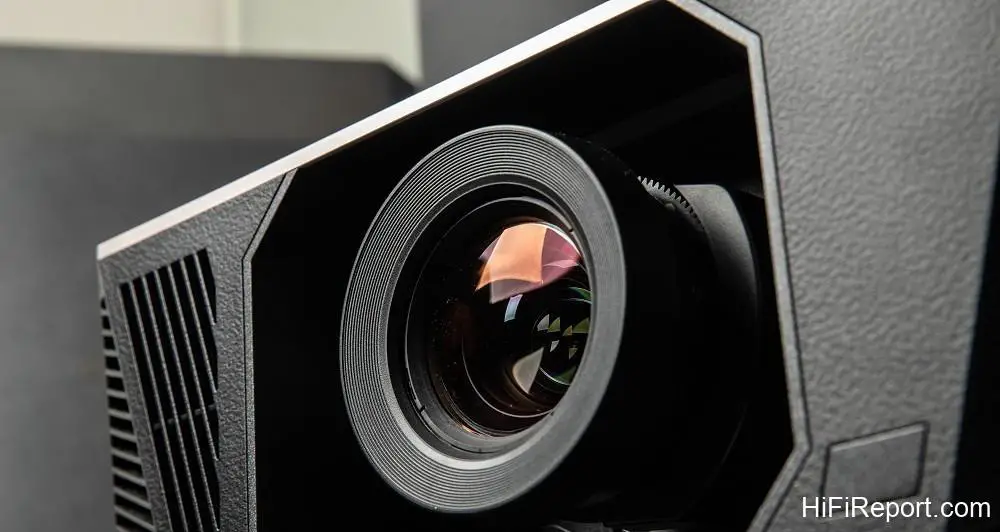
Other advantages of a laser light source include “high luminous efficiency” and “fast brightness control.” From what I understand, the QL series is able to be so bright and yet so quiet largely due to its cooling system and light utilization efficiency. Epson’s description of the QL series cooling system is very brief, mentioning air cooling and “other” cooling methods. I believe there must be quite a few key technical secrets involved here!
Epson also makes full use of the laser light source for dimming. New home theater projectors detect the brightness of the input image and adjust the light source output in real-time. This functions similarly to the mechanical “lamp iris” mechanisms used in previous high-end lamp-based models to control light output. The laser light source adjusts quickly, allowing for instantaneous brightness adjustments based on the scene without producing any mechanical noise.
Furthermore, this variable light output mechanism enables the QL3000 to achieve a dynamic contrast ratio of 5,000,000:1.
Core Imaging Technology: Panels and MLA
Starting with the imaging part, the QL series is noticeably larger than others. For instance, their own QB1000 is equipped with three 0.74-inch Polysilicon LCD imaging panels, while the QL3000 and QL7000 use three 1.04-inch C2 Fine Polysilicon LCD imaging panels. Comparing the light-sensitive area of the imaging panels, 1.04 inches is approximately 1.92 times larger than 0.74 inches (and more than twice the size of conventional 0.7-inch imaging panels).
This provides a significant advantage in light passage and control during imaging. The new imaging panels benefit from advancements in manufacturing technology, reducing the width of the pixel control lines and making the gaps between pixels smaller. Furthermore, the increased pixel area and aperture ratio improve contrast.
A very important point: Epson has added Double MLA, or “Double Micro Lens Array,” to its three LCD imaging panels. Arrays of microscopic quartz crystal lenses form tiny convex lenses on a thin film. Their purpose is to “gather light” before it enters the Polysilicon LCD panel. A single layer of MLA can increase light utilization efficiency by 20%, while Double MLA can increase it by 30%.
This means that under the same light source conditions, this technology helps the QL series projectors increase their light output by 30%. Furthermore, because of the light-gathering characteristics of MLA, stray light is reduced, improving contrast.
Pixel Shifting for 4K Resolution
The three C2 Fine Polysilicon LCD panels used for independent RGB imaging have a native resolution of Full HD (1920×1080, total pixels 2.0736 million). Epson applies its proprietary “two-axis shift technology” in the QL series. First, the imaging panels perform time-multiplexed imaging for each pixel in four positions (up, down, left, right).
Then, for each position displayed, the optical engine combines the three primary colors, followed by two-axis shifting in the four positions (up, down, left, right) using an electrically controlled optical element. Through this imaging and shifting process, the original Full HD image is “split into four,” resulting in a 3840×2160 resolution with a total of 8.2944 million pixels.
Advanced QZX Image Processing
In terms of image processing, the QL series is equipped with the same QZX image processor found in the high-end Epson QB1000B model I previously reviewed. It employs high-precision 12-bit image processing throughout (benefiting gradation characteristics) and features Dynamic Tone Mapping that optimizes contrast, color, Gamma for each frame in real-time. It also includes highly capable super-resolution processing.
Not only can it genuinely achieve a resolution close to 4K when “upscaling to 4K display” from standard Full HD video input, but it can also enhance details through super-resolution processing when displaying streaming 4K video (streaming platforms often increase compression for smoother playback, which can degrade picture quality).
The degree of picture quality improvement achieved by this process is significantly more noticeable than with many other 4K display devices (many 4K displays can only “show as is” without the ability to improve the picture quality of 4K video).
Flexible Lens System
Another significant difference between the QL series and other home theater projectors is the “interchangeable lens” capability. Epson offers a complete range of lenses that can be used with this unit, from ultra-short throw, short throw, and standard throw to long throw. The standard zoom lens sent for this review was sufficient to demonstrate the QL3000’s impressive performance.
Subjective Picture Quality and Clarity
Honestly, compared to other 4K projectors, the QL series has no advantage in terms of the “pixel count” of its imaging panels. However, simply seeing the 4K image it projects will make you feel that the resolution is higher, the textures of objects are clear, and the edges of fine lines are remarkably sharp. Of course, this is partly due to the QZX engine’s assistance in super-resolution processing.
But compared to their own QB1000B, the main reason I believe the QL3000 achieves a significant gap in picture quality is entirely due to its optical performance: larger imaging panels, the optical engine, and the lens. As experienced photographers know, the difference in film format and lens aperture between 120 and 135 cameras results in quite noticeable differences in image quality between the two.
The superior inherent qualities from the imaging panels, optical engine, and projection lens allow the QL series to project images onto 120 inches and even enlarge them to 150 inches while still maintaining sharp, non-softened textures in the finest details. The large screen ensures that the human eye can see all the details in the 4K display. Therefore, seeing the actual QL series demonstration makes you feel like it’s “clearer than a 4K TV.”
Dynamic Resolution and Motion Performance
Regarding “dynamic” resolution, the frame interpolation (also known as motion smoothing) in the projector’s “Image Enhancement” menu can insert frames with “object positions in between” adjacent frames of the native video. This increases resolution and reduces judder in 24p films. In actual testing with a 6.5 ppf moving resolution clip, the moving resolution with automatic interpolation “Off” was 660 lines. With interpolation activated, the moving resolution was 1080 lines across the board.
In a 12.5 ppf moving resolution clip with doubled movement speed, the moving resolution was 650 lines with interpolation set to “Low,” and 750 lines with “Normal” and “High.” Furthermore, using interpolation allows fast-moving objects to appear without ghosting and fully preserves gradation (such as on people’s faces).
Digital noise caused by dynamic interpolation at the edges of subjects and intersections with complex backgrounds is quite minimal, indicating that the motion prediction calculations in the interpolation processing are of a high standard.
Next, I tested with a 4K/60p moving resolution clip. The QL3000 maintained a moving object resolution comparable to static resolution when moving at 2 px and 4 px per frame. This means that for most 4K videos viewed regularly, the textures and details of objects moving at “medium speed within the frame” can be clearly seen. The results from the entire dynamic resolution test show that the QL3000’s performance in this area is quite excellent.
Furthermore, for 24p movie software, with frame interpolation set to “Off,” the projector completely preserves the judder of moving objects in the original film. The “Low” setting effectively reduces judder. “Normal” retains only very slight judder, while the “High” setting makes the movement of scenes almost as smooth as 60p (completely without judder). Users can choose the interpolation effect according to their preference.

Color Modes and Calibration
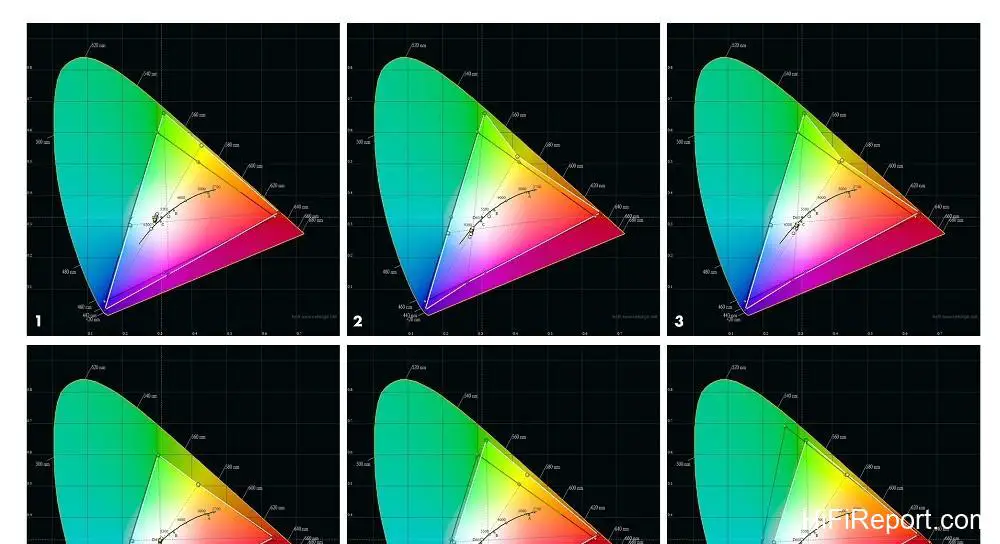
The QL3000 has four preset color modes (Image Modes): Dynamic mode is suitable for bright spaces with the highest screen brightness; Vivid mode excels at displaying vibrant colors; Cinema mode offers natural colors, suitable for displaying video content like movies with mid-range and dark scenes; Natural mode, during my measurements, felt like a professional calibration had been performed.
Measured color temperature for most gradations was between 6400K and 6700K, and the perceived color resembled that of a professional display.
Among the modes mentioned, my favorite is Cinema mode. Simply changing the color temperature to 6300K and adjusting the G-M correction to 3 makes the color temperature across the entire range very close to D65. Screen characteristics can vary, so the above adjustments are for reference only.
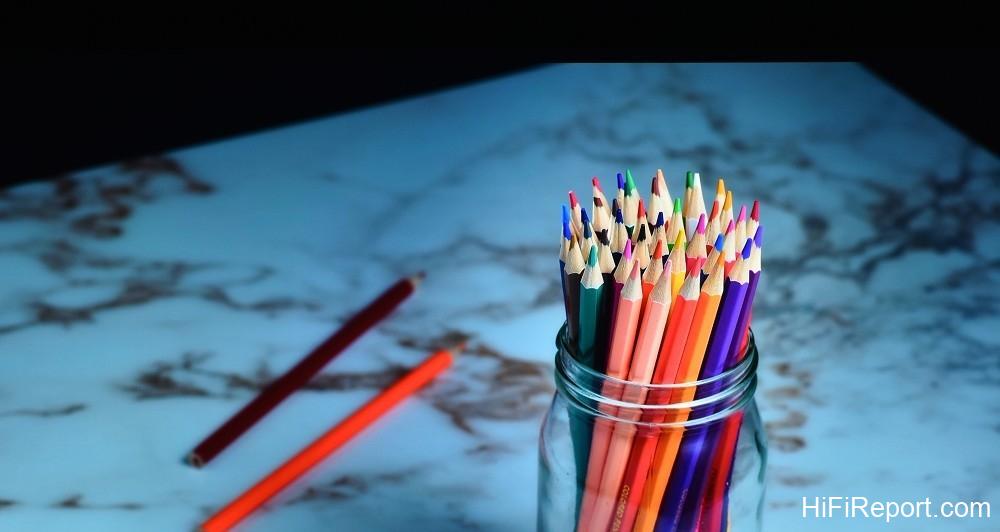
It’s worth noting that because the QL3000’s screen brightness is very sufficient, it can also be used in conditions with “slightly controlled” ambient light (intended only to reduce screen floor light), rather than strict blackout conditions. The bright image, like a television, even displays dark night scenes with brightness closer to real-world perception, for both HDR and SDR (even SDR provides a viewing experience close to HDR’s high dynamic range).
This allows our eyes to effortlessly see the light and shadow layers in mid-range and below dark areas. If users want to enhance the sense of weight in objects, the depth of shadows, and increase perceived color saturation, I recommend changing the “Gamma Coefficient” in the “Advanced” menu of image adjustments from the default 2.2 to 2.3, which easily achieves this goal.
Conclusion and Recommendation
In addition to fully testing the QL3000 this time, I later had the opportunity to experience and observe the display effect of the QL7000 paired with a 150-inch screen at an audio show exhibition room. I am confident that both of these new models share the same high picture quality foundation, with the main difference being only the light output. After a complete test, I’ve decided to give the Epson EH-QL3000B a Best Recommendation.

My reasons for recommending it are not just its excellent picture quality, but also its “innovative” nature. I believe Epson has started a new chapter with the QL series: they are the pioneers of a new species, the “super high brightness home theater projector.” They are just as quiet as previous home theater projectors, yet can display TV-level brightness on screens 120 inches and larger, completely unafraid of ambient light, powerfully displaying the illumination impact of HDR.
From now on, flagship home theater projectors should not only pursue the highest picture quality but also consider “higher light output intensity” as a necessary performance requirement.
Specifications
* Type: 3LCD 4K Projector
* Resolution: 4K
* Imaging Panel: Three 1.04-inch 16:9 TFT LCD
* Aspect Ratio: 16:9
* Light Output: 6,000 Lumens
* Dynamic Contrast Ratio: 5,000,000:1
* Light Source: Laser Diode Array
* Video Input: HDMI 2.1 ×2
* Power Consumption: Max 453 Watts, ECO 357 Watts
* Noise: Normal 28 Decibels, Economy 26 Decibels
* Dimensions: 56.8×18.1×56.8cm (WHD)
* Weight: 21.1 kg