
Integra DRX-3.4 Review
I once experienced truly outstanding multichannel cinema sound at a Taiwanese audio show. The sound was powerful, solid, and direct, delivering strong impact while remaining remarkably clean. The bass was tight, devoid of any excessive bloat, and the overall sound was incredibly precise. I humbly sought advice from the exhibitor, and the answer revealed that a significant reason for this superb performance was his choice of an AV receiver equipped with Dirac Live.
For him, Dirac Live was not merely a simple room correction feature, but rather a comprehensive tool for analyzing and tuning the entire spatial acoustic response.
His process began by using Dirac Live to test the frequency response of the subwoofer in various positions, allowing him to identify optimal placement. This effectively avoided the pitfalls of unbalanced sound within the room, achieving a “largely good” frequency response curve from the outset.
For the remaining, minor imperfect frequency bands, he would then use Dirac Live’s built-in EQ adjustment tools to make corrections (such as cutting down prominent peaks), ultimately achieving a smooth frequency response curve. Furthermore, he could use Dirac Live’s “Target Curve” function to refine and fine-tune the sound signature he desired, for instance, giving the lower midrange a bit more robustness while maintaining overall tonal balance.
This experience left a deep impression on me. The exhibitor’s equipment choice was almost entirely driven by the presence of Dirac Live. What’s more, the Dirac Live provided by that particular piece of equipment was only a simplified version, capable of testing frequencies up to 500Hz. To get the full version, consumers had to pay an additional $99 for the upgrade.
Yet, even the simplified version yielded significant changes, enabling him to achieve captivating multichannel effects even in the less-than-ideal acoustic environment of an audio show.
Integra’s Implementation of Full Dirac Live
A recent major advancement for the Integra brand has been the incorporation of the Dirac Live automatic room correction function. This provides users with two correction systems: Dirac Live and Integra’s long-standing AccuEQ, allowing for flexible selection. Crucially, Integra includes the full version of Dirac Live, enabling “full-frequency” testing without requiring an extra fee.
The correction capability extends up to 20kHz (and even near 22kHz), representing a substantial improvement in automatic correction performance. Witnessing this change, I’m confident that any home theater enthusiast would choose Dirac Live to experience its effects.
Not long ago, our site’s technical editor conducted a detailed review of the step-up DRX-5.4, and the sonic changes brought about by Dirac Live were quite stunning. This time, the subject of my review is the slightly more affordable DRX-3.4. It’s priced lower (with an official price difference of approximately $1,080) but is still equipped with the full-frequency Dirac Live. If the DRX-5.4 is beyond your budget, this model is an excellent alternative.
Key Design Features of the DRX-3.4
Below, we’ll examine the key design features of the DRX-3.4.

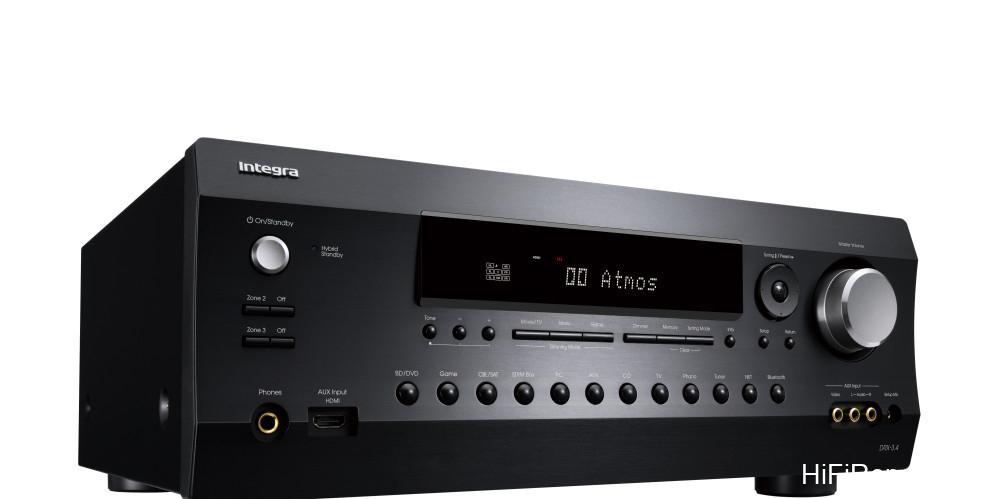
The DRX-3.4 is a 9.2-channel AV receiver, meaning it can configure Dolby Atmos systems in 5.2.4 or 7.2.2 setups. You can choose to install four or two overhead speakers to create immersive 3D surround sound. It also supports connecting two subwoofers simultaneously to enhance low-frequency performance. The DRX-3.4 supports various next-generation surround sound formats, including Dolby Atmos and DTS:X.
When playing traditional 5.1, 7.1, or even 2.0 channel audio, the DRX-3.4 supports Dolby Surround and DTS Neural:X technologies, which can upmix planar 5.1 or even 2.0 sound, engaging all speakers (including height channels) to provide a three-dimensional soundstage.
If your room doesn’t allow for the installation of height speakers, that’s not an issue either. The DRX-3.4 supports Dolby Atmos Height Virtualization, which can virtualize the effect of height channels using only floor-level speakers, still providing a 3D listening experience even without physical overhead speakers.
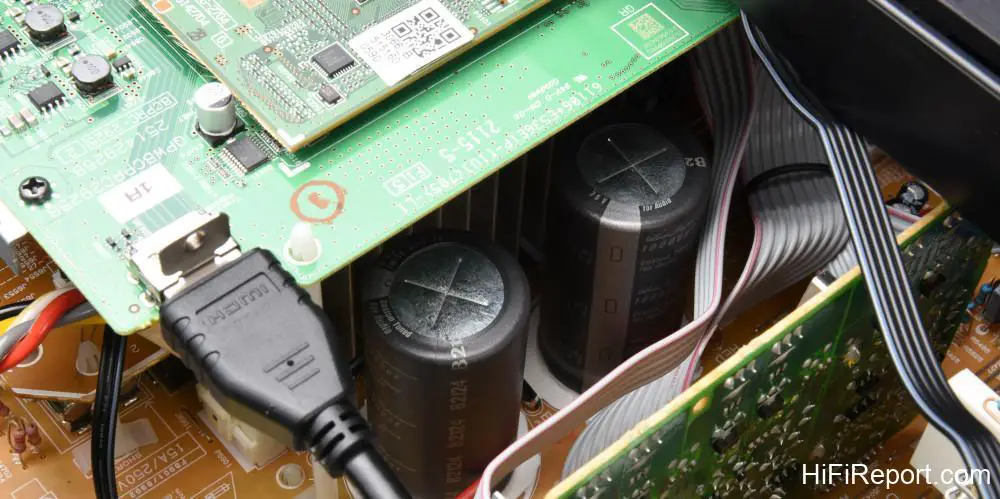
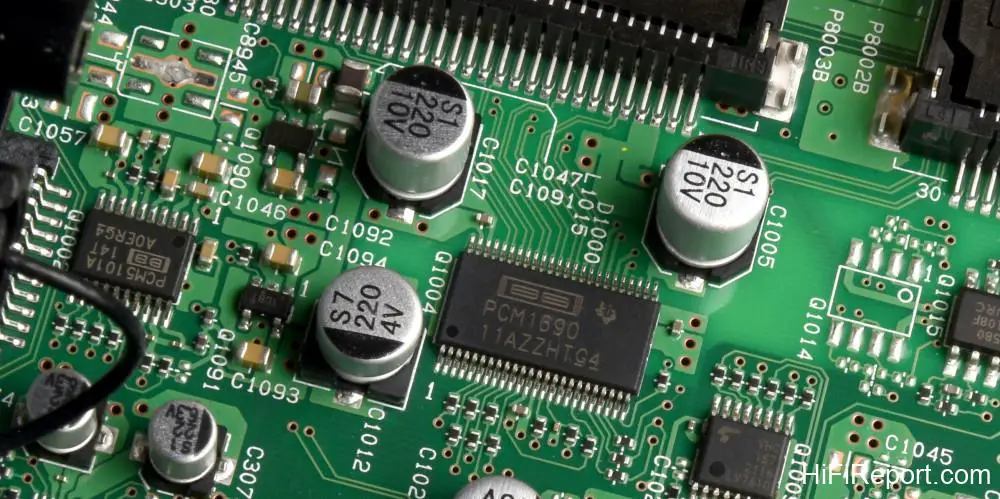
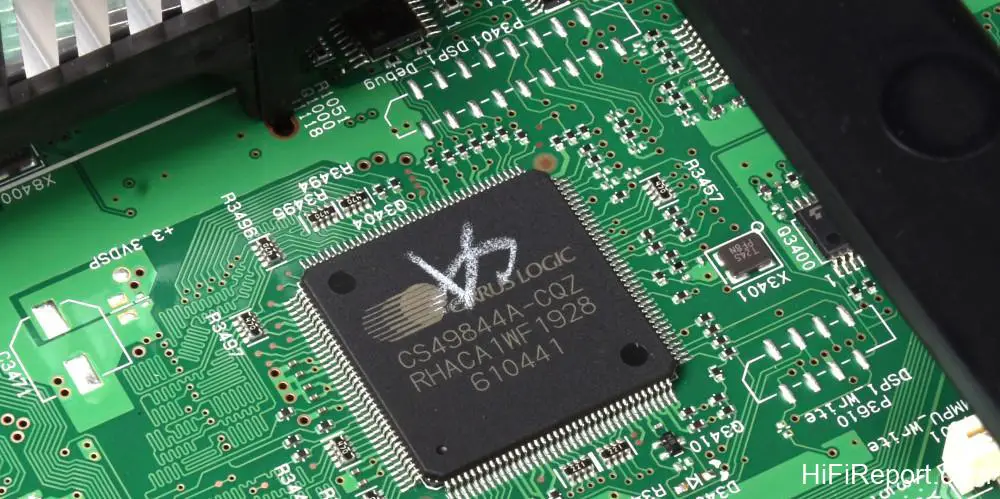
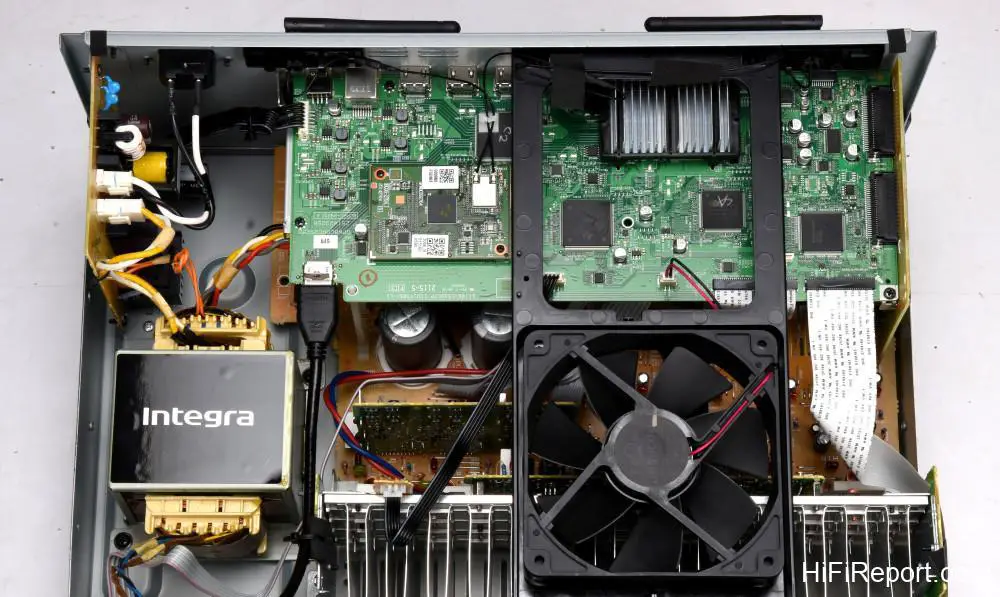
Integra highlights that the DRX-3.4 features a specially customized large-sized transformer internally, along with hand-selected premium components. Combined with Integra’s consistent circuit design principles, this results in precise digital audio processing capabilities and excellent driving power. It can easily drive speakers with impedances as low as 4 ohms. The official power rating is 100W per channel (refer to the diagram box for other circuit design details).
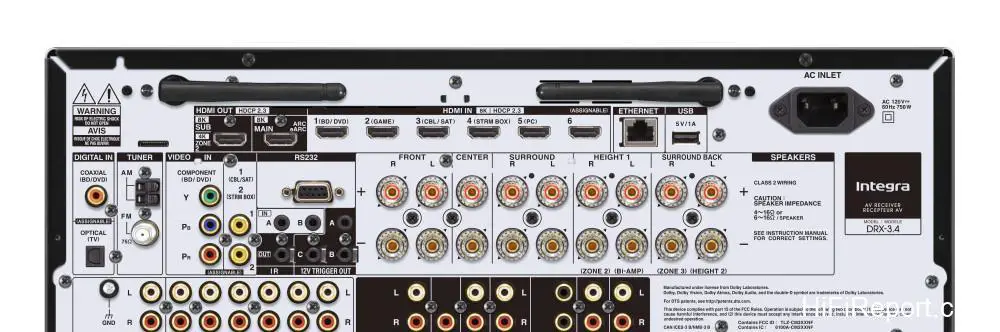
In terms of HDMI terminals, the DRX-3.4 is equipped with 7 inputs and 2 outputs, supporting high-specification video passthrough such as 8K/60P and 4K/120P. For High Dynamic Range (HDR), it supports HDR10, HDR10+, Dolby Vision, HLG… covering almost all formats. On the output side, the HDMI Main Out terminal supports ARC/eARC functions, allowing you to play audio returned from your TV.
Regarding wireless streaming capabilities, the DRX-3.4 supports Bluetooth in both transmit and receive modes. In receive mode, it supports SBC and AAC codecs. In transmit mode, it supports the higher-quality aptX HD codec, allowing you to pair it with high-end wireless headphones. The DRX-3.4 also supports Wi-Fi, enabling playback from various streaming music services including Amazon Music HD, Spotify, TIDAL, TuneIn, Deezer, and more.
Dirac Live Calibration Process
Let’s refocus on the Dirac Live automatic room correction aspect. Previously, Dirac Live implementations from European and American brands typically required pairing with a laptop for testing. Integra aimed to provide a more convenient method, easier for the average consumer, by integrating it with a mobile app. The app handles the computation and simplifies the process. The procedure begins by plugging in the included test microphone.
The TV screen will then ask if you want to perform a Dirac Live test or an AccuEQ test. If you choose Dirac Live, the screen will prompt you to download the Integra Control App on your phone. Once downloaded, as long as your phone and the DRX-3.4 are on the same local network, they will find each other. From there, simply follow the instructions in the phone app. It will “confirm the speaker configuration,” allowing you to verify if it matches your actual setup.
Next, you’ll be asked to “select the measurement method,” with options for “Quick Measurement” and “Full Measurement.” The Full Measurement uses more test points, resulting in more accurate results. After completing all tests, the app will display the frequency response curves for all channels, showing “before correction” and “after correction.” You can review each channel individually. If everything looks correct, you can upload the parameter results to the DRX-3.4.
If you wish to manually edit the EQ, you can do so by going into the App’s Dirac Live / Manual Adjust section. It’s important to note that if you are using the Dirac Live computer software, you cannot make edits here; you must make edits on the computer software and then upload them to the DRX-3.4.
If you desire more professional test results, our technical editor recently discovered during his review of the DRX-5.4 that these new Integra models are also compatible with the Dirac Live computer software. The process is straightforward: download the Dirac Live computer software onto a laptop and ensure the laptop and the AV receiver are on the same local network.
The software will then find the DRX-3.4 and recognize the factory microphone connected to it, allowing you to proceed with testing. Using the computer software provides a more comprehensive interface, more features, a more complete display of test results, and allows for testing at more points to obtain more accurate results.

Furthermore, when testing with a laptop, you can connect a more professional test microphone (purchased separately) and input the microphone’s calibration file to increase accuracy. For example, we used a Mini DSP Umink-1 microphone with its calibration file to obtain the most accurate test results.
Different Dirac Live Calibration Approaches and Results Comparison
In summary, for the average consumer, the DRX-3.4 offers the simplest operation via the mobile app, capable of performing “full-frequency” testing directly. For advanced users interested in exploring the features of the Dirac Live computer software, or those who own professional microphones, the DRX-3.4 provides compatibility, allowing for more in-depth calibration and more professional results.
Based on the above, there are essentially three testing methods available: “Factory App Testing,” “Testing with Computer Software,” and “Testing with Professional Microphone.” I performed all three and uploaded the results to the three memory slots (Slot 1~3) on the DRX-3.4 to compare their effects.

First, I tried Slot 1 (Factory App Testing). As expected, I noticed a very clear effect. The somewhat bloated and heavy bass that was present in the room was tightened up. The sound became noticeably cleaner, with more details emerging from the background. The surround envelope was better constructed, and I could hear a more defined soundstage.
At this point, it still retained much of the classic Integra character – that powerful, direct, and solid “American style” sound with weighty mid-bass and straightforward high-frequency detail, delivering strong sensory impact when playing movies.
Switching to Slot 2 (Computer Software Testing), the detail improved further, and the imaging became even more distinct. When playing Dolby Atmos demo clips, I could clearly feel various sound “objects” moving around the listening room. The sound imaging was more solid. And because the computation was handled by the Dirac Live computer software, the sound felt more faithful and neutral. Some of the aggression in the high frequencies was also reduced, making the overall sound more natural.
Switching to Slot 3 (Testing with Professional Microphone), this yielded the best results. The sound was even more precise and natural, imaging was sharper, and the movement of sound objects within the listening room had superb “physicality.” Unlike Slot 2, the sound had higher fidelity, and the density and solidity were also better. The entire surround envelope became denser and seamless, with no gaps. The bass frequencies gained more power and weight, and the sound had more impact.
Comparing the three methods, each step offered an improvement over the last. If you don’t mind the extra effort, I recommend trying the Dirac Live computer software, as DRX-3.4 users can download this software for free from the Dirac website. No additional cost is involved, yet it elevates the quality of the automatic correction. Of course, if you’re willing to invest in a professional microphone, the results can be taken up another level, achieving even higher-quality cinema surround sound.
Listening Impressions
This audition of the DRX-3.4 left me with several very positive impressions. First is the detail. After room correction, the sound becomes more precise, allowing more details to surface. The amount of information is richer than previous models. Second is the surround envelope. Rich detail is crucial material for constructing a good surround envelope, and you feel the entire soundstage becoming clearer, completely enveloping the seating area.
Third is the excellent sense of density in the sound. The sound is very solid. Whether it’s the flight of a fighter jet or the pursuit of a sports car, you hear the powerful engine roar coalescing into a solid sonic image. This quality also gives the sound tremendous impact. Sounds like gunshots, punches, or even explosions feel incredibly powerful, with strong dynamics.
Simultaneously, thanks to Dirac Live correction, when dynamic peaks occur, the energy doesn’t feel uncontrolled or overly dispersed; instead, it is focused, hitting your eardrums and body with greater force.
Playing “Midway” on 4K BD was a thrilling example. When the camera was in the midst of the fighter squadron, the clear sound localization made it feel like fighter jet engine sounds were coming from all around the seating position – front, back, left, and right. When anti-aircraft shells exploded in the air, the explosion effects felt solid and concrete, appearing all around the seating area, creating a sense of the tension experienced by the aircraft under heavy fire.
And when a fighter jet dived towards the carrier, the dense and clear sound of the anti-aircraft fire filled the entire listening room, making it feel like an impenetrable web of fire, leaving you breathless.
Playing “Spider-Man: No Way Home” on 4K BD was also excellent. During Doctor Octopus’s first appearance, when he grabs vehicles with his mechanical arms and hurls them at Spider-Man, you hear incredibly solid sound effects of vehicles flying through the air, conveying precise localization, trajectory, and the physicality of the sound.
When Doctor Octopus grabs a large concrete pipe, you hear a heavy, weighty sound moving through the listening room, making you feel like being hit by the pipe would be fatal or severely injurious – it was very exciting. Throughout, various environmental background sounds created a complete soundstage with superb presence, as if you were standing face-to-face with Doctor Octopus on the overpass.
Integra’s performance was already quite good in the past, primarily targeting the “custom installation market,” which typically meant using better components and offering decent driving power. Their sound signature was strong, direct, and solid, with an “American style” flavor. The new generation DRX-3.4, with the addition of the Dirac Live room correction function, has significantly improved in precision and fidelity (especially when paired with a professional microphone).
I heard more detail, a tighter soundstage, and greater sonic density. Most importantly, the sound has also become more neutral, natural, and balanced. The overall performance has been substantially elevated, and its excellent effect leads us to grant it our Best Recommendation.
Specifications
* Design: 9.2 Channel AV Receiver
* Output Power (All Channels): 225 W/Ch (6 ohms, 1kHz, 10% THD, 1 channel driven), 100 W/Ch (8 ohms, 20Hz~20kHz, 0.08% THD, 2 channels driven, FTC)
* Total Harmonic Distortion (20Hz~20kHz, half rated output power): 0.08%
* Frequency Response: 10Hz~100kHz (+1,-3dB)
* Signal-to-Noise Ratio: 106dB
* Supported Speaker Impedance: 4~16 ohms
* Main Inputs/Outputs: HDMI 7 In / 2 Out, Digital Audio 2 In (Optical, Coaxial), Analog Audio 7 In, MM Phono Input, USB Input, 3 Composite Video Inputs, 1 Component Video Input, 6.3mm Headphone Terminal, 9.2 Channel Pre-Out, Zone2 Pre-Out, Zone B Line Out, Network Terminal
* Dimensions (W.H.D.): 506×305×467mm
* Weight: 13.5 kg