
JVC DLA-NP5 Review
The price difference between entry-level and flagship models of conventional 4K TVs (55 and 65 inches) is currently about tenfold, yet the panel resolution remains the same at 3840×2160. What about 4K projectors? The price gap between entry-level and high-end models is also roughly tenfold, but the resolution of the display devices differs significantly. While entry-level and mid-range 4K projectors are marketed as 4K, they don’t actually use native 4K display devices.
Instead, they employ Full HD (or other resolutions below 4K) display devices combined with pixel shifting technology.
Although numerically, a Full HD panel using 4-way pixel shifting to display 4K content results in a pixel count (1920x1080x4) equivalent to the 3840×2160 4K resolution, pixel shifting inherently causes overlap between each pixel and its neighbors. This “sticking together” of pixels makes it difficult to discern individual pixels, meaning the resulting image cannot genuinely achieve native 4K resolution.
Understanding True 4K and JVC’s Approach
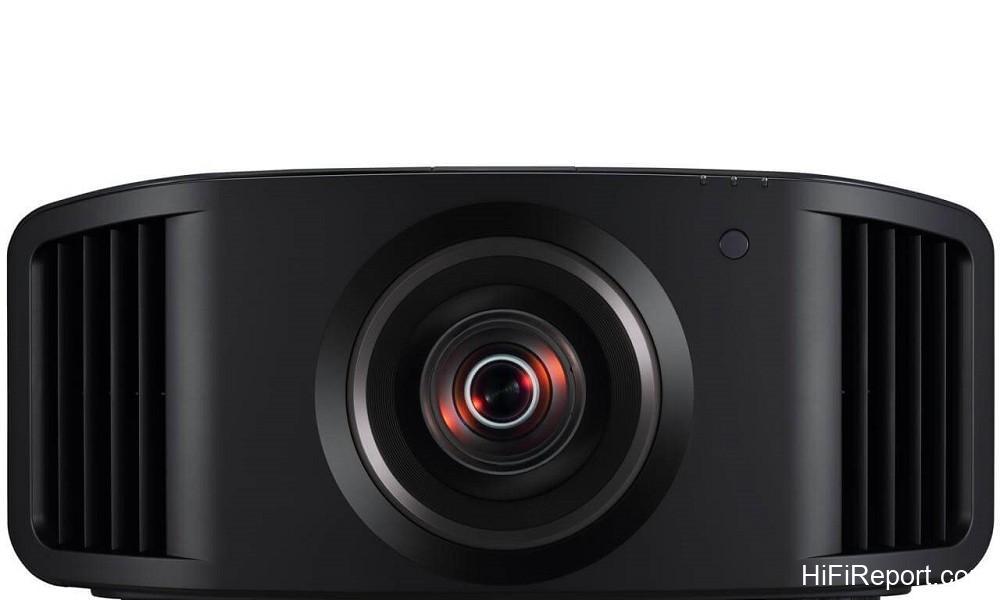
In my personal opinion, the distinction between different tiers of 4K projectors is quite clear. High-end models should utilize true 4K display devices to achieve genuine 4K resolution directly. Currently, the only brand officially imported and distributed in Taiwan that uses native 4K display devices in its home theater projectors is JVC. The JVC DLA-NP5, the subject of this review, is the most affordable model among these “true 4K projectors.”
If a user has sufficient space, this projector allows them to enjoy 4K images on screens measuring 120, 150, or even 200 inches. Projecting at 120 inches provides a display area roughly double that of an 85-inch screen. This larger field of view offers the viewer a much stronger sense of visual immersion, and the large screen size allows the user to fully appreciate the detail of 4K resolution without straining their eyes.
It’s also important to note that JVC relocated its projector overseas factory back to Japan in the middle of this year. Currently, all D-ILA models, including the DLA-NP5, are “Made in Yokosuka,” developed and manufactured in Yokosuka City.
In my previous review of JVC’s flagship 8K projector, the DLA-NZ9, I mentioned that since 2016, all JVC true 4K projectors within the same generation have used their proprietary 4K D-ILA display device. This device boasts a resolution of 4096×2160 (17:9), aligning with digital cinema standards, and can also handle the standard 16:9 4K display (3840×2160).
All current JVC D-ILA projectors use three 0.69-inch 4K D-ILA reflective LCD panels to “simultaneously display R, G, and B images separately.” This approach, unlike time-sequential color display, completely eliminates the rainbow effect. Furthermore, the TFT array and connections that drive each pixel are entirely concealed behind the reflective LCD structure, leaving the pixel area unobstructed. This gives them the advantage of high aperture ratio compared to transmissive display devices.
Contrast Performance
From the Full HD era to the present, serious projector enthusiasts have long recognized “high contrast ratio” as a performance strength of JVC D-ILA projectors. The DLA-NP5 ranks fourth among current JVC home theater projectors and is the most reasonably priced. Despite its position in the lineup, its native contrast ratio reaches an impressive 40,000:1, which is four times or even more than that of many flagship models from other brands.
JVC’s long-standing leadership in native contrast ratio is primarily attributed to their D-ILA display device manufacturing technology, including vertical alignment (arrangement) and flattening techniques for liquid crystal molecules. These techniques effectively reduce irregular reflections during light incidence and reflection, thereby minimizing “stray light” components.
This results in deeper blacks (lower black level) and increases the luminance ratio between white and black, which is key to achieving a high native contrast ratio. Additionally, when utilizing the dynamic iris mechanism to adjust light output based on the input image brightness, the DLA-NP5 achieves a dynamic contrast ratio of up to 400,000:1.
Features and Flexibility
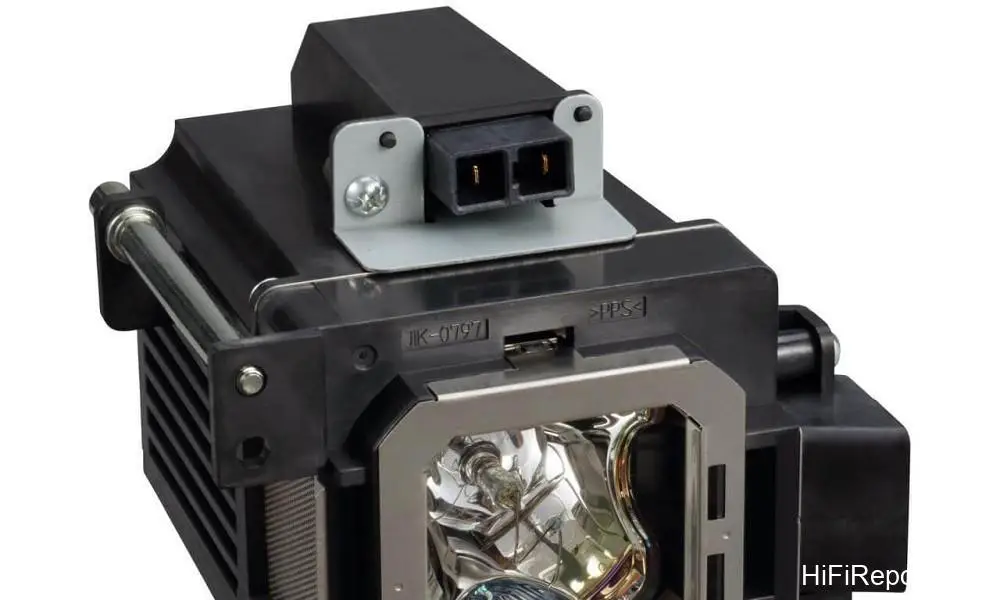
The DLA-NP5 is currently the only D-ILA model that uses a high-pressure mercury lamp as its light source. It offers a maximum light output of 1,900 lumens, and each lamp has a lifespan of up to 4,000 hours in economy mode. Regarding the projection lens, the DLA-NP5 is equipped with the same high-performance lens found in its two higher-end siblings.
This lens features an aluminum barrel and comprises 17 glass elements in 15 groups, including two ED (Extra-low Dispersion) lenses with low dispersion characteristics.
This motorized projection lens offers remote-controlled zoom, focus, and lens shift. The generous vertical lens shift range of ±80% and horizontal range of ±34%, combined with the 2x zoom, provide flexible installation options. The shortest projection distances for screen sizes of 100, 120, 150, 180, and 200 inches are 3.16, 3.81, 4.77, 5.73, and 6.38 meters respectively. The maximum projection distances for the same screen sizes are 6.45, 7.75, 9.7, 11.65, and 12.95 meters.
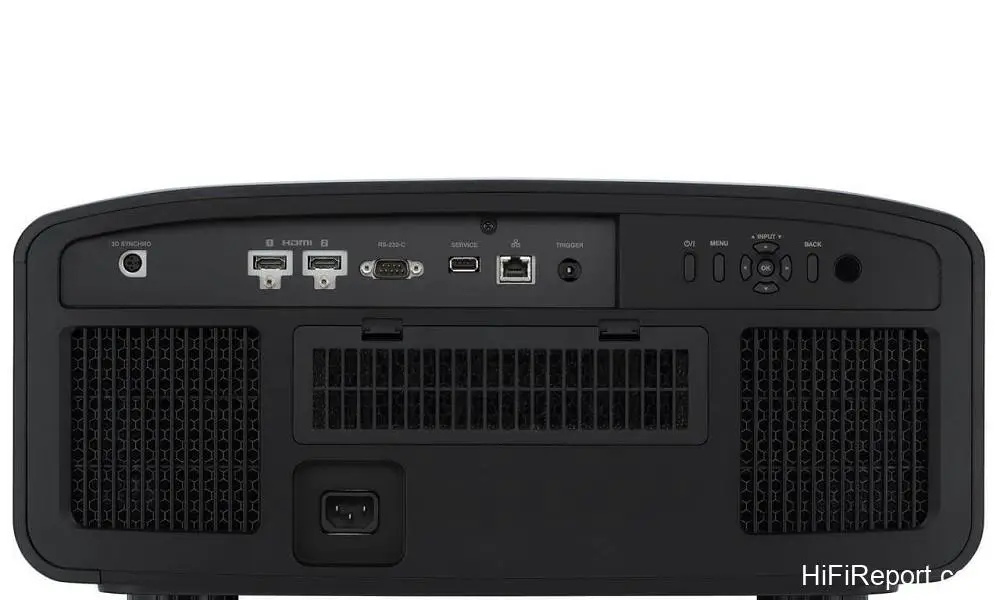
The DLA-NP5 is equipped with HDMI 2.1 inputs, supporting 4K/120p video input. It supports HDR video formats including HDR10, HDR10+, and HLG. Some users might not place much importance on projector HDR support, arguing that projectors cannot reach the 1000 nits peak brightness required by HDR10. However, if you truly understand HDR, you’ll realize its main purpose is to allow video content to be displayed with a wider range of light and dark gradations.

I can tell you clearly that even among televisions, far less than 10% can achieve a peak brightness of 1000 nits, so there’s no need to get fixated on this specific number. Our focus should be on “how to display the HDR gradations more completely and allow viewers to see them.”
The key word in the previous sentence is “see.” From video source to display, the ideal scenario is to allow the input video signal to “fully utilize the light and dark range of the display equipment.” This can be viewed from both the video signal and the display sides. For typical HDR10, the light and dark range of the video content is fixed between 0 and 1000 nits from start to finish.

HDR10+, on the other hand, can select the optimal brightness range based on the scene’s light and dark levels, thereby expanding the range and layering of light and shadow gradations. However, both the source and the display equipment must be compatible with HDR+. Thus, the DLA-NP5 needs to be paired with an “HDR10+ compatible Blu-ray player and software” to demonstrate the effects of HDR10+’s “dynamic HDR.”
However, JVC also understands that the number of people using HDR10+ sources is small, and HDR10+ movies (UHD BD Blu-rays) are even scarcer. Therefore, they developed their exclusive technology, “Frame Adapt HDR.” This feature allows the image processing circuit to analyze the light and dark range of the picture in real-time for different scenes, or even every single frame, and perform dynamic tone mapping. This automatically optimizes the gradations of light, shadow, and color.
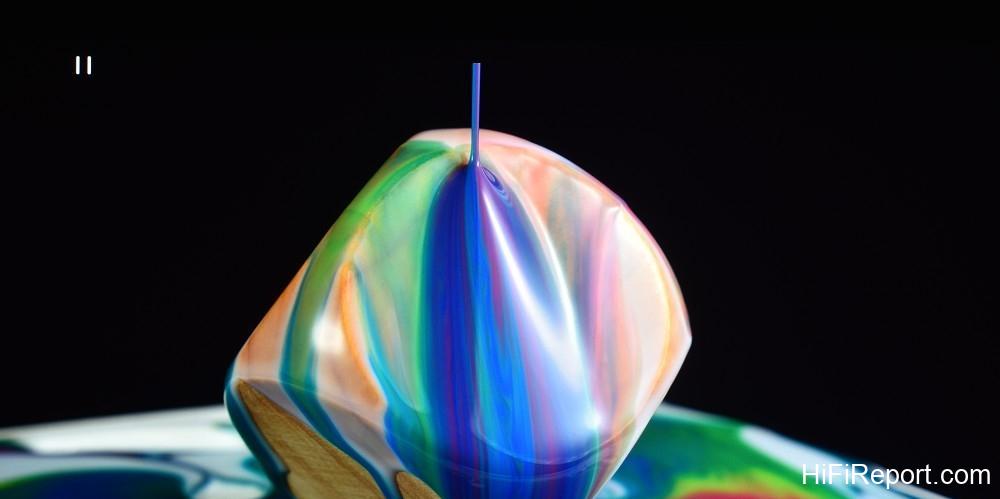
So, even when watching standard HDR content, for these high-end JVC home theater projectors, it’s equivalent to automatically converting and treating standard HDR as if it were HDR10+!
Screen Pairing and Performance
When Feather Yu delivered the DLA-NP5 to our office, he also installed a screen that had won a major award in Japan. To be more precise, the award was for the “screen surface”: Kikuchi’s Solveti Glass (SG). I was very interested in this screen because nearly thirty years ago, Kikuchi left a deep impression on me with their “fine glass bead screens.” These screens had ultra-fine glass powder applied to the surface, resulting in remarkable transparency.

It was eye-opening for me at the time to see a screen make a projected image look as vibrant and bright as a direct-view television.
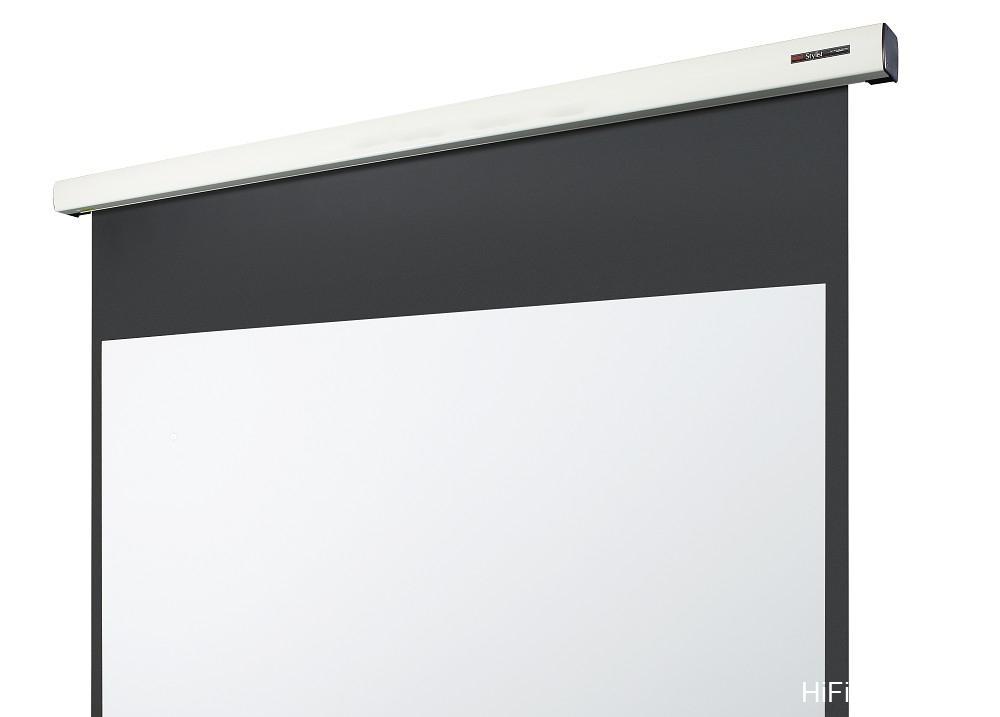
However, this time, a 150-inch fixed frame SGKP-150HDBM screen was installed in our office, and I had a slight concern. While fixed frame screens are excellent (offering the most ideal flatness), this SG screen has a lower gain than the Kikuchi fine glass bead screens I had seen before. It is essentially a Kikuchi WA surface (our reference screen), which has a gain of only 0.85, with a layer of fine glass powder added.
Its peak gain is 1.45, but the gain drops below 1.02 at angles exceeding ±10 degrees. Therefore, its brightness characteristics are quite similar to a standard screen. I figured projecting on a 120-inch screen would be fine, but 150 inches is more than one-third larger than 120 inches. Would it be too much of a stretch?
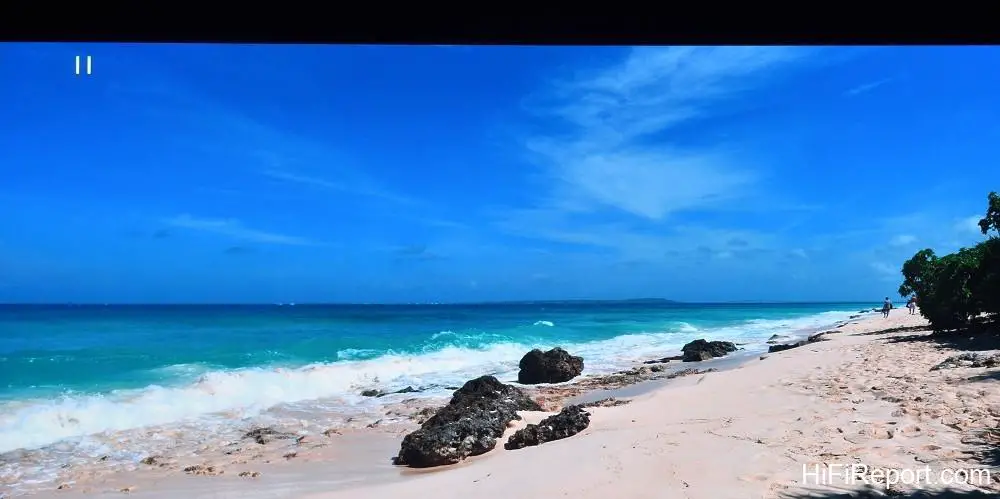
The day after the screen was installed, I conducted a pre-review assessment of the DLA-NP5 to check the screen pairing. As expected, when projecting a full 150 inches, the image brightness felt insufficient (120 to 130 inches was perfectly fine). Fortunately, JVC had just released the latest firmware update, v2.00. I immediately upgraded the DLA-NP5.

This update brought significant changes, mainly including three parts: First, the addition of “Filmmaker Mode,” which faithfully reproduces the director’s intent. Second, “Frame Adapt HDR” was expanded from one mode to three (Frame Adapt HDR 1-3), including an option to increase brightness. Third, pre-calibration for new screen models was added, allowing the projector to automatically adjust color and gradation to suit the screen by simply entering the corresponding number.
I truly did not expect the DLA-NP5 to feel like a completely different projector after the firmware upgrade. Without even attempting to manually brighten the picture, the DLA-NP5 in Frame Adapt HDR 1 mode was able to display sufficient brightness on the Kikuchi 150-inch SG screen. The Kikuchi SG screen has the JVC D-ILA screen code 185 (it was not supported by the screen calibration before the upgrade).
After entering the code, I compared the difference between having Theater Optimizer enabled (with screen pre-calibration) and disabled.
With Theater Optimizer enabled, the picture had a distinct film-like quality, showcasing the consistent characteristics of JVC projectors: rich colors, strong dimensionality, and emphasis on image expression. Mid-tones and below were more subdued, leaning towards a tonal presentation, and warm colors had a cinematic feel. This feature, to some extent, is equivalent to the manufacturer pre-calibrating the projector for the specific screen used by the consumer.
While experienced users can discern the quality of the screen itself, such as color purity, detail focus, and the ability to handle highly saturated colors, the “personality of the screen itself” is considerably restrained. Frankly, even as an old reviewer, it’s difficult for me to determine which screen is being used when the JVC D-ILA projector’s Theater Optimizer is enabled!
If Theater Optimizer is turned off, the DLA-NP5 will fully showcase the screen’s inherent “nature.” Since the mid-1990s, I’ve been fond of Kikuchi’s fine glass bead screens for their “super-sized TV-like” bright, brilliant, clear, and transparent picture. When the Kikuchi SG screen was paired with the DLA-NP5 with Theater Optimizer off, it exhibited these very characteristics.
The colors were vivid, and there were very distinct gradations between similar colors and light and shadow, giving me a stronger sense of object dimensionality and image depth (sense of focus).
Although I know there’s a significant difference in brightness between projector displays and direct-view TVs, this projector-screen combination, in a well-darkened environment, provided a visual impact that felt remarkably close, and the large screen allowed me to easily and clearly see every detail of the 4K video.
I suspect you’ve guessed it – in the end, I turned off Theater Optimizer. This was purely due to my preference for the Kikuchi Solveti Glass screen, allowing it to fully reveal its inherent nature. If a user pairs this screen with the NP5 and chooses a size around 120 inches, the “feeling of watching TV” will be even stronger. For spaces that are not strictly darkened, and the user wants the feeling of watching a super-large TV, they can set “HDR Level” to “Auto (Wide).”
However, regardless of the room’s darkening conditions, I recommend users try “HDR Level: Manual.” There are five steps from -2 to +2. Choose the setting where you observe the best balance between gradation and image brightness.
Picture Quality Analysis
After the DLA-NP5’s firmware update, I didn’t need to manually adjust settings to boost certain values. The texture of objects and the clarity of subtle details showed a very noticeable, visible improvement. I also want to urge professional installers and enthusiasts to be more meticulous when installing and setting up this unit, because it’s worth it.
When zooming in on a grid pattern and carefully adjusting the focus, you can see good convergence of fine lines from the center to the edges, indicating that the optical quality of the projection lens is indeed excellent.
After carefully adjusting the focus, go into “Pixel Adjust.” This allows the R/G and G/B lines to be perfectly aligned in all areas, enabling the unit to deliver its highest and most refined “texture resolution.”
In terms of gradation characteristics, JVC’s inclusion of Filmmaker Mode (also on the NP5’s higher-end models) is obviously intended to let users experience the color tone, light and shadow, and frame rate as intended by the filmmakers. However, I believe JVC’s proprietary Frame Adapt HDR technology is even more impressive.
It more effectively utilizes the NP5’s gradation range to expand the light and dark dynamics of the original video, resulting in a stronger image impact and making it easier to see details in dark areas. The CMD (Clear Motion Drive) feature performs motion interpolation between two native frames, which helps reduce the judder of moving objects in 24p film content.
Regarding resolution, I first tested with a 4K static resolution pattern. The DLA-NP5’s image could clearly display and distinguish the black and white alternating fine lines that are one pixel wide. This is the advantage of using a true 4K display device (pixel-shifted 4K models cannot achieve this). I then tested the dynamic resolution of the unit’s “CMD” (Clear Motion Drive) settings. Using the FPD Benchmark 6.5ppf pattern, the unit measured a motion resolution of 600 lines with “CMD: Off.”
With CMD set to “Weak” and “Strong,” it achieved the full score of 1080 lines for the test pattern. Subsequently, using the double-speed 12.5 ppf pattern, “CMD: Weak” measured a motion resolution of 800 to 850 lines, while the “Strong” setting yielded 850 to 900 lines.
Next, I measured the unit’s motion resolution with 4K video input. With 4K/60p video and object motion at 2 pixels per frame, both the Weak and Strong CMD settings could fully display 4K resolution (they could not with 4-pixel motion). From the test results, the DLA-NP5’s motion resolution in Full HD is slightly higher than most 4K projectors. Moreover, its ability to fully display 4K resolution for “smooth, slow-moving 4K footage” is an excellent level not achievable by most 4K projectors.
When watching actual film content with dynamic motion, banding is almost invisible on moving faces and arms, indicating excellent gradation of moving objects. The fragmentation (digital noise resulting from motion interpolation) at the boundary between the main subject and a complex background as the subject moves is very low. These are image quality advantages that users can actually perceive during viewing.
Setting the “Motion Enhance” control in Motion Control to Off, Weak, or Strong does not change the motion resolution; it is equivalent to adjusting the sharpness of moving objects and will enhance the edges of moving objects. I recommend setting it to “Weak.”
Color Performance
In terms of color performance, when receiving standard video (SDR) input in its default state, the Picture Mode is set to “Auto,” which corresponds to “Color Profile: BT.709.” Just like the flagship NZ9 I recently reviewed, it is calibrated to be “faithful to the original color,” similar to professional displays. Although it doesn’t boost saturation, thanks to the excellent inherent quality of the hardware and the clean control of residual light, the colors are not muted.
From extremely light colors, mid-tones, to extremely saturated colors, the unit maintains a very neutral calibration overall.
Observing various color gradation and hue charts, it’s possible to distinguish between the density and hue changes of similar colors. For scenes that are typically difficult to render exceptionally well, such as the dimensionality of green leaves, the DLA-NP5 can still present a very realistic and natural three-dimensional feel. If you wish to expand the color gamut, users can try setting the color profile to Video, Cinema, DCI, or BT.2020.
The HDR color performance maintains the excellent characteristics seen in SDR color gradations. In this mode, the projector’s maximum color gamut corresponds to the input video’s BT.2020. Although the measured color gamut is not as wide as its higher-end siblings using laser light sources, four of the six primary and secondary colors (B, M, R, Y) slightly exceed the DCI-P3 gamut. Only the C and G color ranges, to which the human eye is relatively less sensitive, are smaller than P3.
Therefore, visually, when watching various HDR movies, this unit fully conveys the wide color gamut characteristic.
Conclusion and Value
This test confirms that the JVC DLA-NP5’s light output, optical performance, and resolution are capable of illuminating a 150-inch screen effectively. The display area, four times that of a 75-inch TV, provides viewers with an immersive visual presence. The picture is bright, detailed, and solid.
I must emphasize that while many 4K projectors claim to be able to project on 200-inch screens, the true resolution of the vast majority is lower than 4K TVs, and I won’t even go into the quality of their optics. They were originally designed as “limited picture quality” models, and magnifying the image only makes them harder to watch.
If you demand high picture quality from a large display, I believe you should choose this product, which boasts “native true 4K resolution” and is meticulously crafted from display device to image processing and optics. Evaluating its picture quality performance against its price, I believe the DLA-NP5 offers excellent value and deservedly earns our Best Recommendation award.
Specifications
* Type: D-ILA 4K Projector
* Display Device: 0.69-inch Native 4K D-ILA Device (4096×2160) × 3
* Lens: Diameter 65mm, 2x Motorized Zoom/Focus/Shift All-Glass Lens with Aluminum Barrel
* Lens Shift: Vertical ±80%, Horizontal ±34%
* Projected Screen Size: 60 to 200 inches
* Light Source: 265W NSH Lamp
* Lamp Life: 4000 hours (in Low Power Mode)
* Light Output: 1,900 Lumens
* Contrast Ratio: Intelligent Dynamic Contrast 400,000:1, Full-Time Native Contrast 40,000:1
* Video Input: HDMI × 2 (48Gbps, HDCP 2.3 compatible)
* Output Terminals: Trigger Terminal × 1, 3D Sync Terminal × 1
* Control Terminals: RS232C × 1, LAN × 1
* Service Terminal: USB × 1
* Power Consumption: 420W (On), 1.5W (Network Standby), 0.3W (Economy Standby)
* Fan Noise: 24 dB
* Dimensions: 500 × 234 × 495mm (WHD)
* Weight: 19.2 kg